
Web hosting: setting up a website and connecting a domain
Connect your domain to your hosting and launch your site, then install WordPress and manage email and databases.
Setting up hosting takes a few minutes from the Websites page.
- 1Step 1
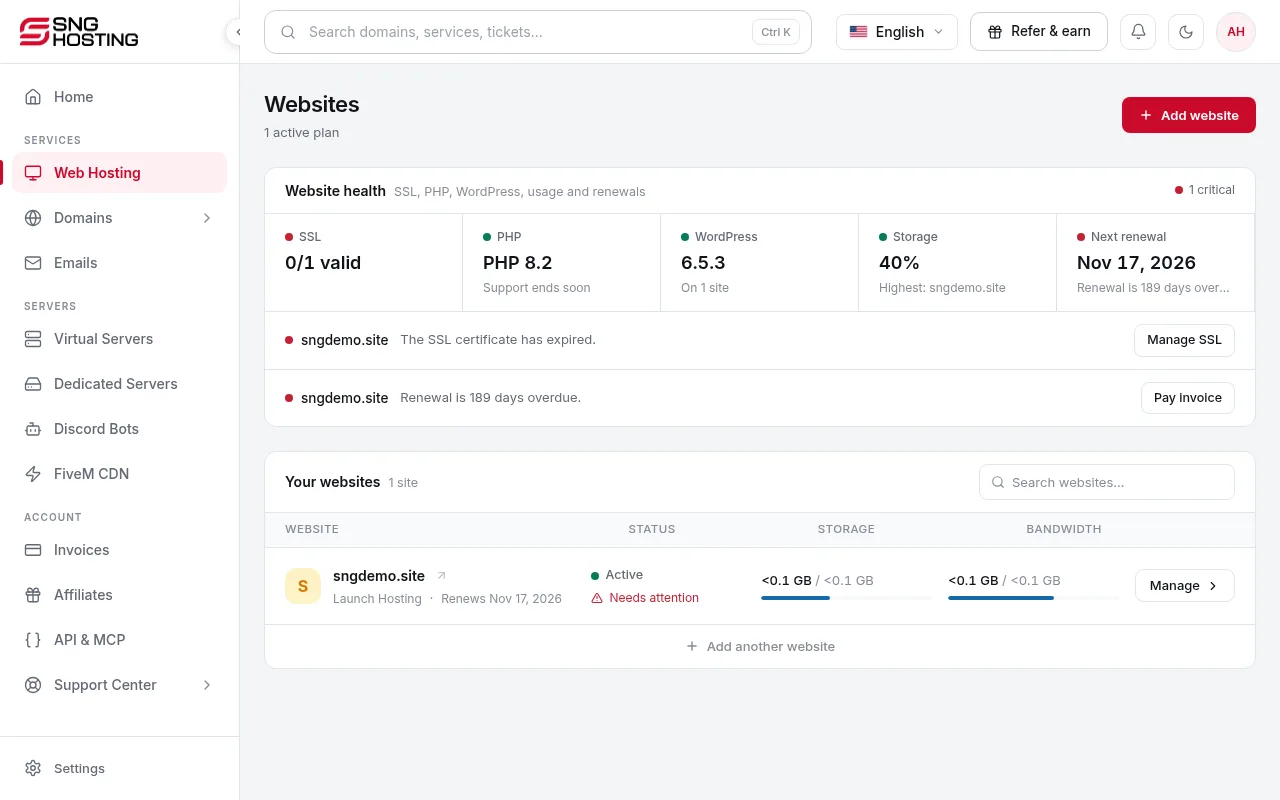
Open Websites
In the menu choose Websites, open your hosting and press Connect a domain and launch your website.
- 2Step 2
Choose the domain
A domain already in your SNG account, a domain registered elsewhere, or a new one from the SNG store. Enter an external domain without http:// or www. SNG detects your DNS provider and connects it automatically when supported; otherwise add the TXT record shown at your provider, wait for it to spread, then press Verify.
- 3Step 3
Pick the datacentre
Choose the one closest to your visitors. Hosting includes NVMe storage, SSL and daily backups, and setup usually takes a few minutes.
- 4Step 4
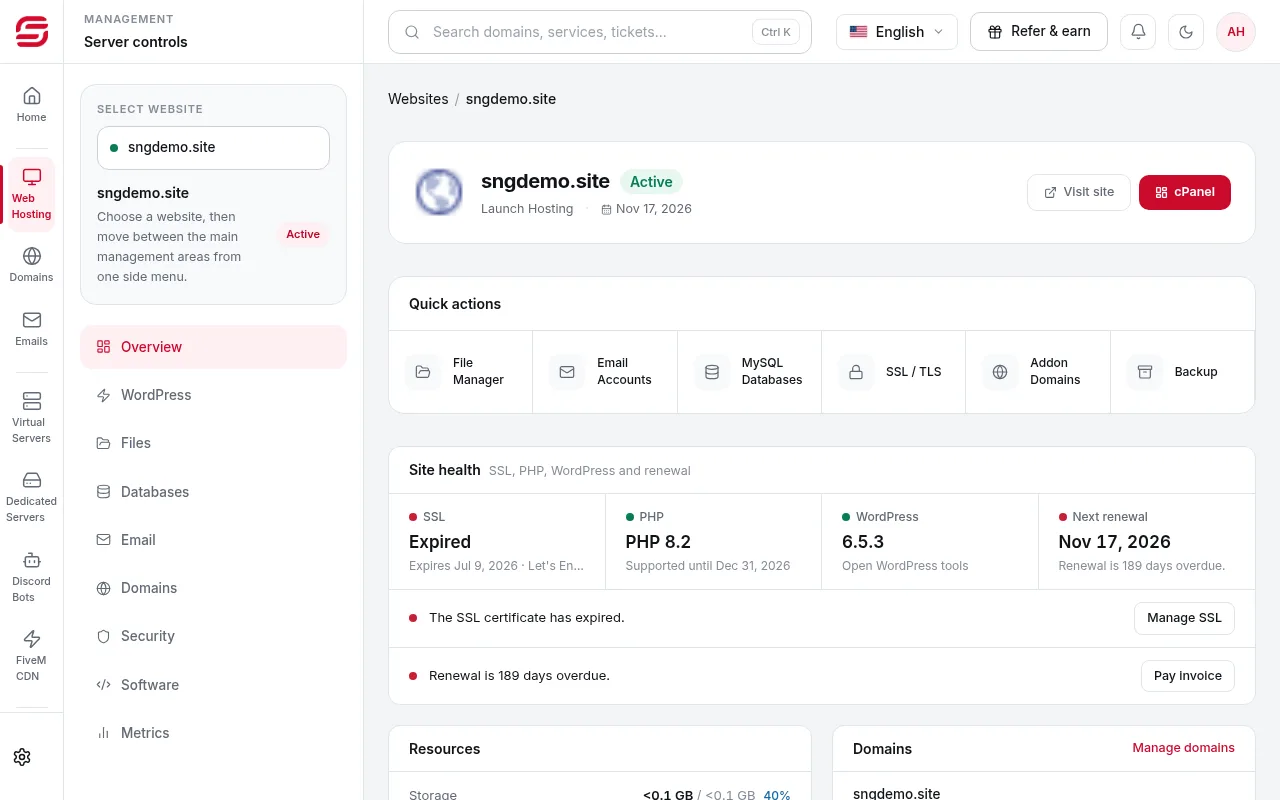
Manage your website
From the website page: one-click WordPress, domains, email (mailboxes, forwarders, auto-responders, spam filter), databases, and site health (SSL, PHP, usage and renewals).
Note
- If it says the hosting account needs a safe review, open a support ticket. SNG does not recreate the account automatically.
Steps didn't work for you? Our support team is available around the clock.