
Discord bot hosting that stays online 24/7
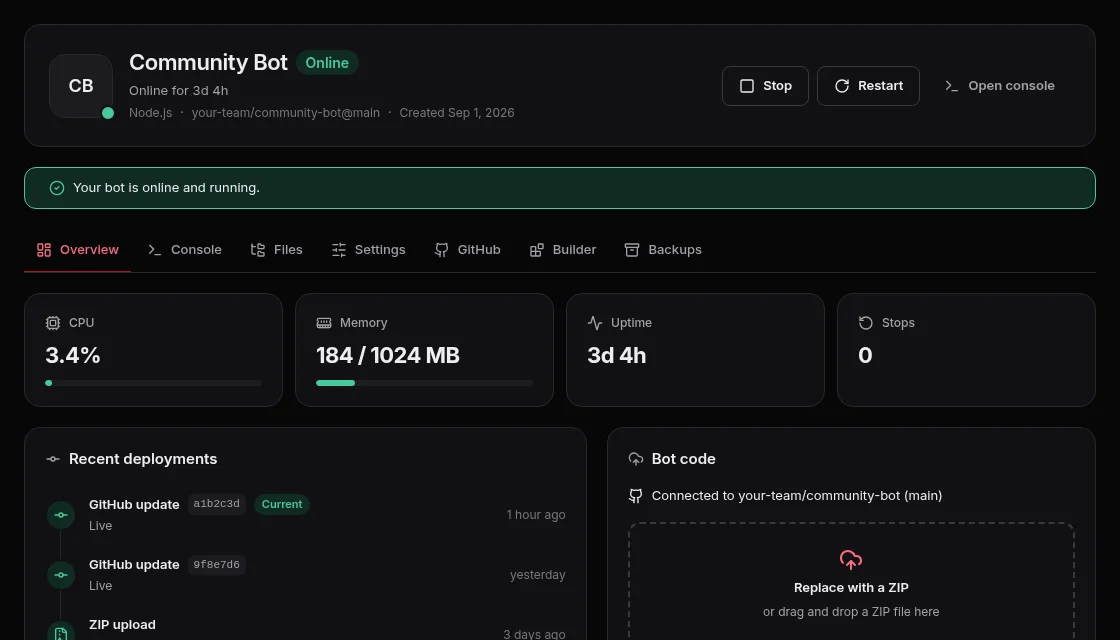
- Upload a ZIP or connect GitHub
- No-code builder for simple bots
- Automatic restarts if your bot stops
- Live console and logs in your browser
Bot hosting plans
Every plan includes NVMe storage, a shared 10Gbps uplink and automatic restarts.
Everything your bot needs
Control panel tools built for bot owners, whether you write code or are just starting.
Deploy your way
Upload a ZIP or connect a GitHub repository. With auto-deploy, every push updates the bot by itself.
No-code builder
Build simple commands and replies right in the panel, without writing code.
Back up on its own
If your bot stops we restart it automatically and tell you why in a plain sentence.
Live console and files
Follow the logs as they happen and edit your bot's files in the browser.
A safely stored token
Your bot token is stored encrypted, checked with Discord when you save it, and never shown again.
Backups
Take a copy of your bot's files and restore it whenever you need to.
Node.js and Python
We detect your bot's language from its files and install the packages it needs.
Start your bot in 3 steps
- 1
Choose a plan
Pick the resources that fit the size of your Discord server.
- 2
Upload your code
Upload a ZIP, connect GitHub or start from the builder.
- 3
Add the token and start
Paste your bot token from the Discord Developer Portal, then press Start.
Frequently asked questions
Quick answers before you start.
Ready to start your bot?
Pick a plan, upload your code and start your bot from the control panel.