
Domains: register, transfer, nameservers and DNS
Register a new domain, transfer yours to SNG, and edit nameservers and DNS records.
All your domains are in the Domains section of the control panel.
- 1Step 1
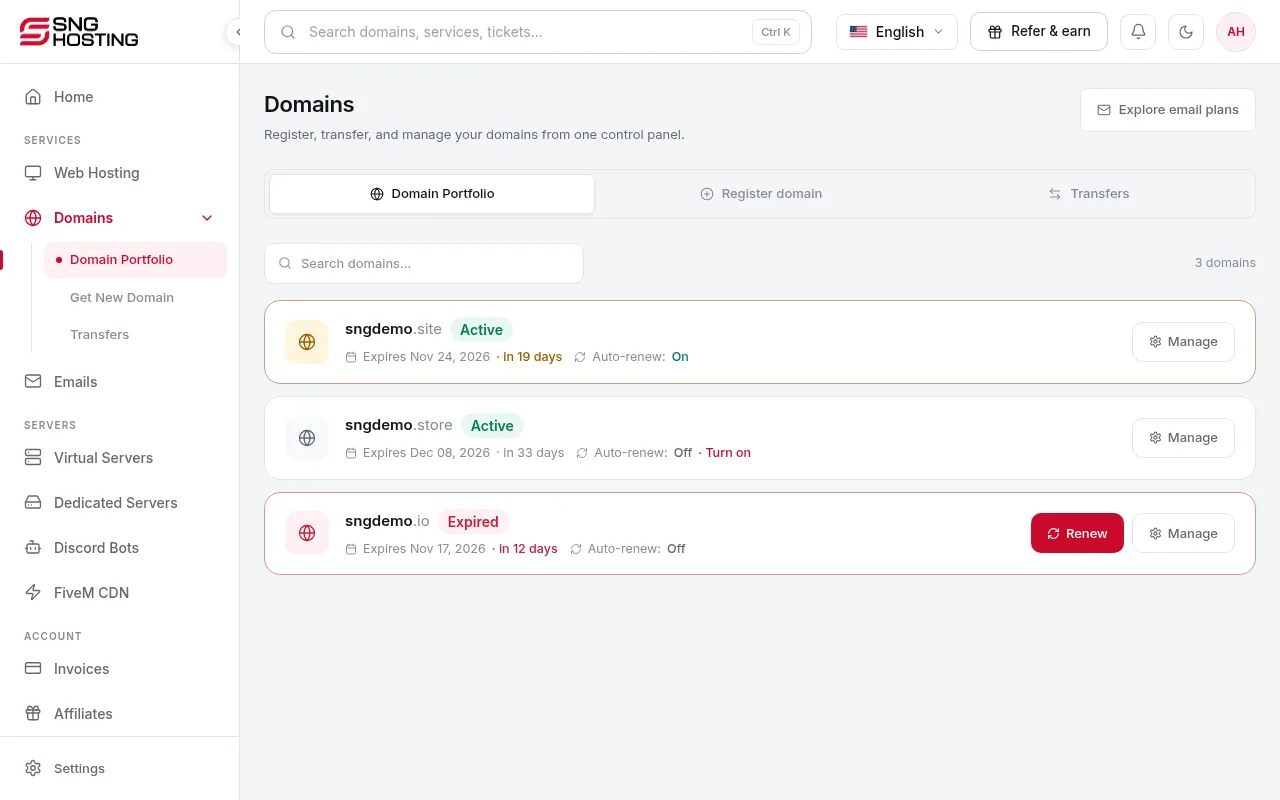
Your domains
In the menu choose Domains to see every domain and its expiry date.
- 2Step 2
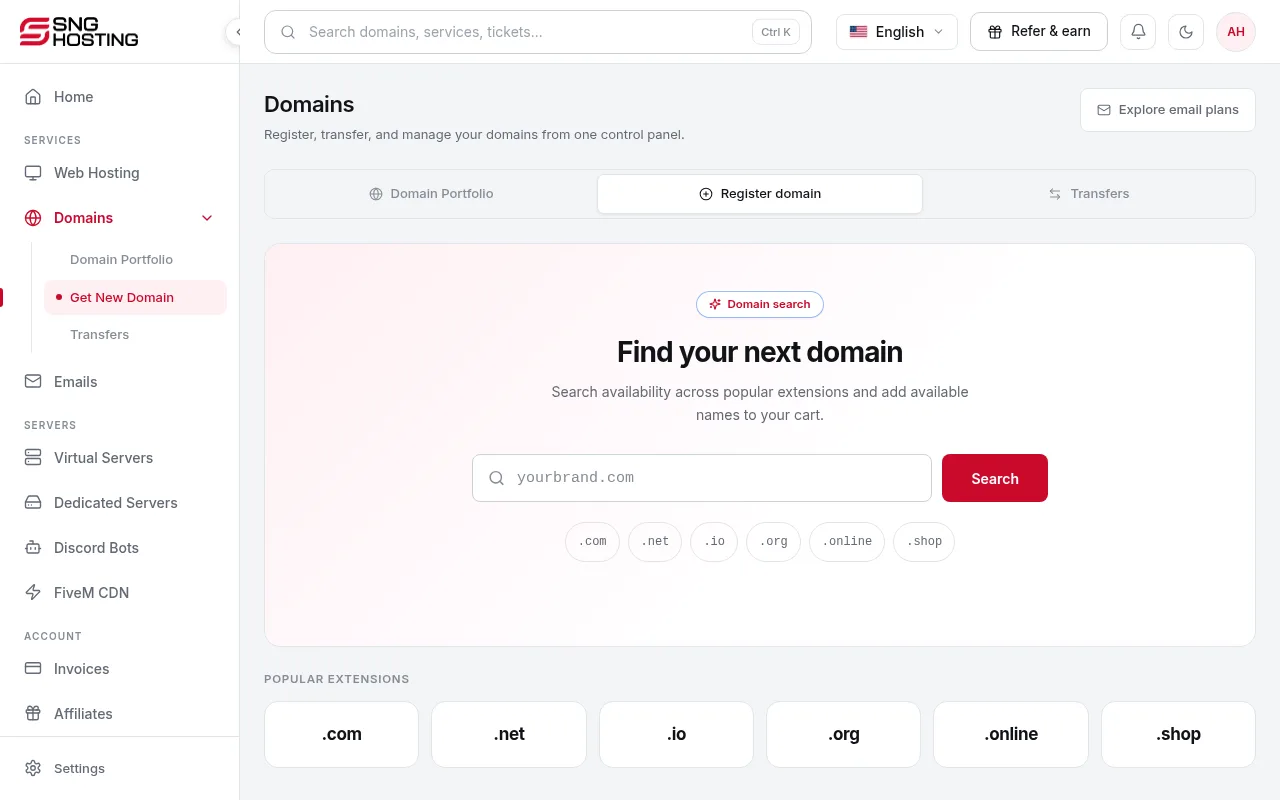
Register a new domain
Choose Get New Domain, search for the name, then add it to the cart.
- 3Step 3
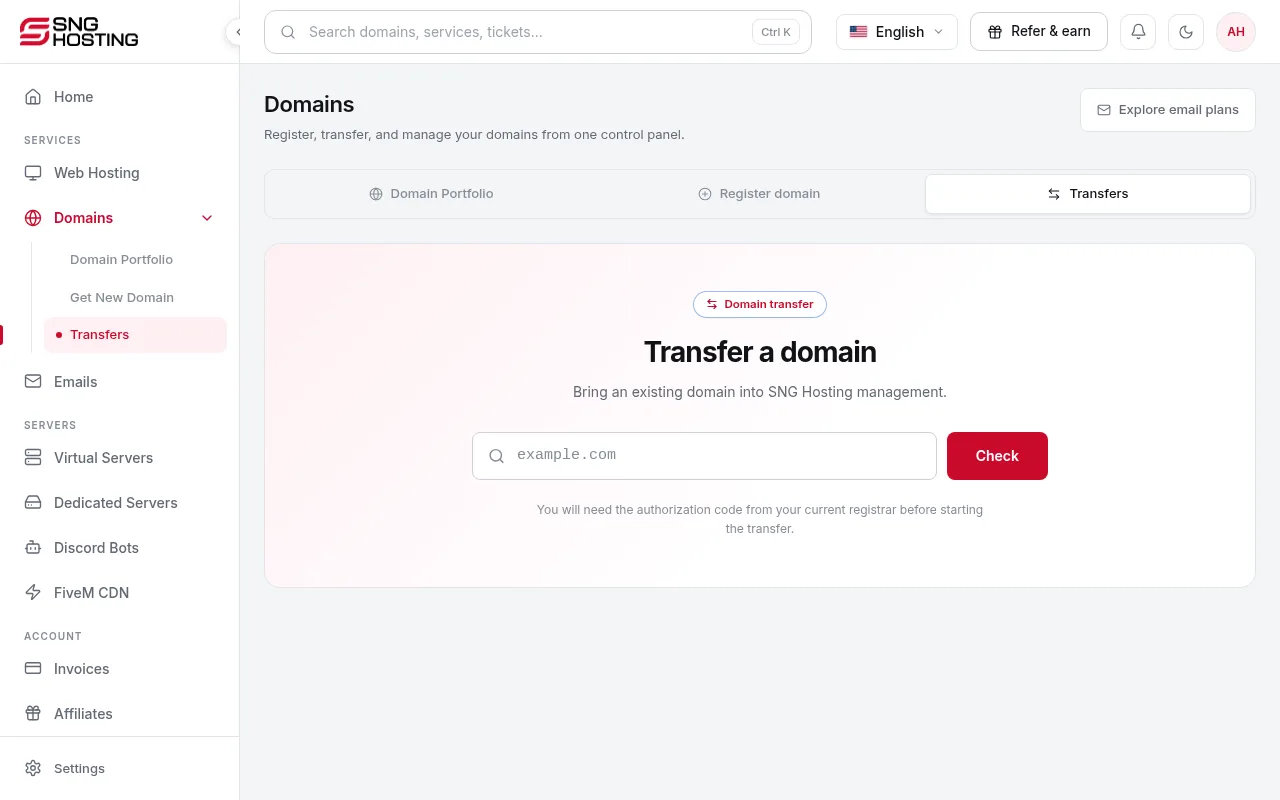
Transfer your domain to SNG
In Transfers, enter the domain and the EPP/Auth code from your current registrar. A transfer includes a 1-year renewal, and some extensions need a manual review through support.
- 4Step 4
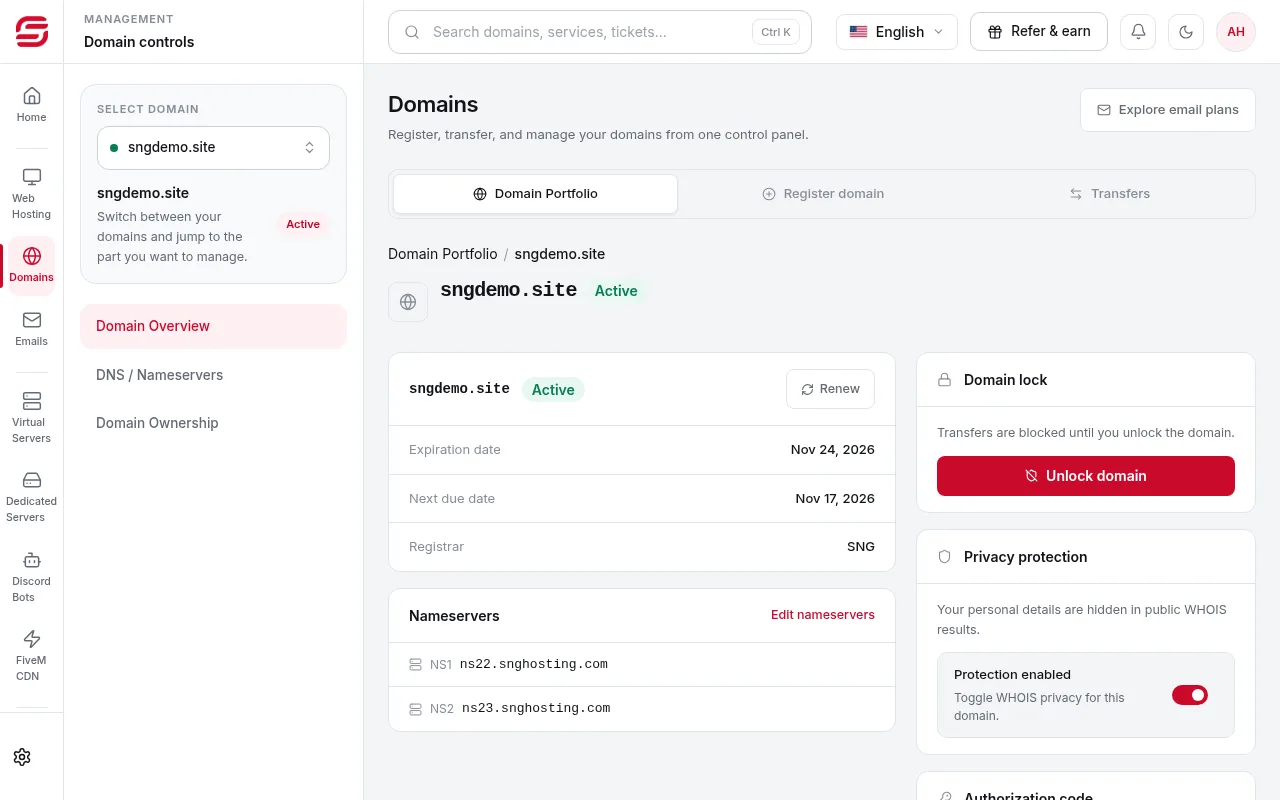
Nameservers
On the domain page, open DNS / Nameservers to edit the nameservers (at least two). To point the domain to a server or hosting, see the Changing nameservers and pointing a domain to your server guide.
 Note
Wrong nameservers stop both the website and email, and changes can take up to 48 hours to spread.
Good to know
- To move a domain to another registrar, request the EPP code on the domain page. It may be emailed to the account email.
- When editing WHOIS contacts, use country codes such as EG or SA and include the country code in phone numbers.
- Domain fees are not refundable.
Steps didn't work for you? Our support team is available around the clock.