
Control panel guides2 minutes
VNC console: see your server's screen
Connect to the server screen from your browser when SSH or Remote Desktop does not work.
VNC connects you to the server as if you were sitting in front of it, even when networking inside the server is broken.
- 1Step 1
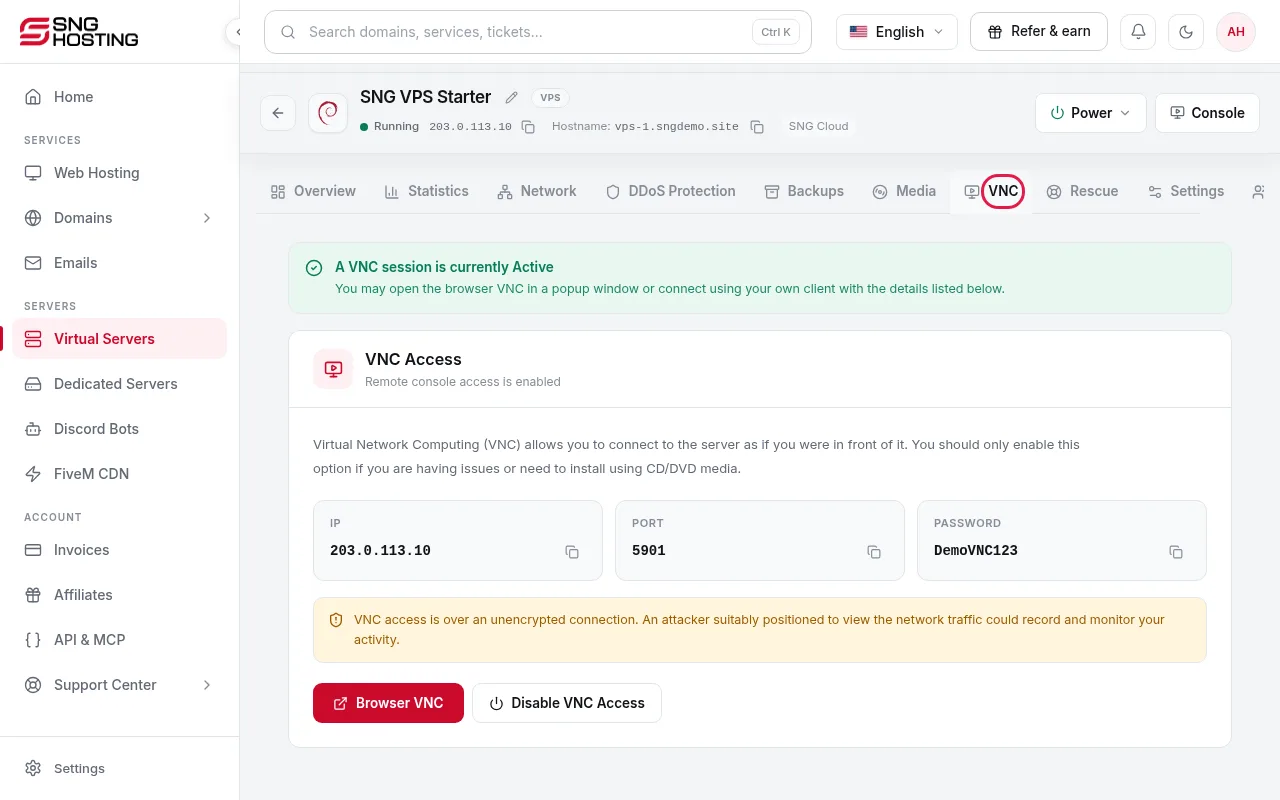
Open the VNC tab
On the server page, open the VNC tab and enable the connection.
- 2Step 2
Use it to fix the problem
It helps with a wrong firewall rule, wrong network settings, boot errors, or a manual operating system install.
- 3Step 3
Close it when you are done
The VNC connection is not encrypted. Enable it only when you need it and close it afterwards.
Need help?
Contact supportSteps didn't work for you? Our support team is available around the clock.