
Control panel guides3 minutes
Setting a new root or Administrator password
Create a new password for root on Linux or Administrator on Windows from the server page.
If you forgot your server password, you can create a new one from the control panel.
- 1Step 1
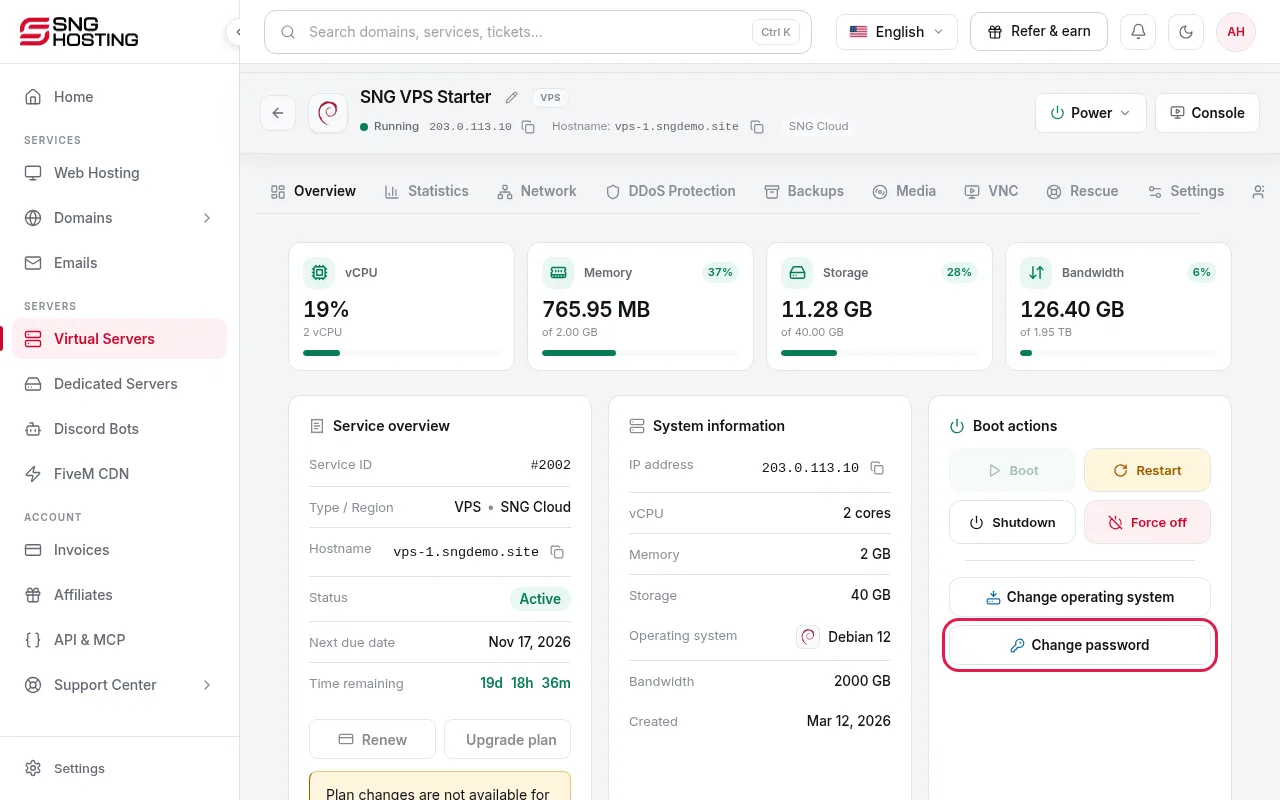
Press Change password
On the server page, press Change password.
- 2Step 2
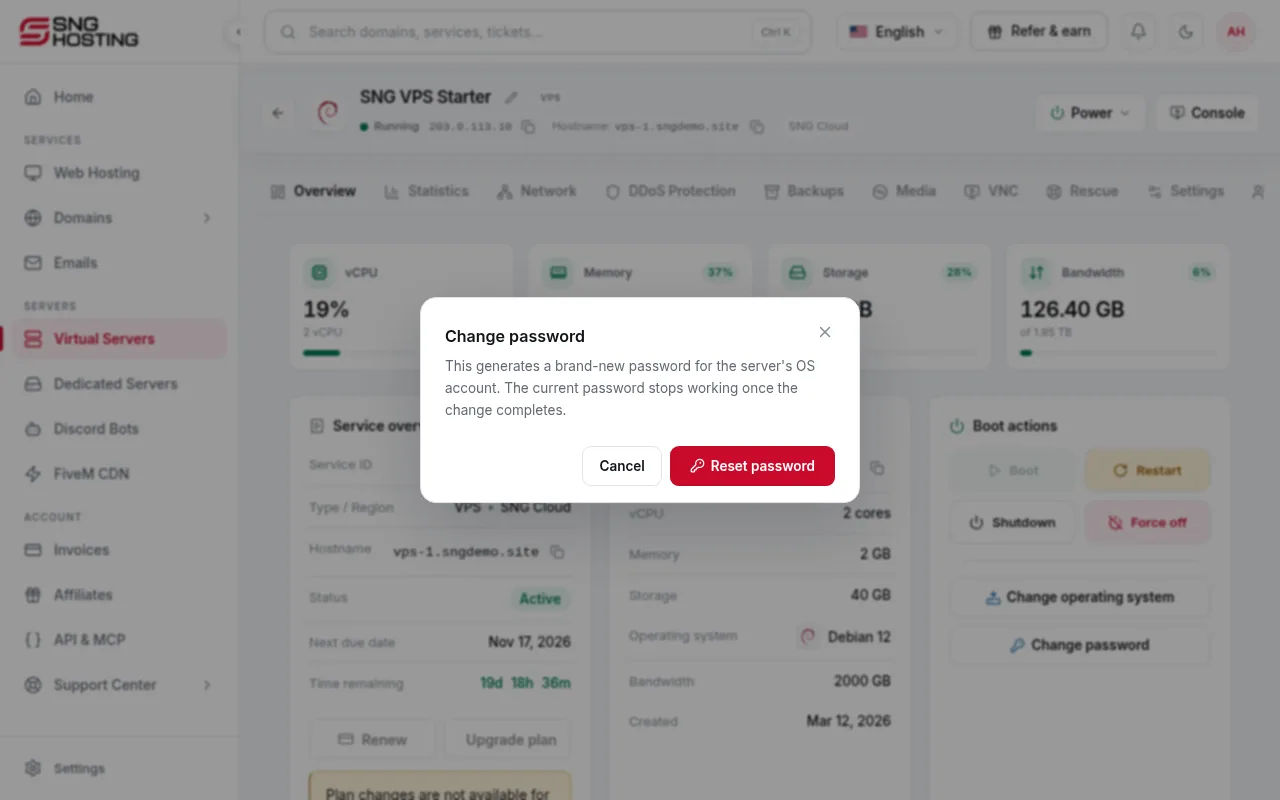
Confirm to generate a new password
Press Reset password in the window to confirm.
- 3Step 3
Copy the new password
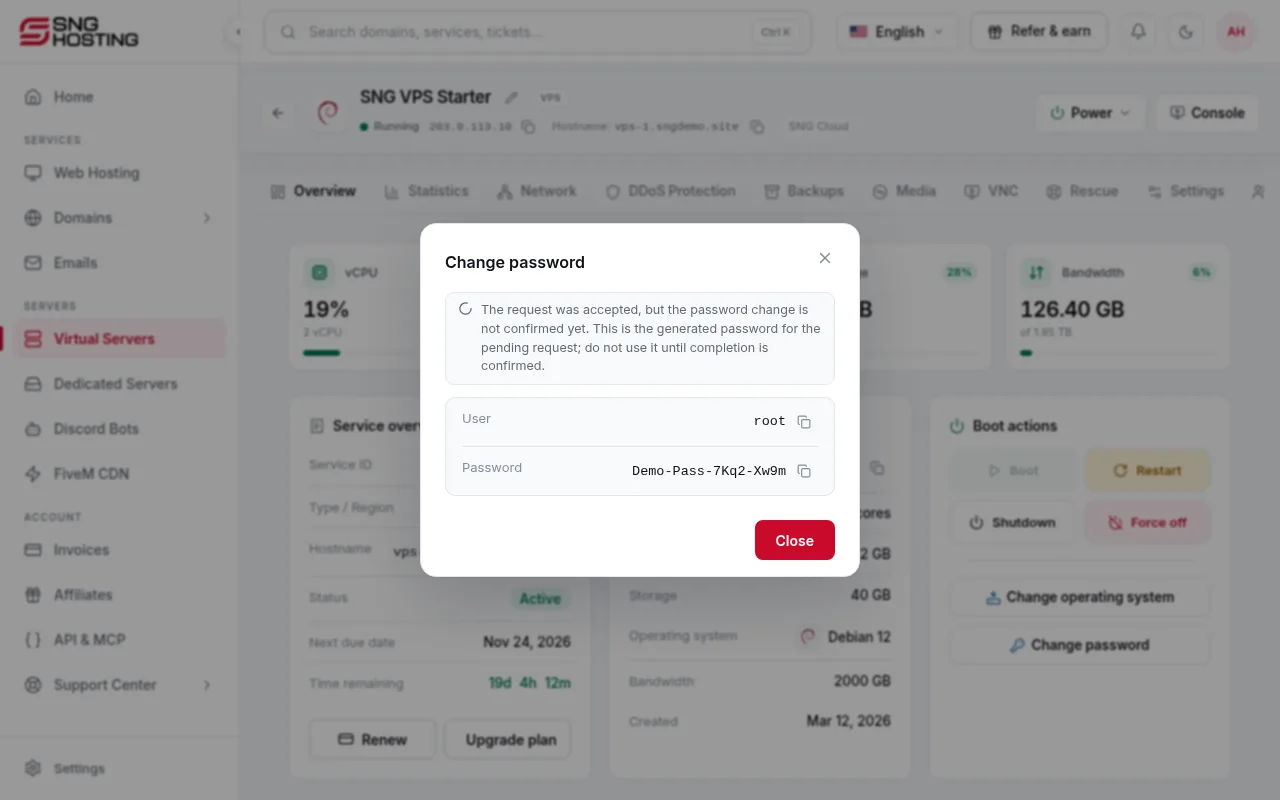
The new password is shown with the username. Copy it with the copy button and keep it somewhere safe.
 Note
If the status shows pending, do not use the password until the change is confirmed.
- 4Step 4
If it fails
Wait until the operating system has fully started, then try again. If the system itself is broken, use Rescue mode, or reinstall the operating system (this erases data).
Dedicated servers
- On dedicated servers the reset asks for a code sent to the account email, and the new password is shown only once. Save it before you close the window.
Need help?
Contact supportSteps didn't work for you? Our support team is available around the clock.