
Control panel guides3 minutes
Rescue mode
Boot a temporary system that is independent of your main disk to fix boot failures or recover files.
Rescue mode boots a small temporary operating system that does not depend on the server's main disk, so you can reach your files even when the system does not boot.
- 1Step 1
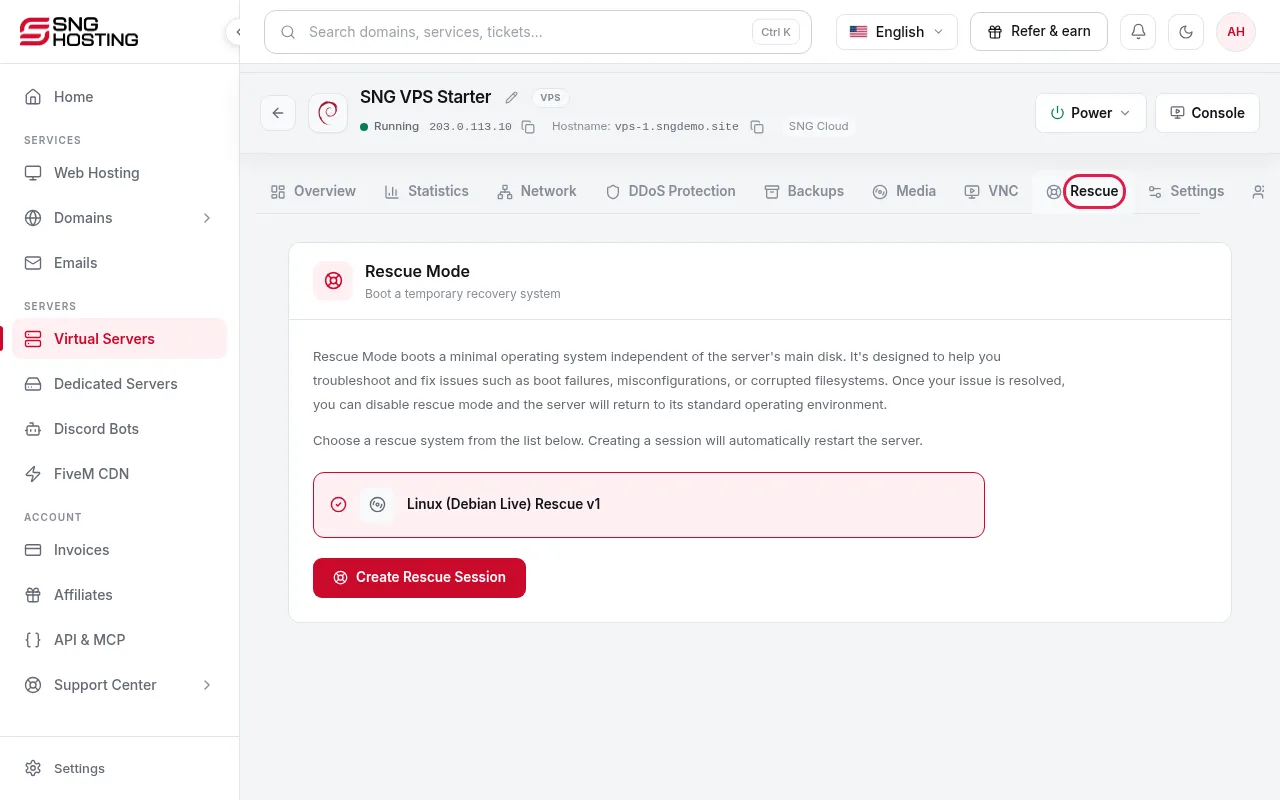
Open the Rescue tab
On the server page, open the Rescue tab.
- 2Step 2
Create a rescue session
Press Create Rescue Session. The server restarts and the connection details are emailed to you.
- 3Step 3
Fix the problem
Connect to the temporary system, then repair the broken configuration or copy your files.
- 4Step 4
End the session
Press End Session to restart the server back into your normal system.
Need help?
Contact supportSteps didn't work for you? Our support team is available around the clock.