
Control panel guides2 minutes
Server name, hostname and boot mode
Change the server's display name and hostname, and choose between BIOS and UEFI.
All server identity settings are in the Settings tab.
- 1Step 1
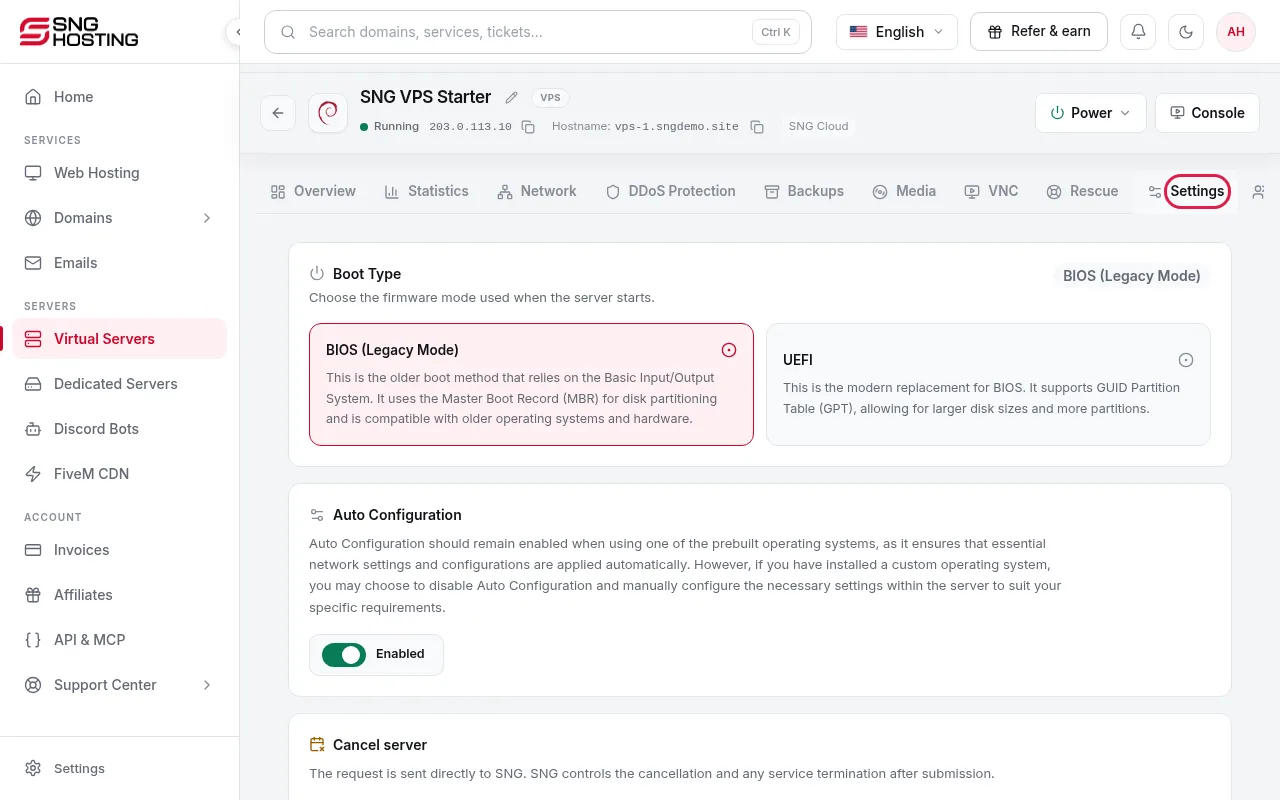
Open the Settings tab
On the server page, open the Settings tab.
- 2Step 2
Edit the server identity
Under Edit server identity, change the name shown in the panel and the system hostname. A new hostname takes effect on the next reinstall.
- 3Step 3
Choose the boot type
BIOS (legacy mode, MBR) for older systems, or UEFI (modern, GPT) for large disks.
Need help?
Contact supportSteps didn't work for you? Our support team is available around the clock.