
Control panel guides2 minutes
Sharing a server with someone else
Invite trusted people to manage your server from their own accounts, without sharing your password.
Instead of sharing your account details, add the people who help you as secondary owners of the server.
- 1Step 1
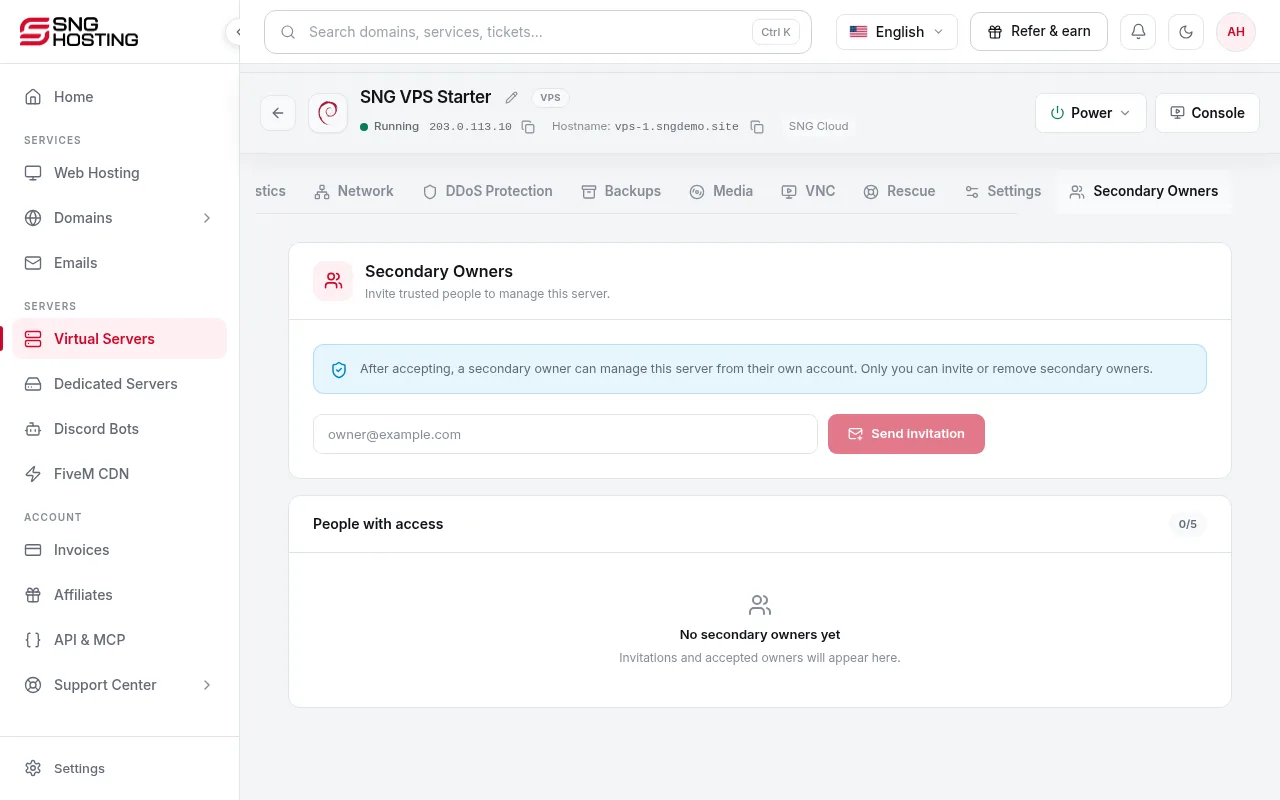
Open the Secondary Owners tab
On the server page, open the Secondary Owners tab at the end of the tabs.
- 2Step 2
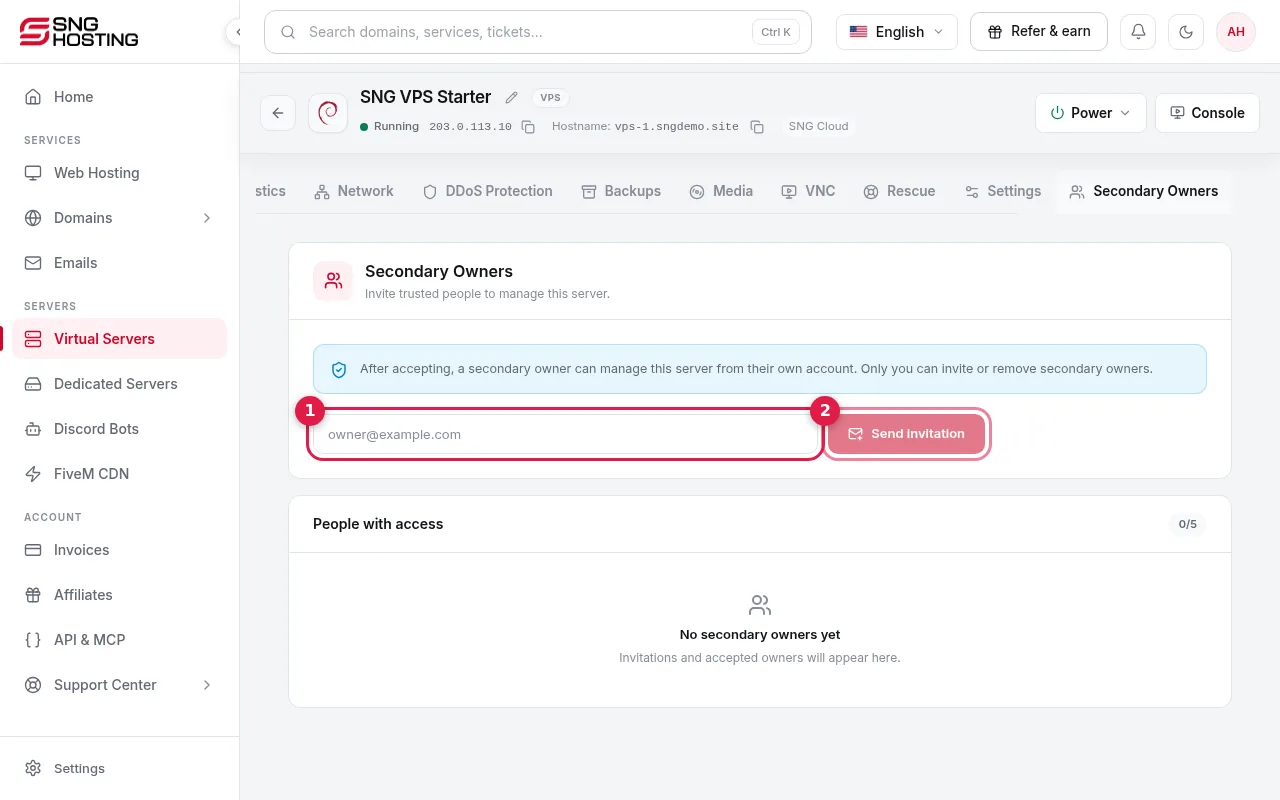
Enter the email and send the invitation
Type the person's email (1); they need an SNG account or can create one. Then press Send invitation (2). You can add up to 5 people.
- 3Step 3
Accepting the invitation
Once the person accepts, they manage the server from their own SNG account.
- 4Step 4
Removing access
Only the main owner can invite or remove secondary owners.
Sharing the whole account
- Account sharing in the menu gives access to the whole account, not a single server.
Need help?
Contact supportSteps didn't work for you? Our support team is available around the clock.