
Control panel guides2 minutes
Server backups and restore
See the backup schedule, restore a backup, and delete old backups.
If your server has a backup plan, every backup is listed in the Backups tab.
- 1Step 1
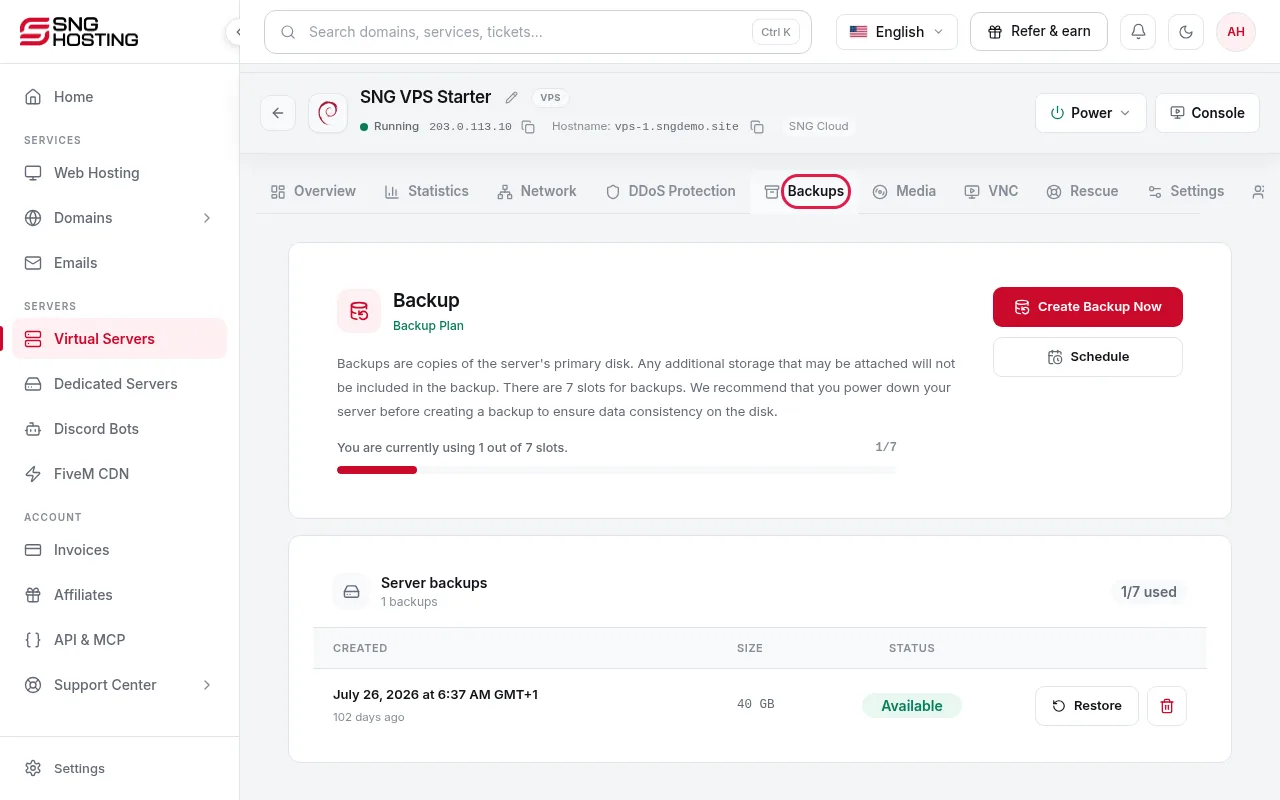
Open the Backups tab
On the server page, open the Backups tab to see the schedule and existing backups. If it says backups are not enabled, the server has no backup plan; you can ask support or sales to add one.
- 2Step 2
Restore a backup
Restore replaces the primary disk with the backup.
NoteRestoring overwrites the current data on the server with the backup.
- 3Step 3
Delete a backup
Delete removes the backup permanently.
Good to know
- Server actions are disabled while a backup runs.
- Under the Terms, customers are responsible for keeping their own independent backups.
Need help?
Contact supportSteps didn't work for you? Our support team is available around the clock.