
Control panel guides3 minutes
Mounting an ISO and setting the boot order
Mount a preset disc or your own ISO for a manual install, and choose what the server boots from.
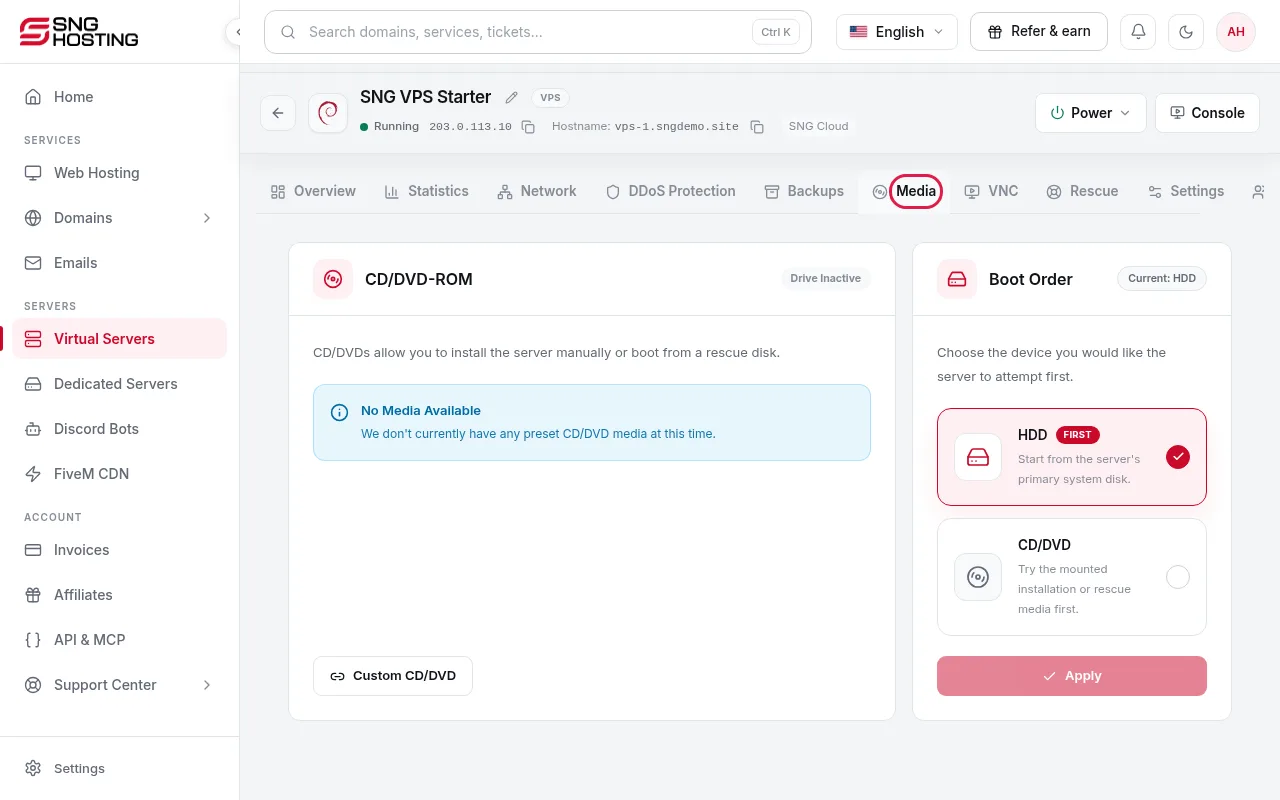
The Media tab works as a virtual CD/DVD drive for your server.
- 1Step 1
Open the Media tab
On the server page, open the Media tab.
- 2Step 2
Choose the disc
Choose a Preset CD/DVD from the list, or a Custom CD/DVD and enter the ISO link, then press Insert.
NoteA custom ISO link must use HTTPS, be entered without the https:// prefix, end in .iso, and have no redirects.
- 3Step 3
Set the boot order
Under Boot Order, choose HDD for normal operation or CD/DVD first to boot from the mounted disc, then press Apply.
Need help?
Contact supportSteps didn't work for you? Our support team is available around the clock.