
Starting, restarting and shutting down your server
The power controls on the server page: start, restart, safe shutdown and force power off, and when to use each one.
You control your VPS power from the control panel, without signing in to the server itself.
- 1Step 1
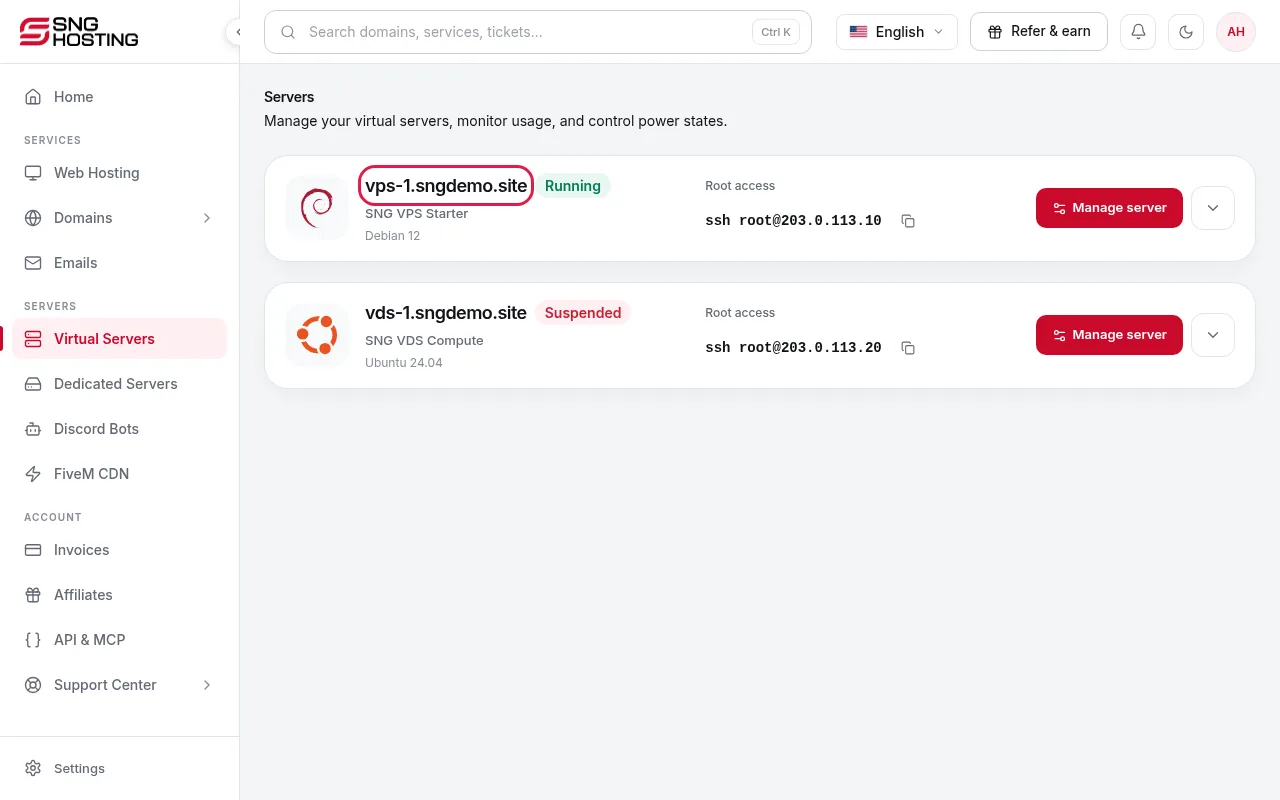
Open the server
In the control panel menu, choose Servers, then open the server you want to control.
- 2Step 2
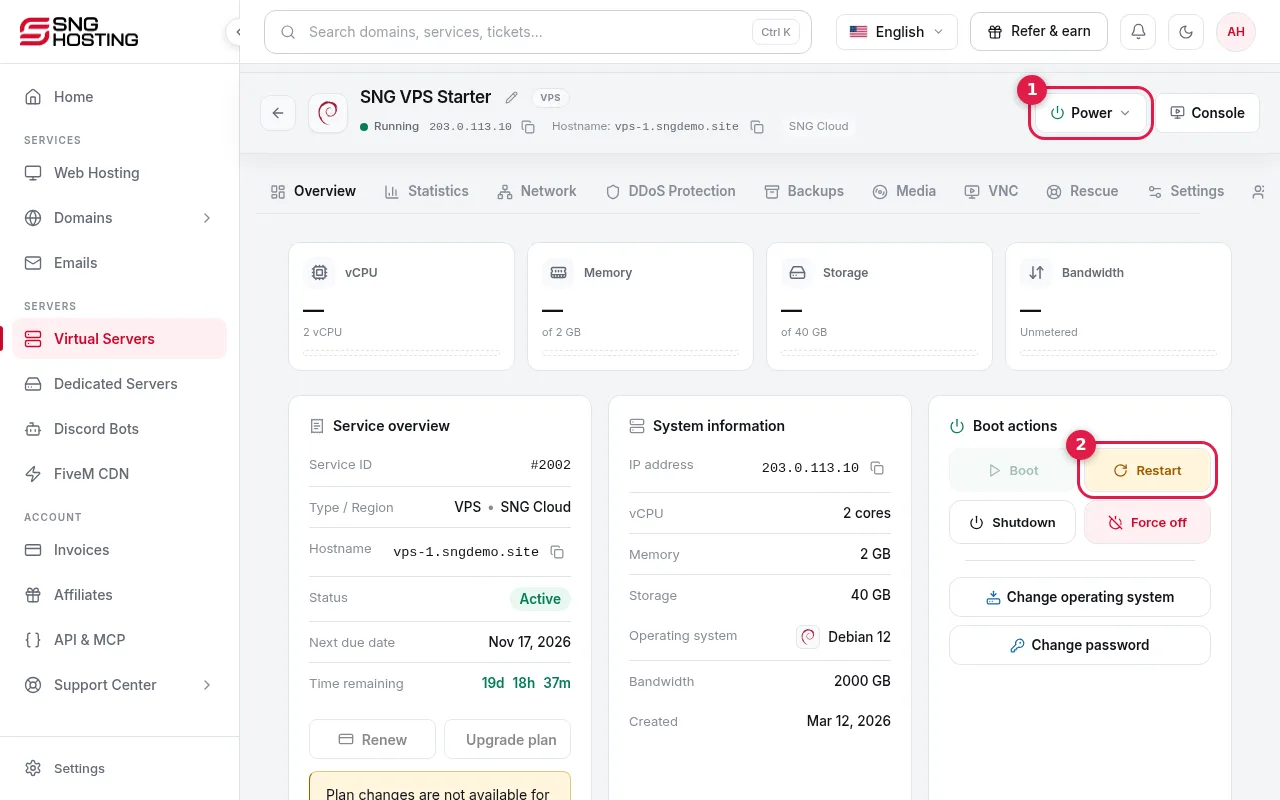
Use the Power menu or the Restart button
At the top of the server page you will find the Power menu (1) and, next to it, a quick Restart button (2).
- 3Step 3
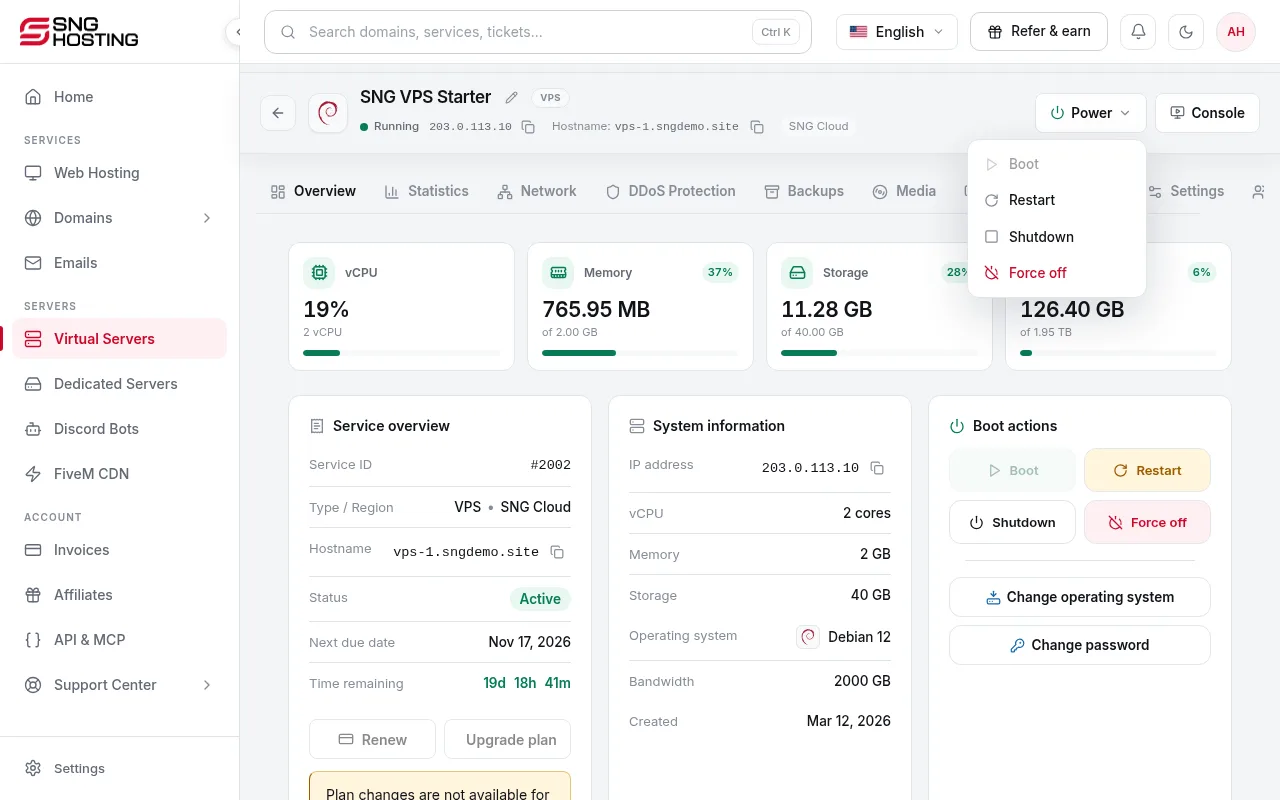
Choose the right action
Start turns on a stopped server. Restart stops everything for about a minute and starts it again; players and connections are disconnected. Shut down closes the system safely, and websites and games stay offline until you start it again. Force power off stops the server immediately.
 Note
Use Force power off only when the server is frozen and does not respond. It can lose unsaved data.
- 4Step 4
Wait for the action to finish
While an action runs, the page shows that a server action is in progress. The controls unlock automatically when it finishes.
When are the controls locked?
- The server is suspended because of an overdue invoice: pay the invoice and the server is reactivated automatically.
- A backup or an operating system reinstall is running: wait until it finishes.
Steps didn't work for you? Our support team is available around the clock.