
Ending and cancelling your server subscription
Request a server cancellation in the control panel, or only stop renewal so it runs until the end of the term.
You have two options: turn off automatic renewal so the server runs until the end of the paid term, or request a cancellation.
- 1Step 1
Back up your data first
After cancellation the server's data is deleted and cannot be recovered. Copy your files and databases before you request it.
- 2Step 2
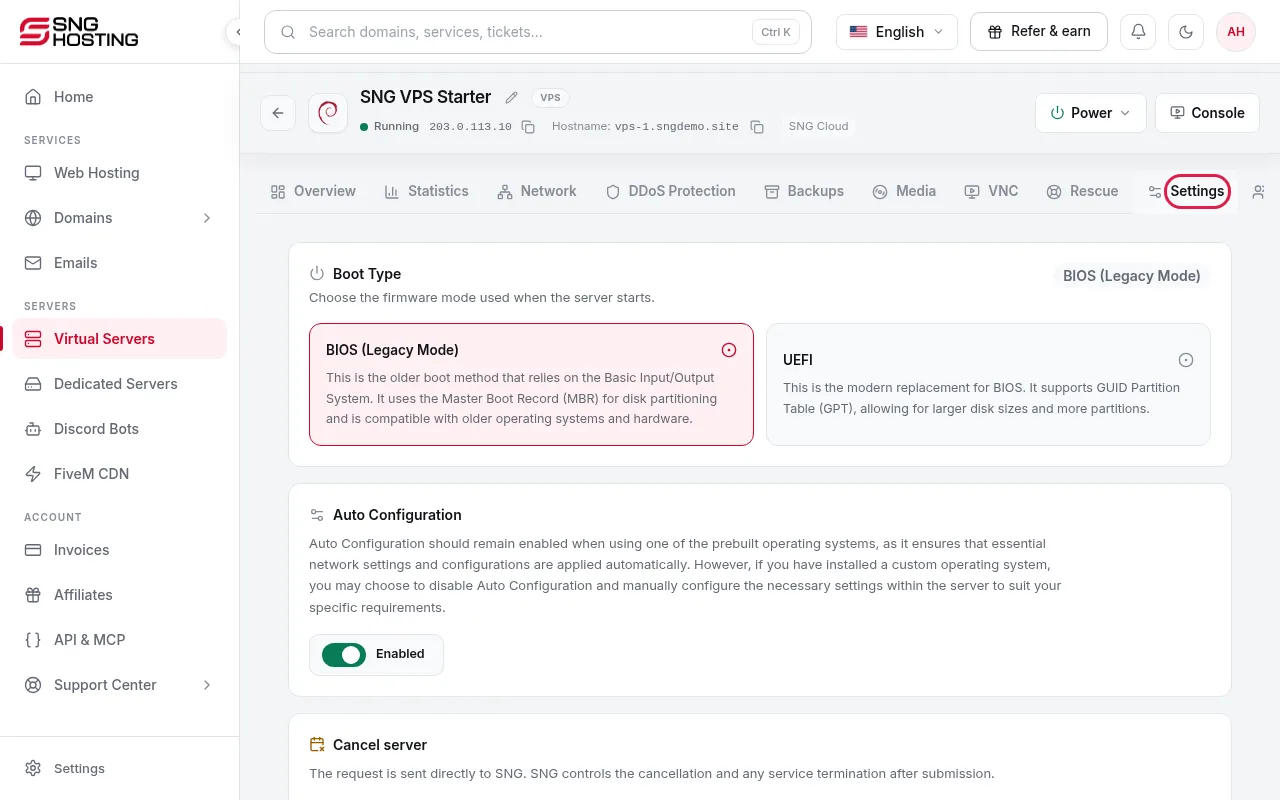
Open Settings and press Cancel server
On the server page open the Settings tab, scroll to Cancel server and press the button.
- 3Step 3
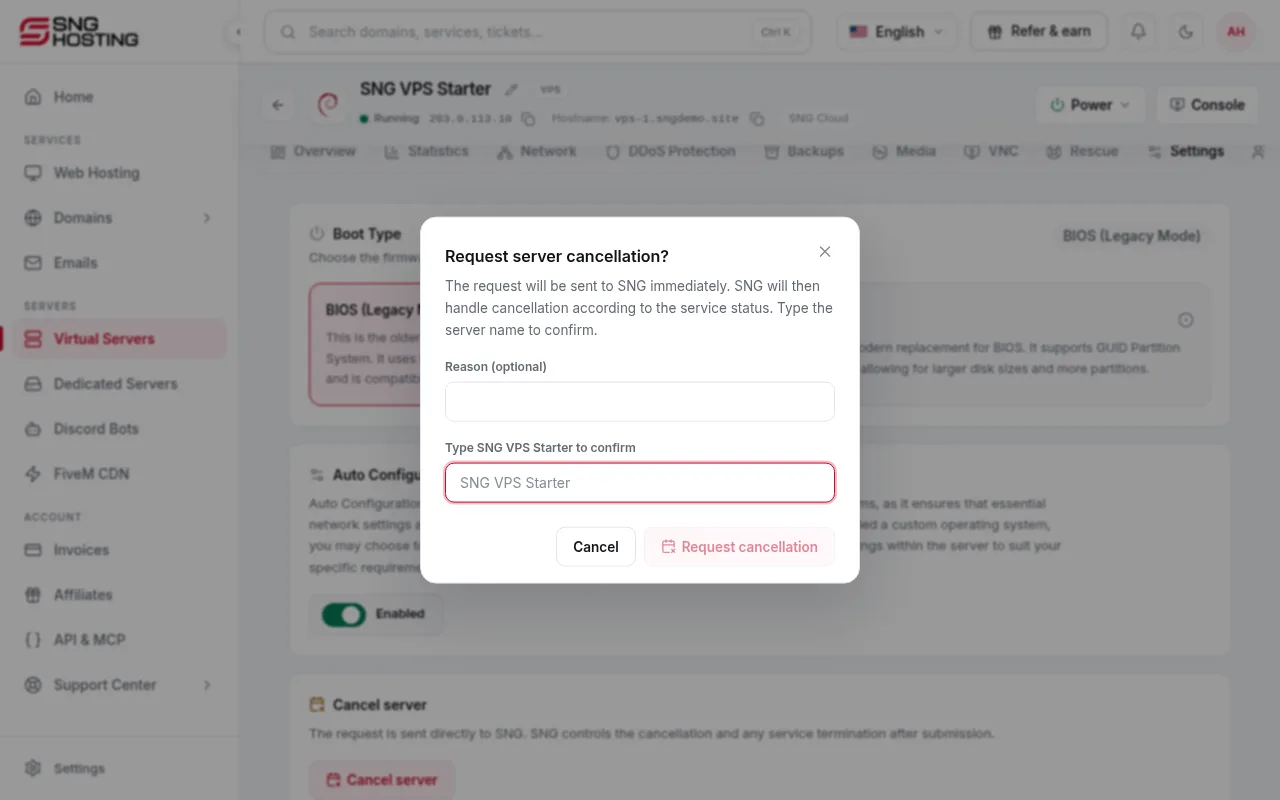
Confirm the request
Add a reason if you like, type the server name exactly as shown to confirm, then press Request cancellation. The request goes to SNG, which handles it according to the service status.
- 4Step 4
Changed your mind?
While the request is pending, the server page shows Withdraw request. Press it to keep the server.
Important
- If you only want the service not to renew, turn off automatic renewal in Subscriptions instead of cancelling.
- Renewal payments are not refundable, so turn renewal off before the charge date.
Steps didn't work for you? Our support team is available around the clock.