
Control panel guides2 minutes
Turning off automatic renewal
Turn off automatic renewal for any service so your card is not charged on the renewal date.
Automatic renewal is set per service on the Subscriptions page.
- 1Step 1
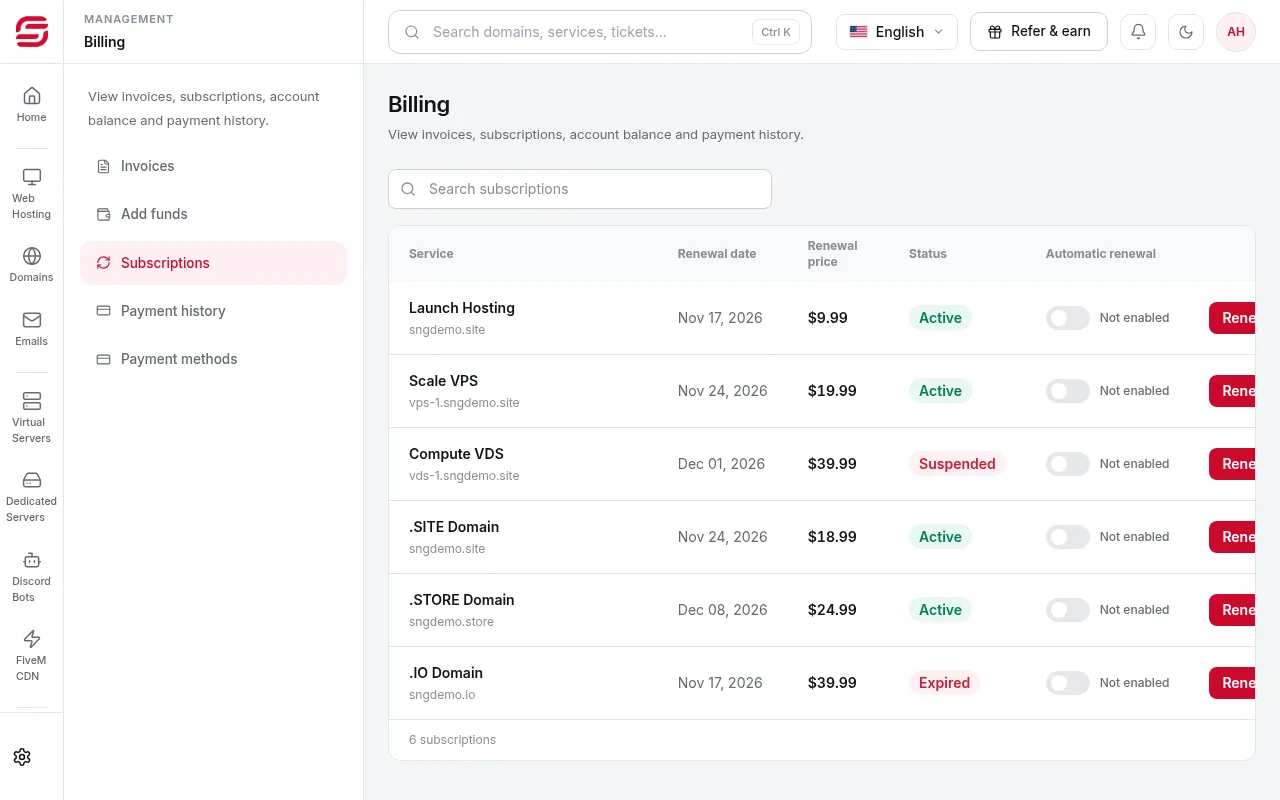
Open Subscriptions
In the menu choose Billing → Subscriptions. Each service is listed with its renewal date, price and Automatic renewal status.
- 2Step 2
Switch off the toggle next to the service
In the Automatic renewal column, press the toggle next to the service so it shows Not enabled.
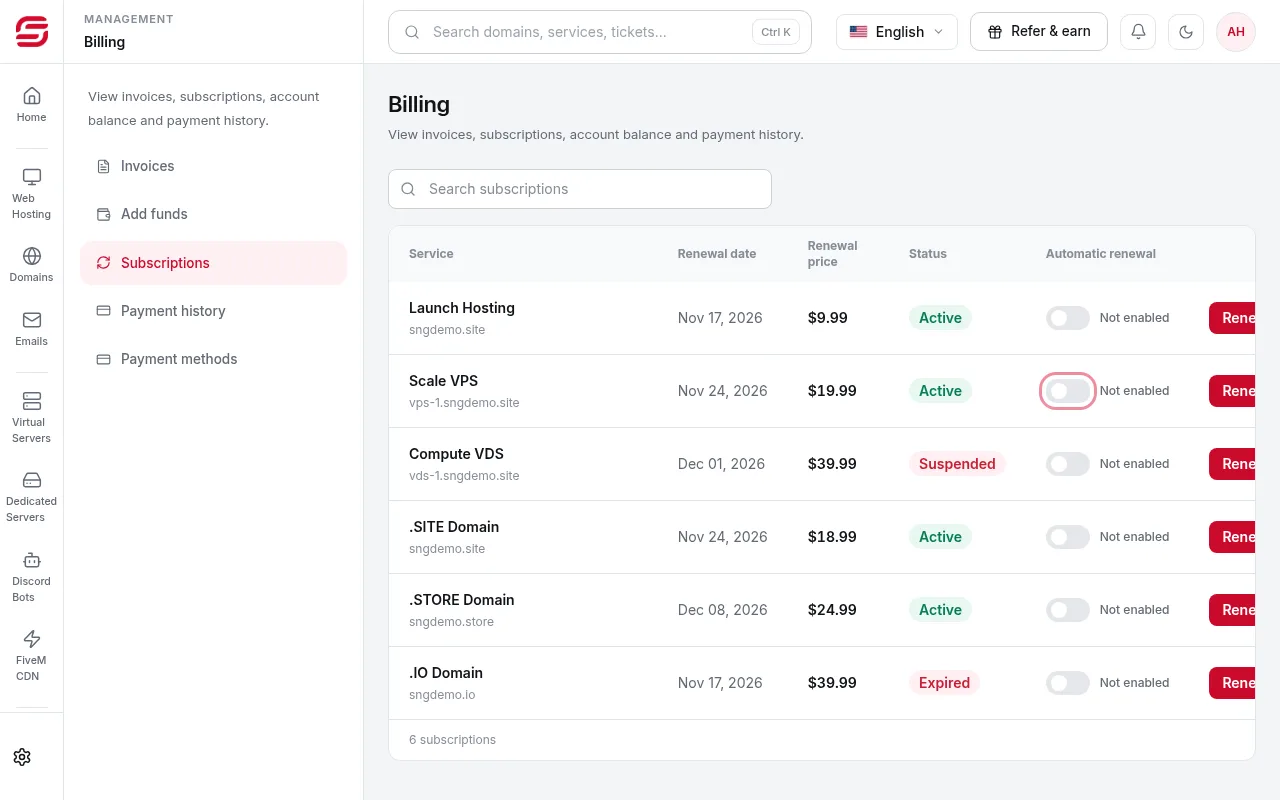
After turning it off
- The service keeps running until the end of the paid term; a normal renewal invoice is then issued for you to pay by hand if you want to continue.
- Turn renewal off a few days before the charge: the card can be charged a few days before the due date, and renewal payments are not refundable.
- Removing a saved card under Payment methods turns off automatic renewal for every service linked to it.
Need help?
Contact supportSteps didn't work for you? Our support team is available around the clock.