
Control panel guides3 minutes
Renewing your server
Renew your server before its due date from the server page or from Subscriptions.
Renewing before the due date keeps your server running. You can also turn on automatic renewal so you never have to renew by hand.
- 1Step 1
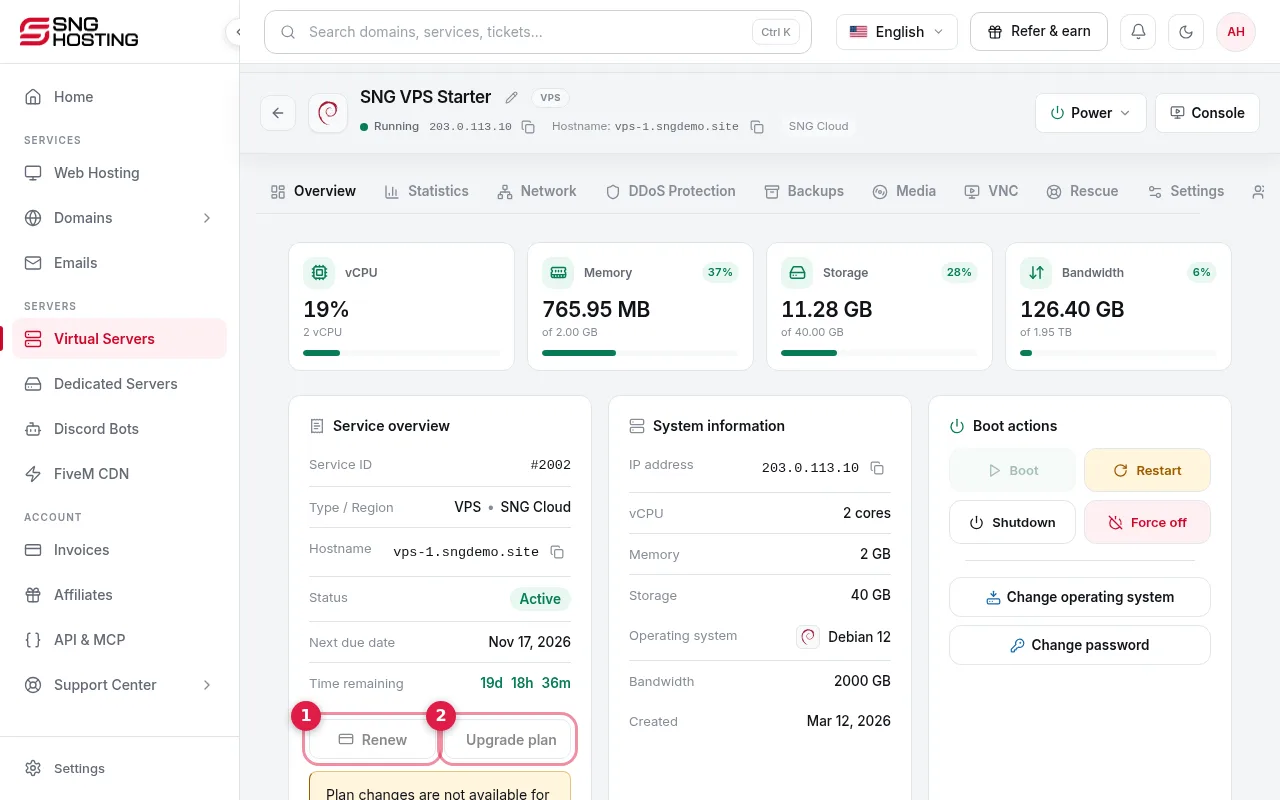
Press Renew
On the server page, Service overview shows the next due date and the time remaining. Press Renew (1).
- 2Step 2
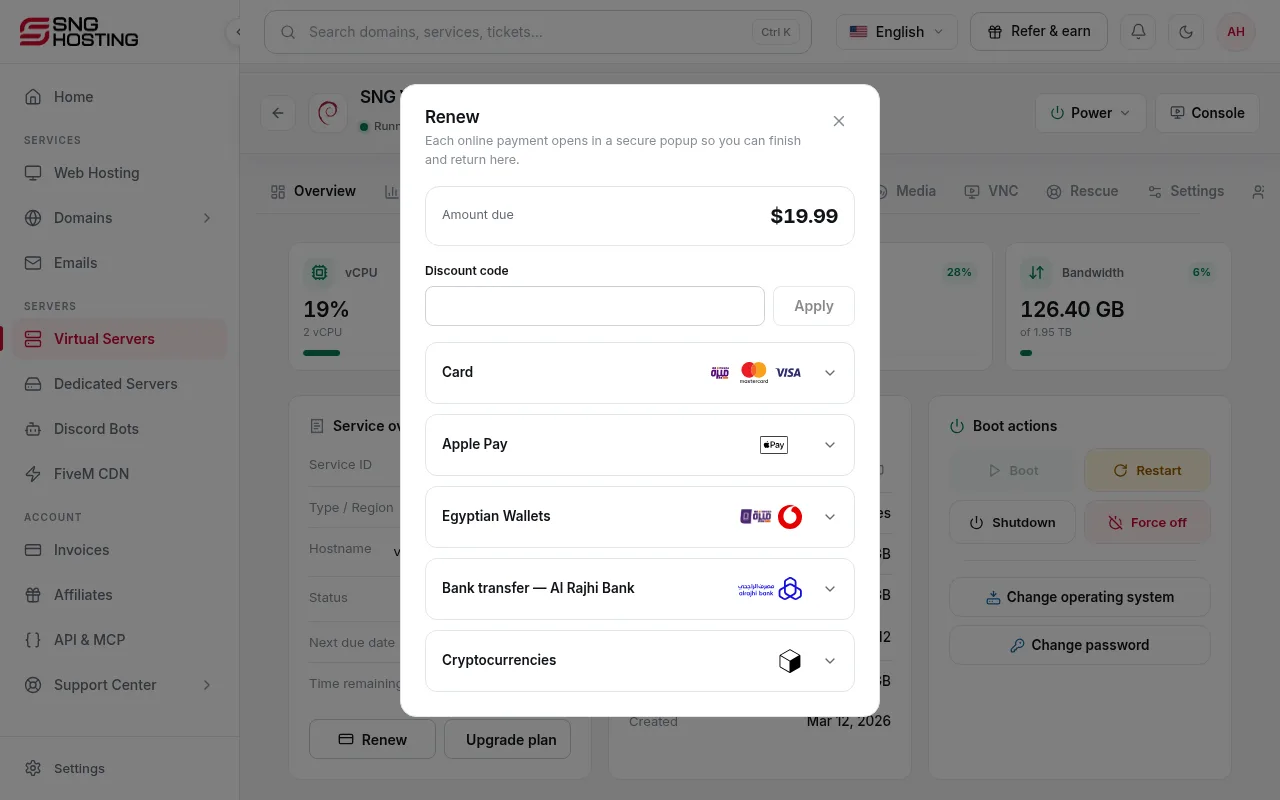
Check the amount and pay
The renewal window shows the amount due. If you have a renewal discount code, enter it and press Apply, then choose a payment method and pay.
- 3Step 3
Or from Subscriptions
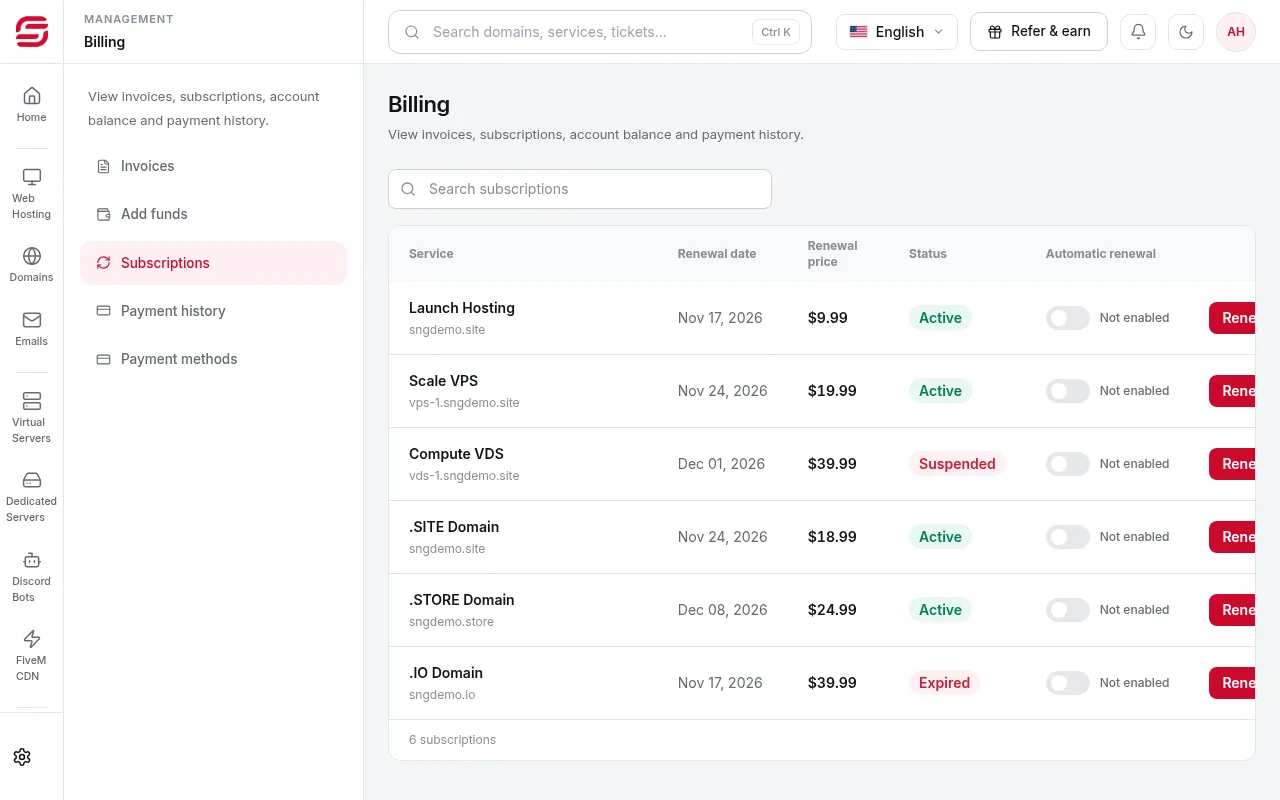
In Billing → Subscriptions there is a Renew button next to each service, with its renewal date and price.
Good to know
- If the renewal invoice was already issued, Renew opens that invoice for payment.
- If renewal is late the server is suspended, and it comes back automatically after payment.
Need help?
Contact supportSteps didn't work for you? Our support team is available around the clock.