
Subscriptions, renewals and cancelling a service
Follow renewal dates, stop a service from renewing, and request a server cancellation from the control panel.
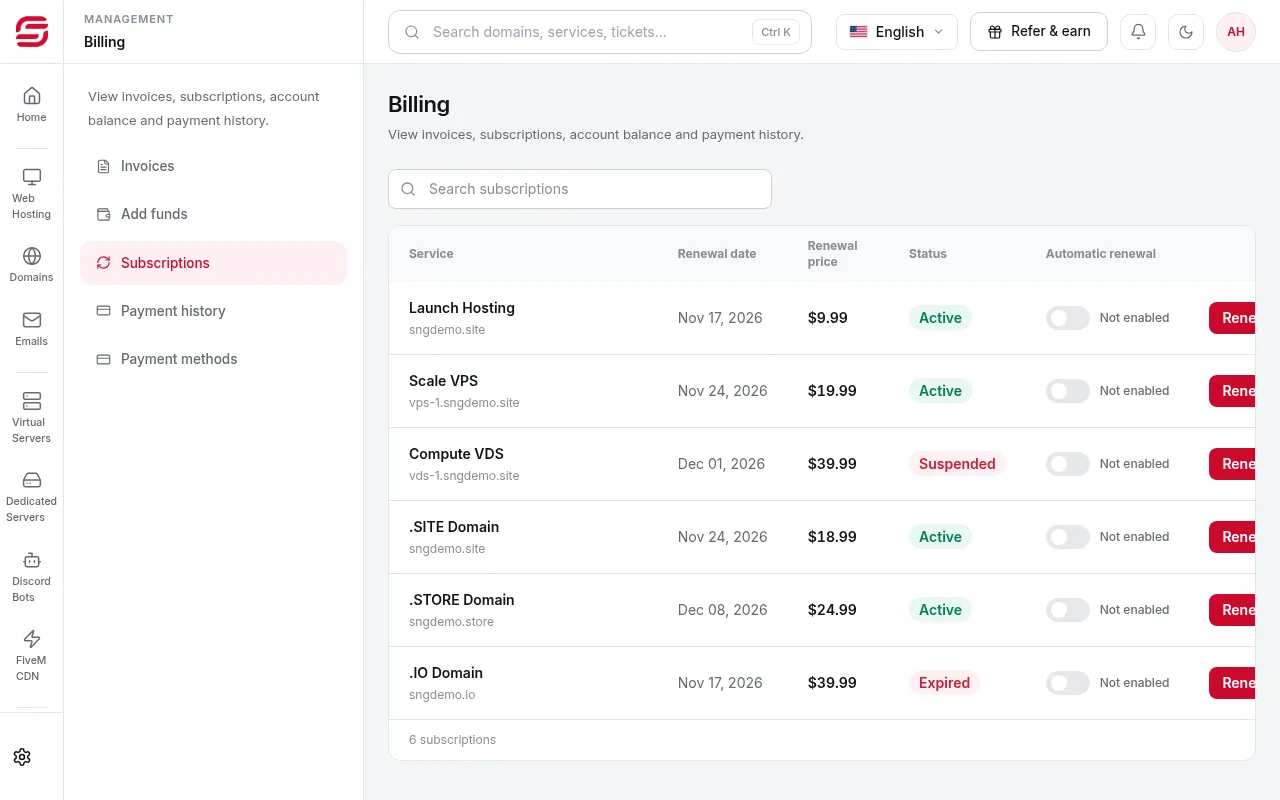
The Subscriptions page lists each recurring service, its renewal date and how it renews.
- 1Step 1
Open Subscriptions
In the menu choose Billing → Subscriptions. With manual renewal, an invoice is issued before the due date and you pay it to continue.
- 2Step 2
Cancel a subscription
Cancelling stops renewal, and the service stays available until the end of the current term. For a domain, a cancellation request is recorded and the domain stays until its expiry date.
- 3Step 3
Cancel a server
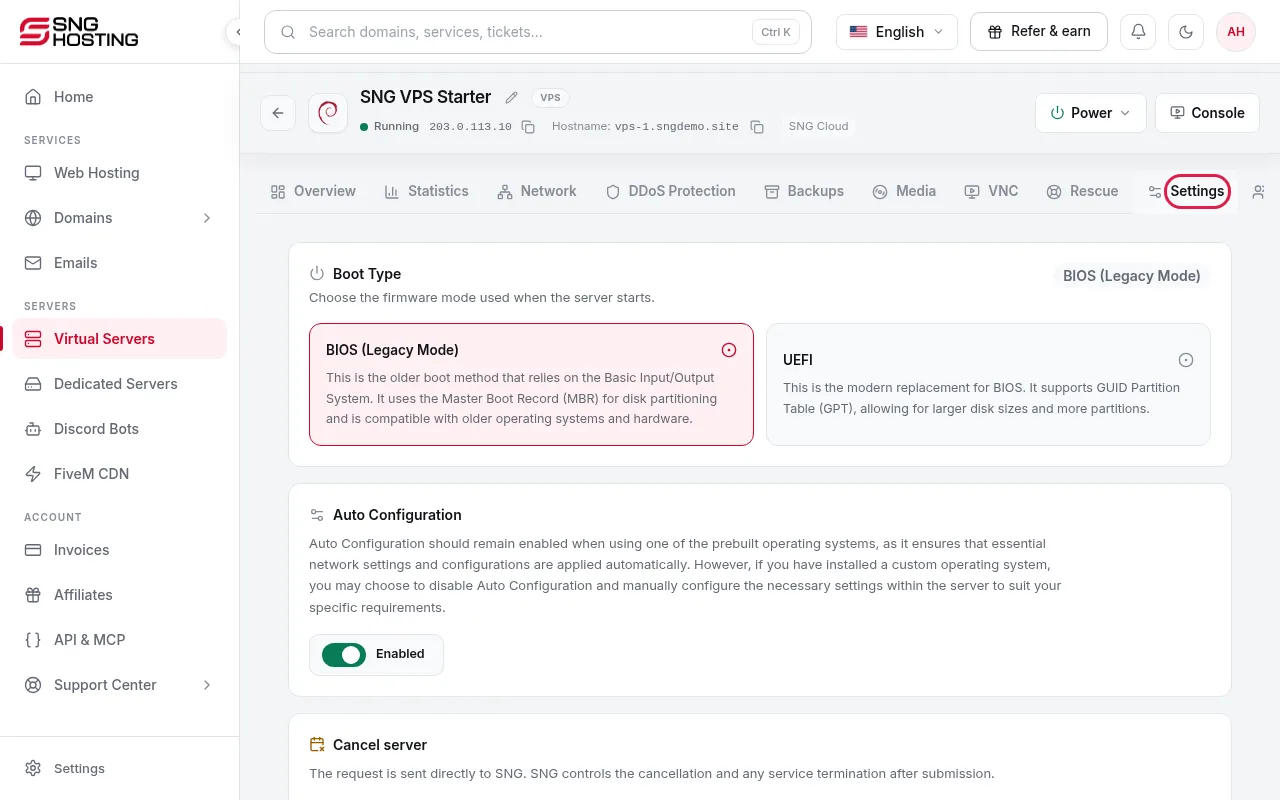
Open the server → Settings tab → Cancel server, then type the server name to confirm. The request goes to SNG, which handles it according to the service status.
- 4Step 4
Change your mind
While the request is pending, press Withdraw request to keep the server.
Before the renewal date
- If you do not want to renew, turn off automatic renewal before the charge date. Renewal payments are not refundable.
Steps didn't work for you? Our support team is available around the clock.