
Control panel guides3 minutes
Saved cards and automatic renewal
Save your card, make it the default, and turn on automatic renewal per service.
With automatic renewal you do not have to pay every renewal invoice by hand.
- 1Step 1
Save the card while paying
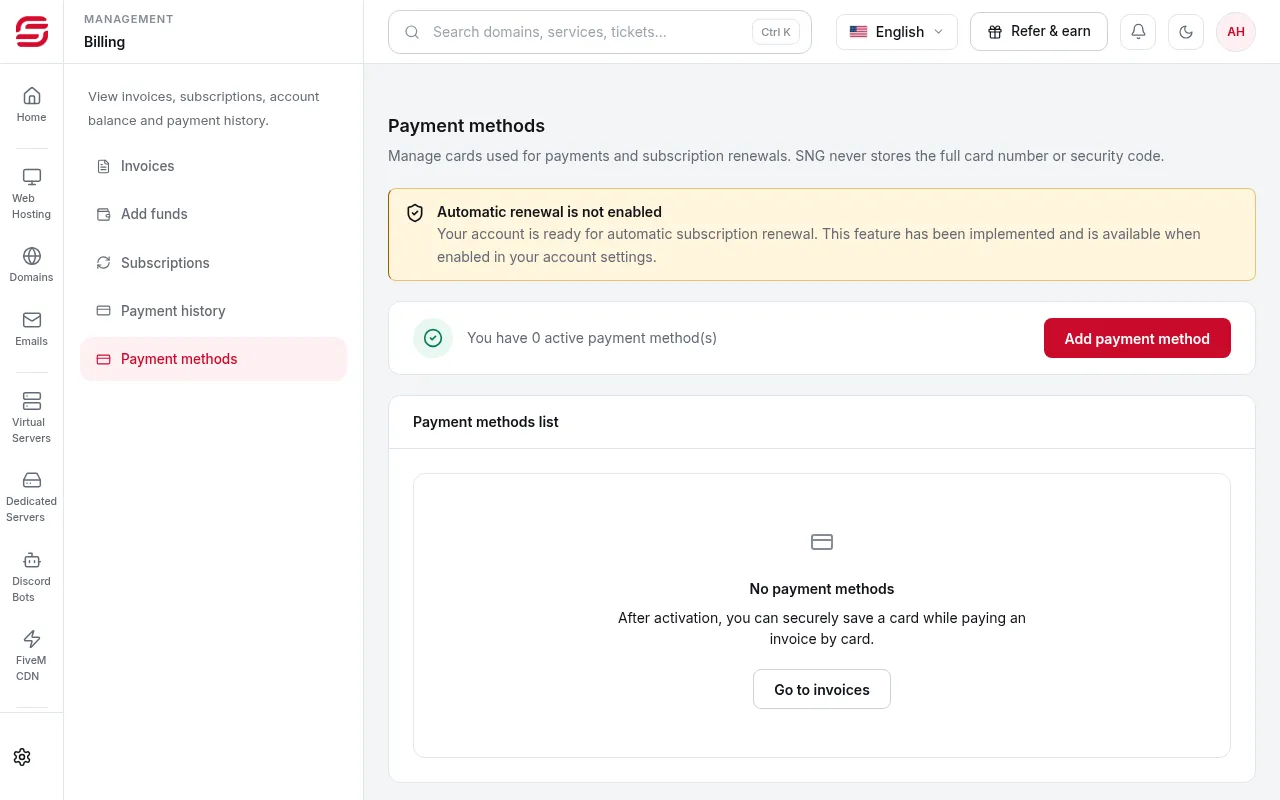
When you pay an invoice by card, choose to save the card. Saved cards are listed in Billing → Payment methods.
- 2Step 2
Default card
The default card is used for automatic renewal. It may be charged a few days before the due date.
- 3Step 3
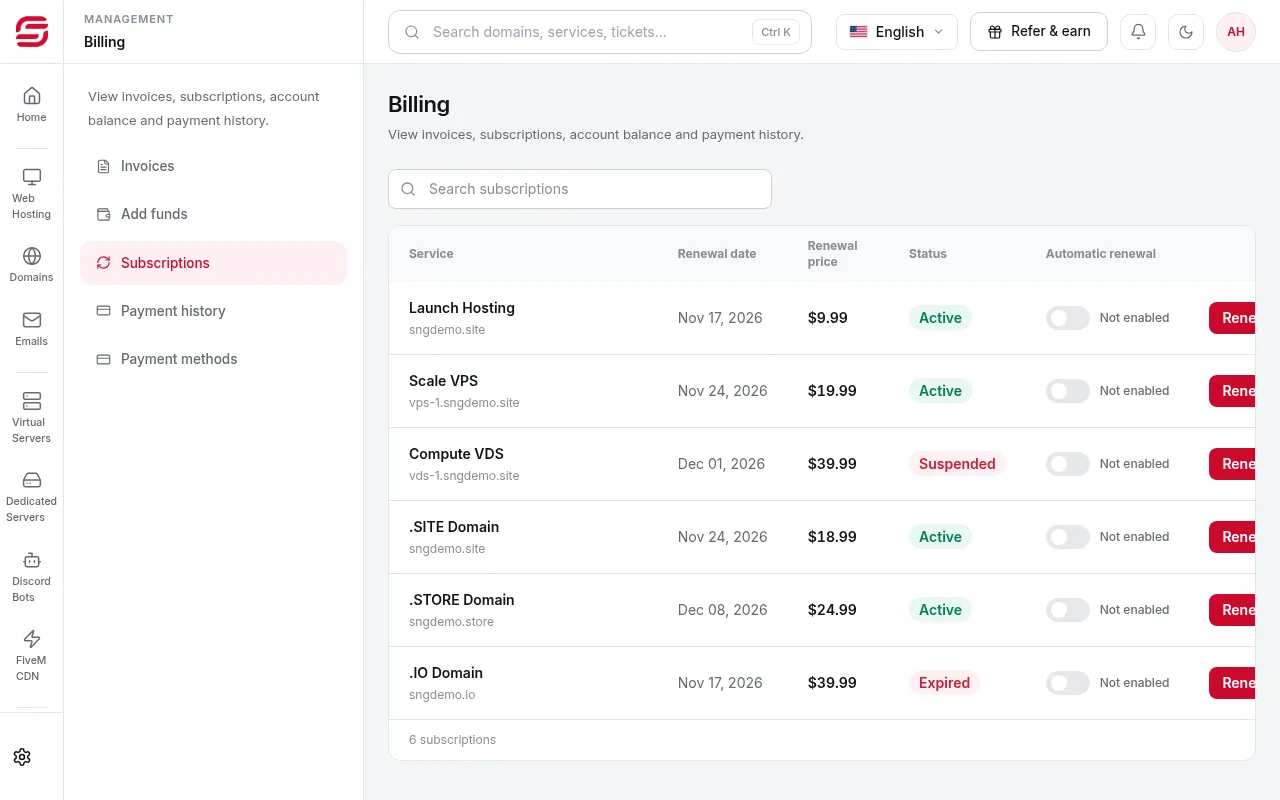
Turn on renewal per service
In Billing → Subscriptions, turn automatic renewal on or off for each service.
Important
- Removing a saved card disables automatic renewal for every subscription linked to it.
- If the default card expires, renewal charges fail. Pay the next invoice with a new card, save it and make it the default.
- With Apple Pay, the last digits shown are the Apple Pay device number, so they differ from your card.
Need help?
Contact supportSteps didn't work for you? Our support team is available around the clock.