
Upgrading a plan or changing the billing cycle
Move your server to a bigger plan or change the billing cycle, with the amount and remaining days calculated for you.
You can upgrade a plan or change the billing cycle from the service page itself.
- 1Step 1
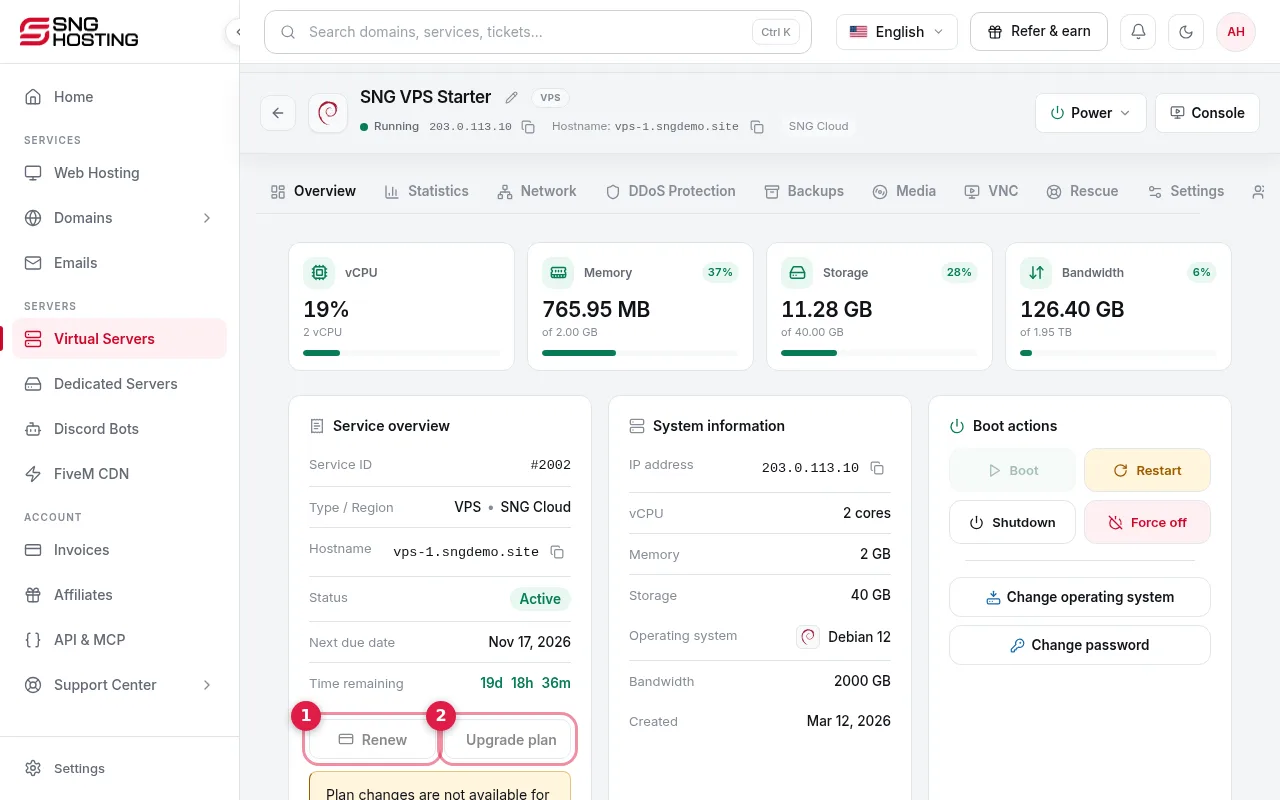
Choose Renew or Upgrade plan
On the server page press Renew (1) to extend the term, or Upgrade plan (2) to choose a bigger plan or a different cycle.
- 2Step 2
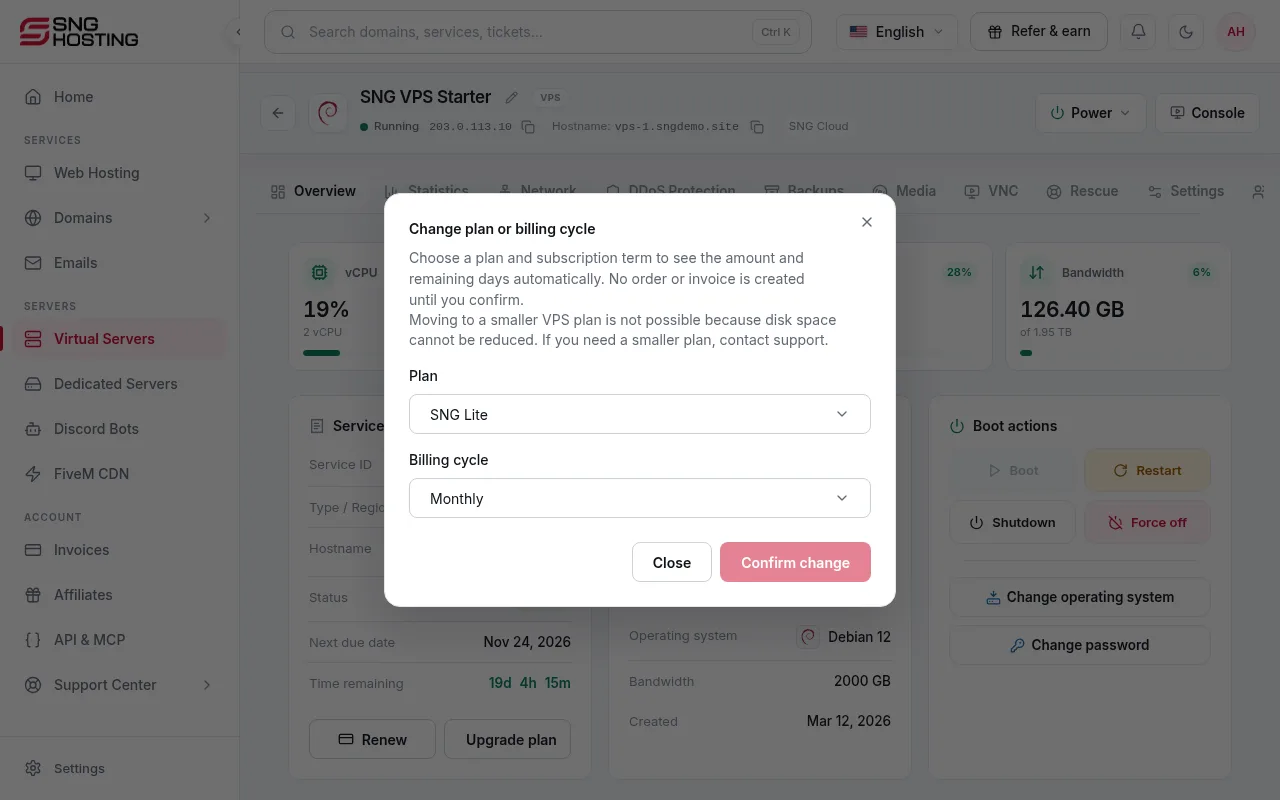
Review the amount
In the Change plan or billing cycle window, pick the plan and term and the amount is calculated: the new period minus the unused prepaid value. Nothing is ordered until you confirm, and the quote is valid for 5 minutes.
- 3Step 3
Pay and restart
Upgrades need payment. After paying, restart the server (now or later) to activate the new resources; the server does not restart by itself. Changing only the billing cycle needs no restart.
Good to know
- You can cancel an unpaid plan change, and your current plan stays.
- Moving to a smaller VPS plan is not possible because disk space cannot be reduced. Contact support if you need this.
Steps didn't work for you? Our support team is available around the clock.