
Control panel guides2 minutes
Adding funds to your account
Top up your balance by card, crypto or bank transfer; it is applied to invoices automatically.
Credit makes paying easier: every new invoice is paid from your balance automatically.
- 1Step 1
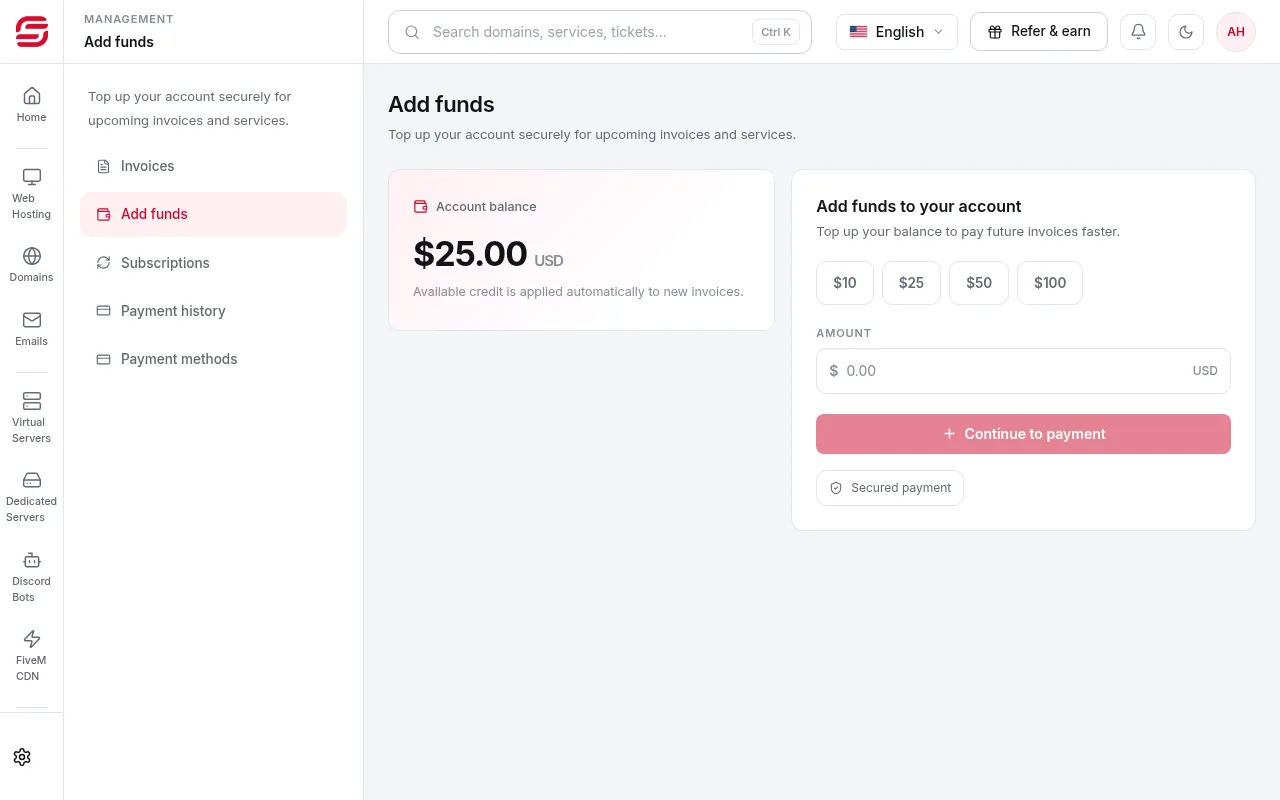
Open Add funds
In the menu choose Billing → Add funds, enter the amount and choose card, crypto or bank transfer.
- 2Step 2
Automatic use
Available credit is applied automatically to new invoices.
- 3Step 3
Payment history
All your transactions are listed in the Billing section under payment history.
Note
- Credit can only be used for SNG services and is not paid out in cash.
Need help?
Contact supportSteps didn't work for you? Our support team is available around the clock.