
Server is slow or CPU and memory usage is high
Find what slows your server down from its statistics, and what to do when memory or disk is full.
First find out which resource is full: CPU, memory, disk or network.
- 1Step 1
Check current usage
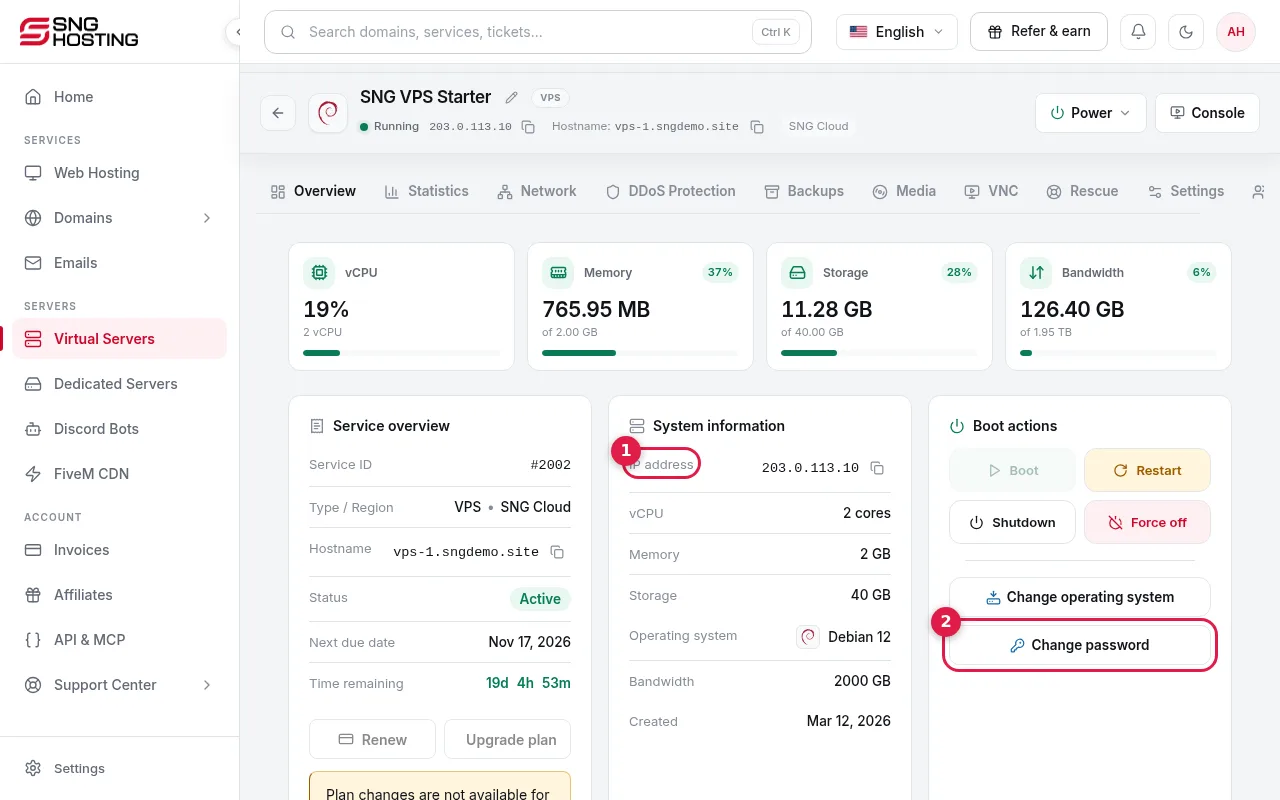
On the server page, the cards at the top show CPU, memory, storage and bandwidth with the share in use.
- 2Step 2
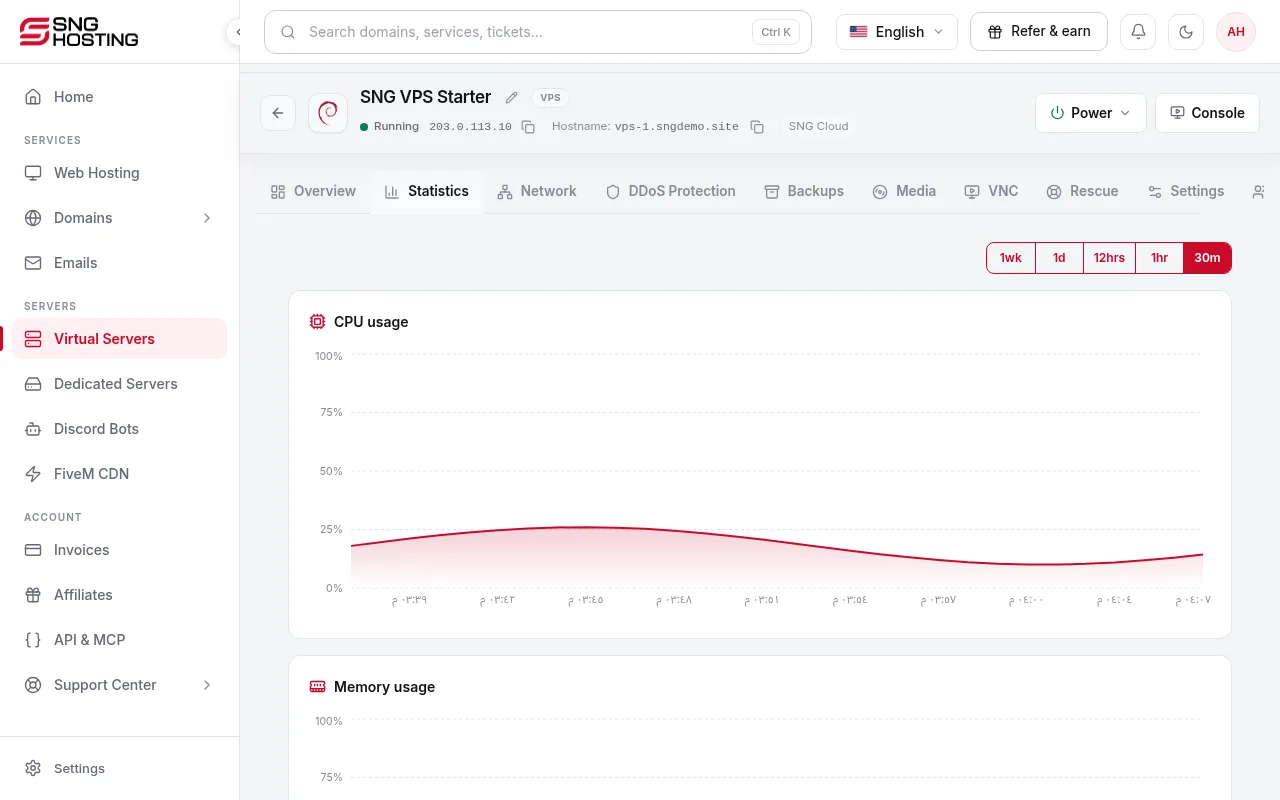
Open the Statistics tab
It shows CPU and memory charts. Pick the period (30 minutes, 1 hour, 12 hours, 1 day, 1 week) to see whether the spike is short or constant.
- 3Step 3
Find the program responsible
On Linux use top or htop; on Windows open Task Manager. Close or restart the program that uses too much.
- 4Step 4
The disk is full
A full disk stops websites and databases. On Linux use df -h to see free space, and delete old logs and backups you do not need.
- 5Step 5
If usage is always high
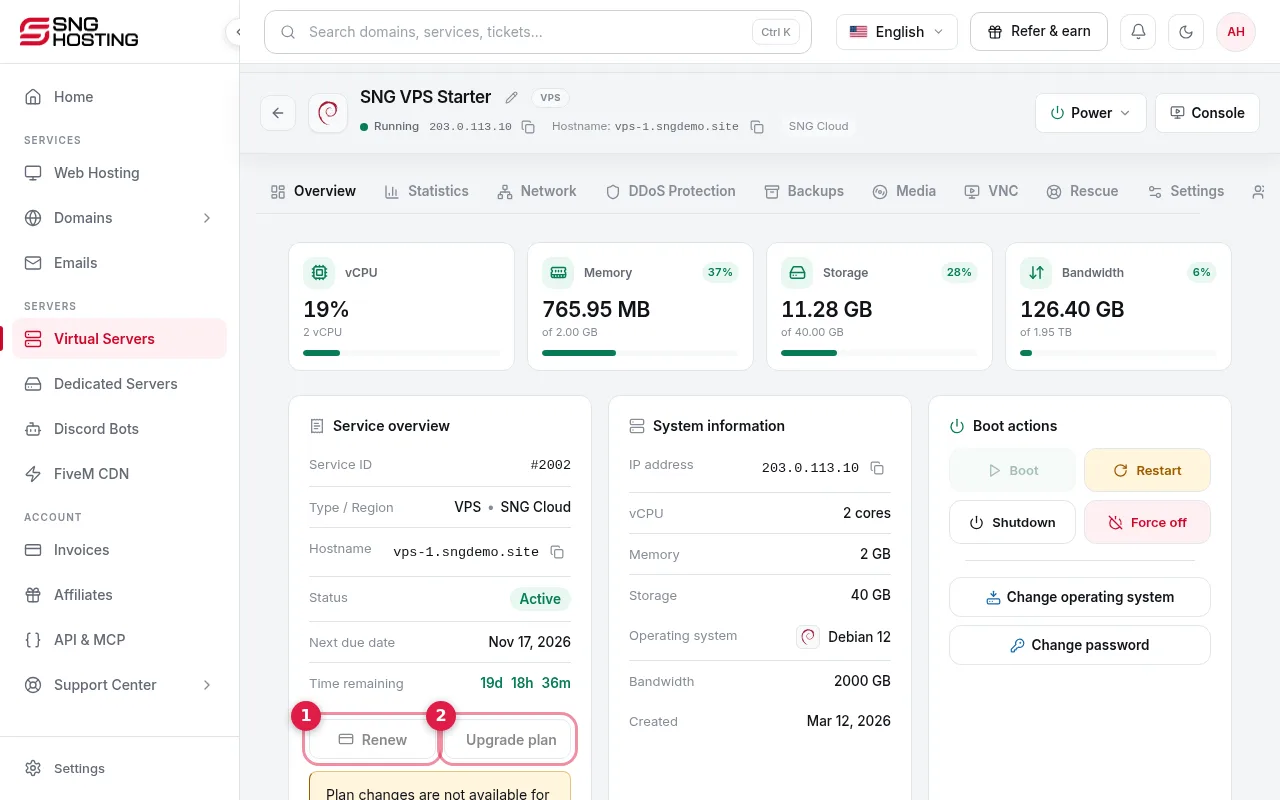
The server needs more resources. Press Upgrade plan on the server page, then restart after payment to activate the new resources.
Automatic alerts
- Turn on CPU, memory and disk alerts in Settings → Notification settings to know early.
- If only connections are slow, check the DDoS Protection tab for an attack.
Steps didn't work for you? Our support team is available around the clock.