
Payment failed or the invoice is still unpaid
Why a card is declined or a payment fails, and what to do if you were charged but the invoice did not update.
Most payment problems have a quick fix. Start with the case closest to yours.
- 1Step 1
The payment was cancelled or declined
Usually the bank declined it. Make sure your card is enabled for online purchases (and international payments if needed), that the balance is enough, and that you completed your bank's verification code. Then try again, or use Apple Pay, a wallet or another card.
- 2Step 2
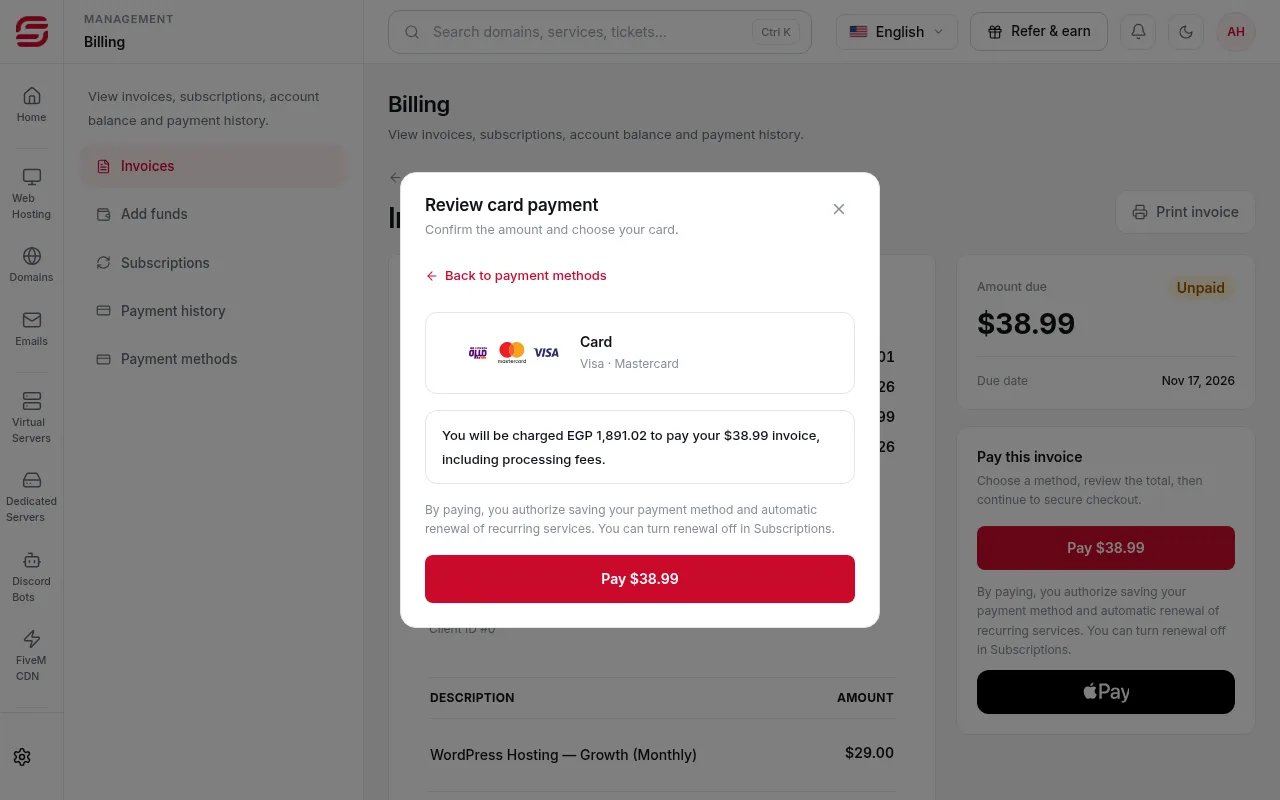
The quote expired
The amount in Egyptian pounds is valid for a limited time. If it says the quote expired or could not be prepared, press Refresh quote and check the new amount.
- 3Step 3
The payment window did not open
Payments open in a secure popup. Allow popups for the SNG site in your browser, or use Open secure page.
- 4Step 4
Confirmation is taking longer
Do not pay again. The bank confirmation can be a little late. Refresh the invoice after a few minutes.
- 5Step 5
You were charged but the invoice is still unpaid
Wait 15 minutes and refresh the invoice. If it has not changed, open a Billing ticket with the invoice number and the transaction ID or a screenshot of your bank message. Do not pay again before support replies.
Saved cards
- If it says a saved card needs to be added again, pay once with the card as a new card and save it.
- If your default card expires, automatic renewals fail. Update it in Billing → Payment methods.
Steps didn't work for you? Our support team is available around the clock.