
Paying with cryptocurrency
Pay your invoice with Bitcoin, Ethereum, USDT or 150+ other coins through Cryptomus.
Crypto payments are made on a secure external payment page, and the invoice turns Paid automatically after network confirmation.
- 1Step 1
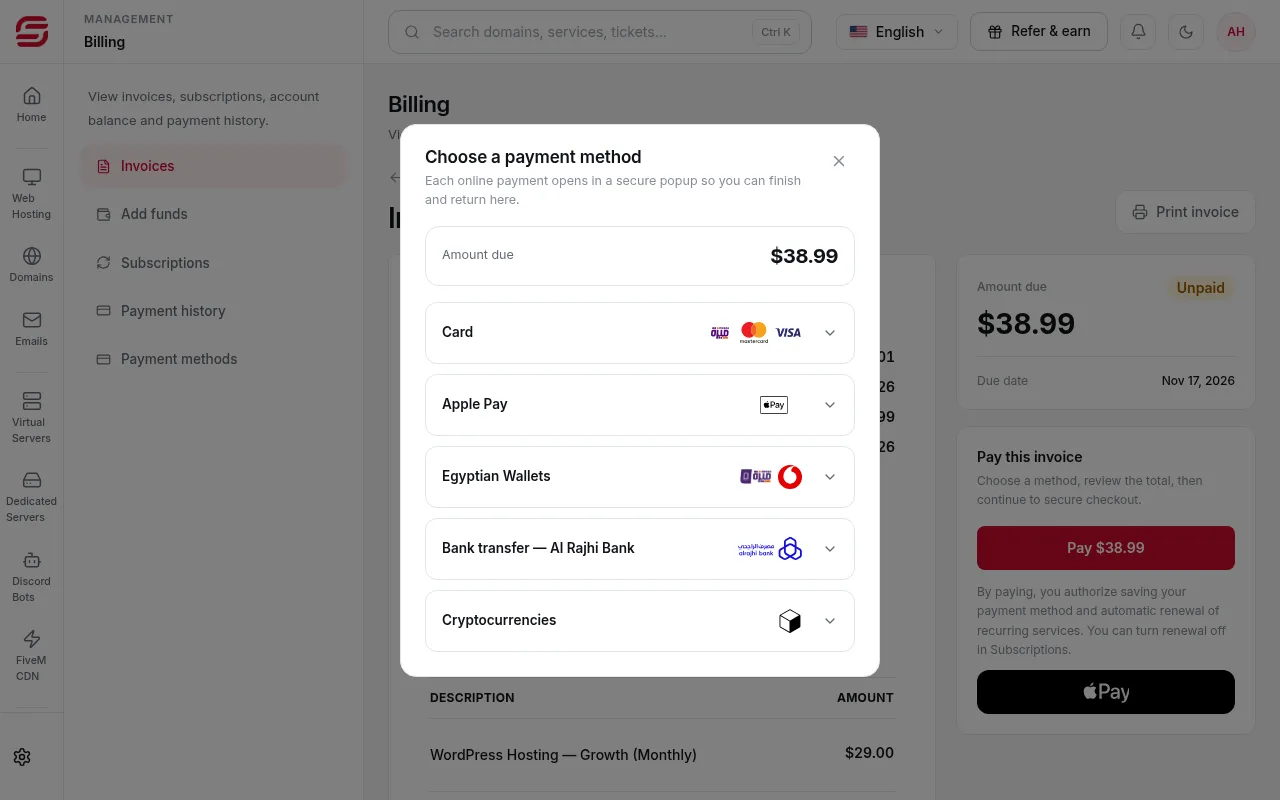
Choose Cryptocurrencies
On the invoice page press Pay, then choose Cryptocurrencies.
- 2Step 2
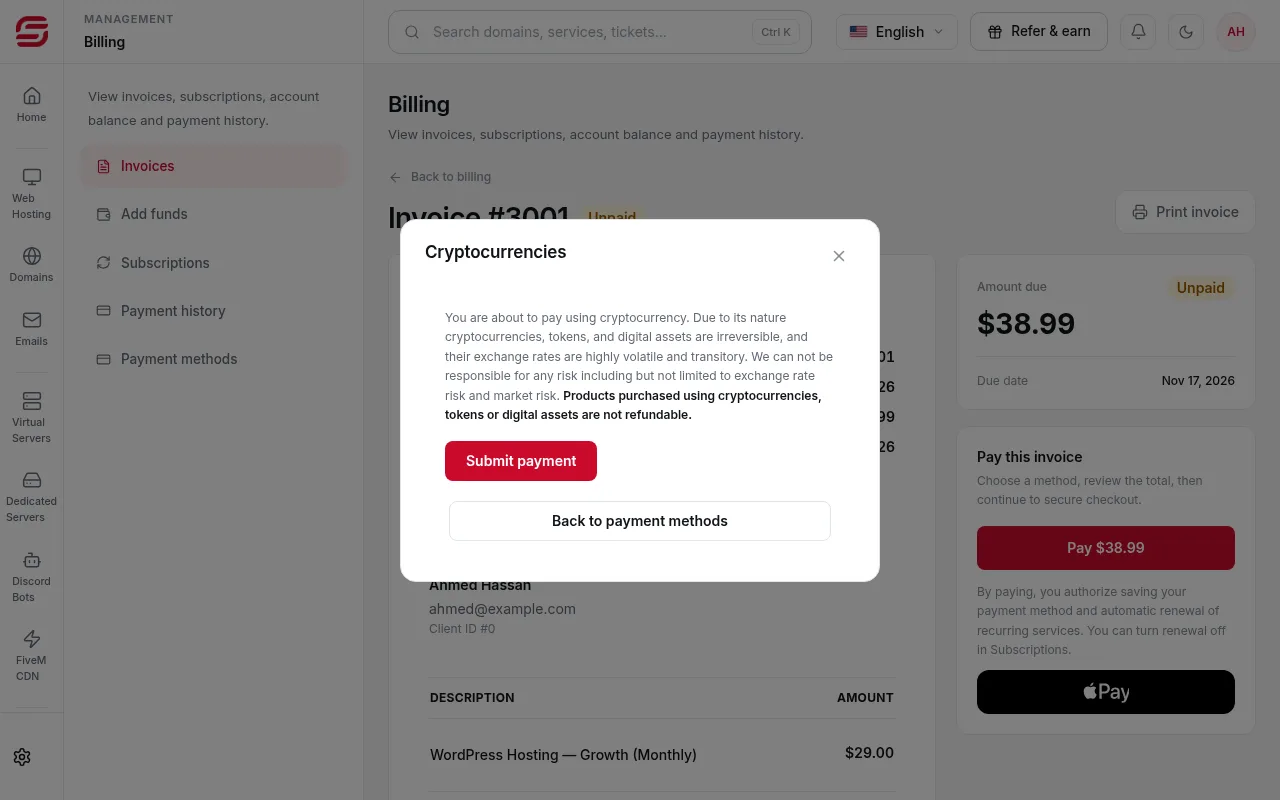
Read the notice and submit
The window warns that crypto transactions cannot be reversed and that rates are volatile. Press Submit payment to open the payment page.
 Note
Products paid with cryptocurrency are not refundable.
- 3Step 3
Choose the coin and network, then pay
On the payment page choose the coin and network, then send exactly the amount shown to the address shown before the timer ends.
- 4Step 4
Wait for confirmation
Once the network confirms, the invoice turns Paid automatically. This can take a few minutes depending on the network.
Be careful
- Use the same network in your wallet and on the payment page. Sending on the wrong network can lose the funds.
- If you sent less than required or the time ran out, open a Billing ticket with the transaction ID.
Steps didn't work for you? Our support team is available around the clock.