
Notification settings and server alerts
Choose which notifications reach you by email or Discord, and turn on sign-in, resource and attack alerts.
Every available channel is on by default, and you can turn off any channel or notification type.
- 1Step 1
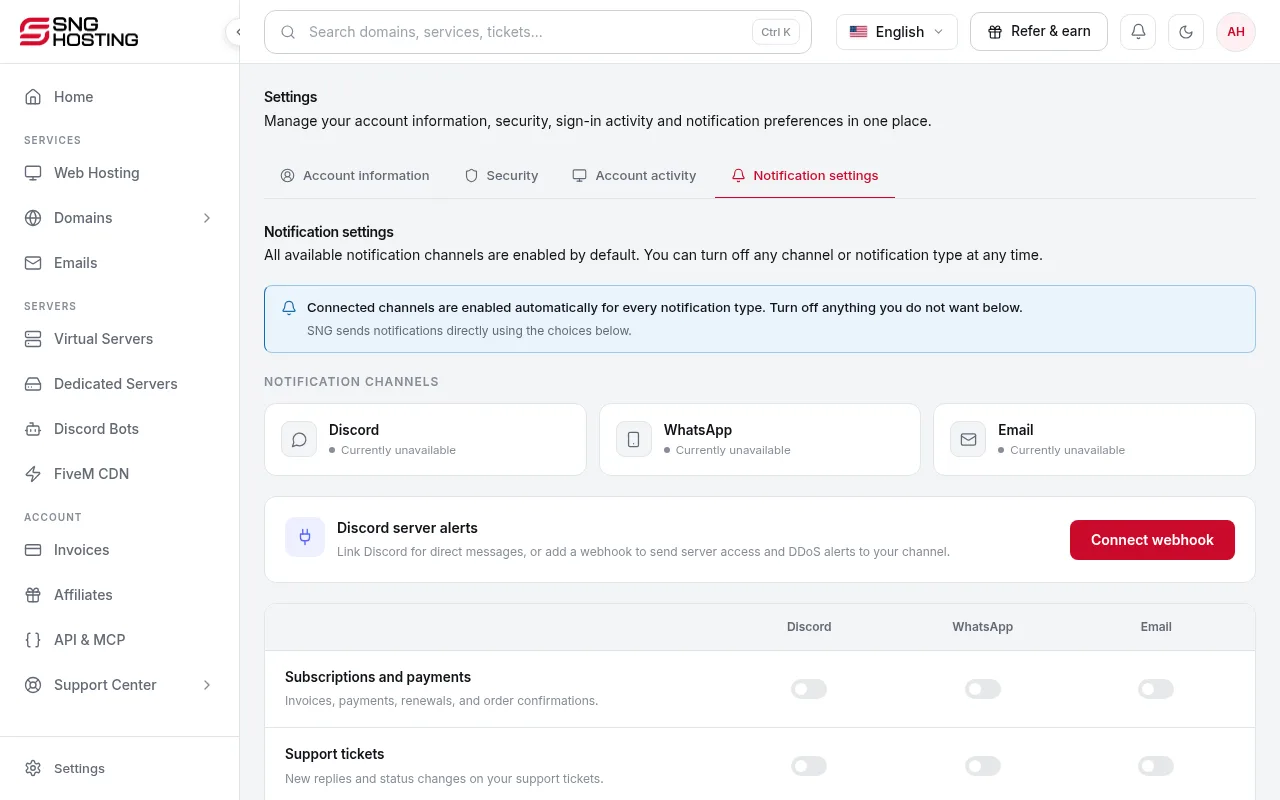
Open Notification settings
Go to Settings → Notification settings. Types: billing (invoices, payments, renewals, orders), support ticket replies, account security, service status, and product updates.
- 2Step 2
Server alerts
An alert after every successful SSH or Remote Desktop sign-in, with the IP and time. CPU and RAM alerts repeat with a cooldown; the disk alert is sent once per server. Attack alerts arrive when an attack starts and ends.
- 3Step 3
Discord alerts
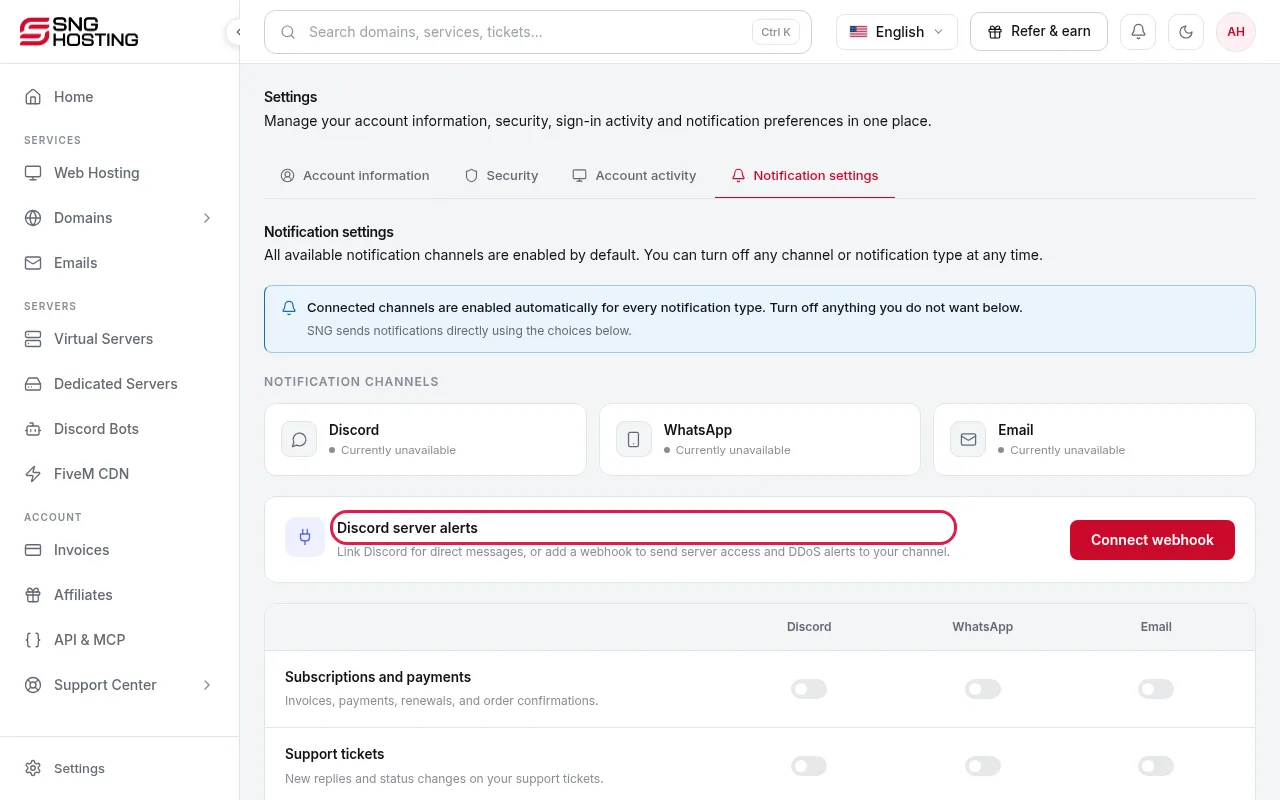
Link Discord in Settings → Account information to get direct messages. Or create a webhook in your Discord channel settings and paste it under Discord server alerts. The URL is not shown again after saving.
- You can turn on WhatsApp reminders before a subscription expires in Billing → Subscriptions.
Steps didn't work for you? Our support team is available around the clock.