
Control panel guides3 minutes
Linking Discord, Google or GitHub to your account
Link your accounts to sign in with one click, have Discord tickets recognise you, and receive alerts.
After linking, you can sign in with that account, Discord support tickets recognise you, and you can get alerts by direct message.
- 1Step 1
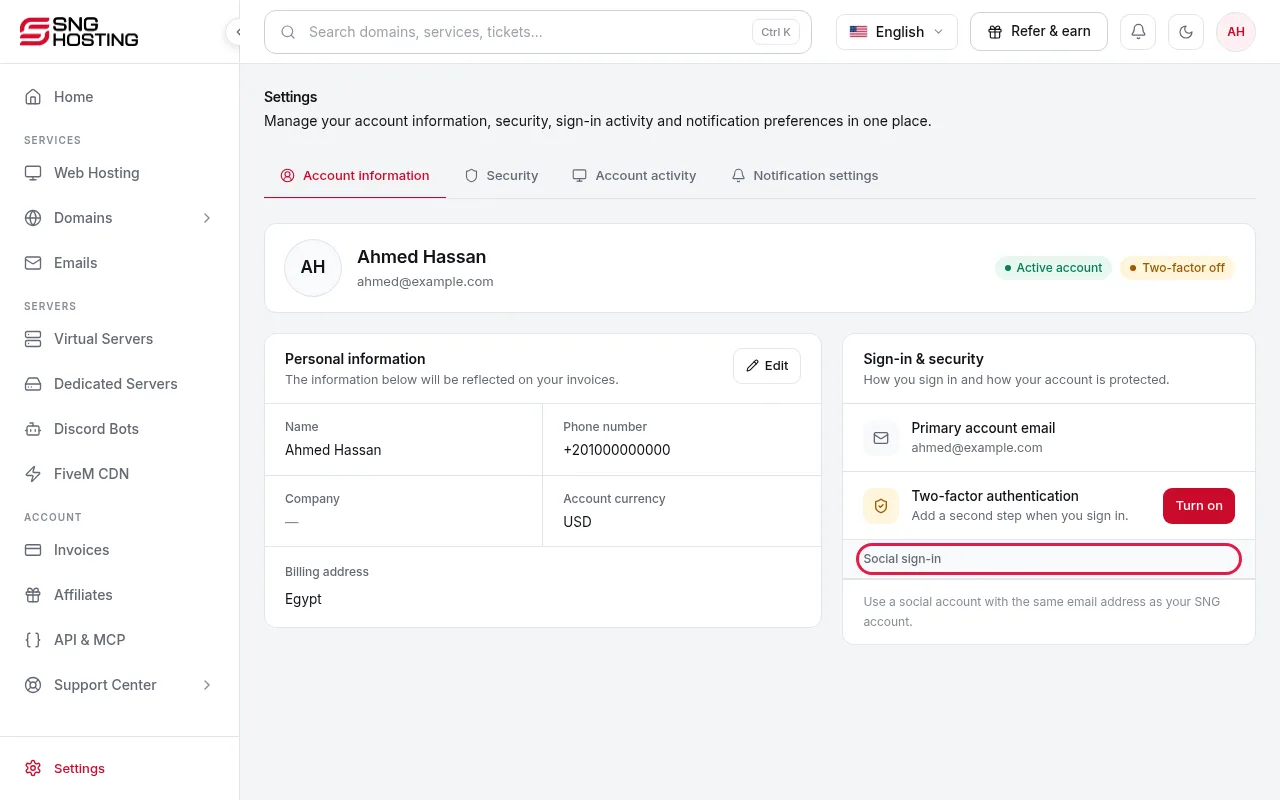
Open Account information
Go to Settings → Account information and scroll to Social sign-in.
- 2Step 2
Discord in one click
Press Connect and approve on Discord. No password or code is needed.
- 3Step 3
Google and GitHub
You first verify with a passkey, an authenticator code, or a code sent to the account email.
Good to know
- You receive an email whenever a new sign-in method is linked.
- Unlinking needs a passkey, an authenticator code or your password.
- Each Discord account can be linked to only one SNG account.
Need help?
Contact supportSteps didn't work for you? Our support team is available around the clock.