
Minecraft: plugins and changing the software or version
Installing Minecraft plugins in a click from Modrinth and SpigotMC, and switching between Paper, Forge, Fabric and others.
Our Minecraft server is the Java edition. The game panel has an MC Utils section to manage plugins, the version and server settings without uploading files.
- 1Step 1
Install a plugin
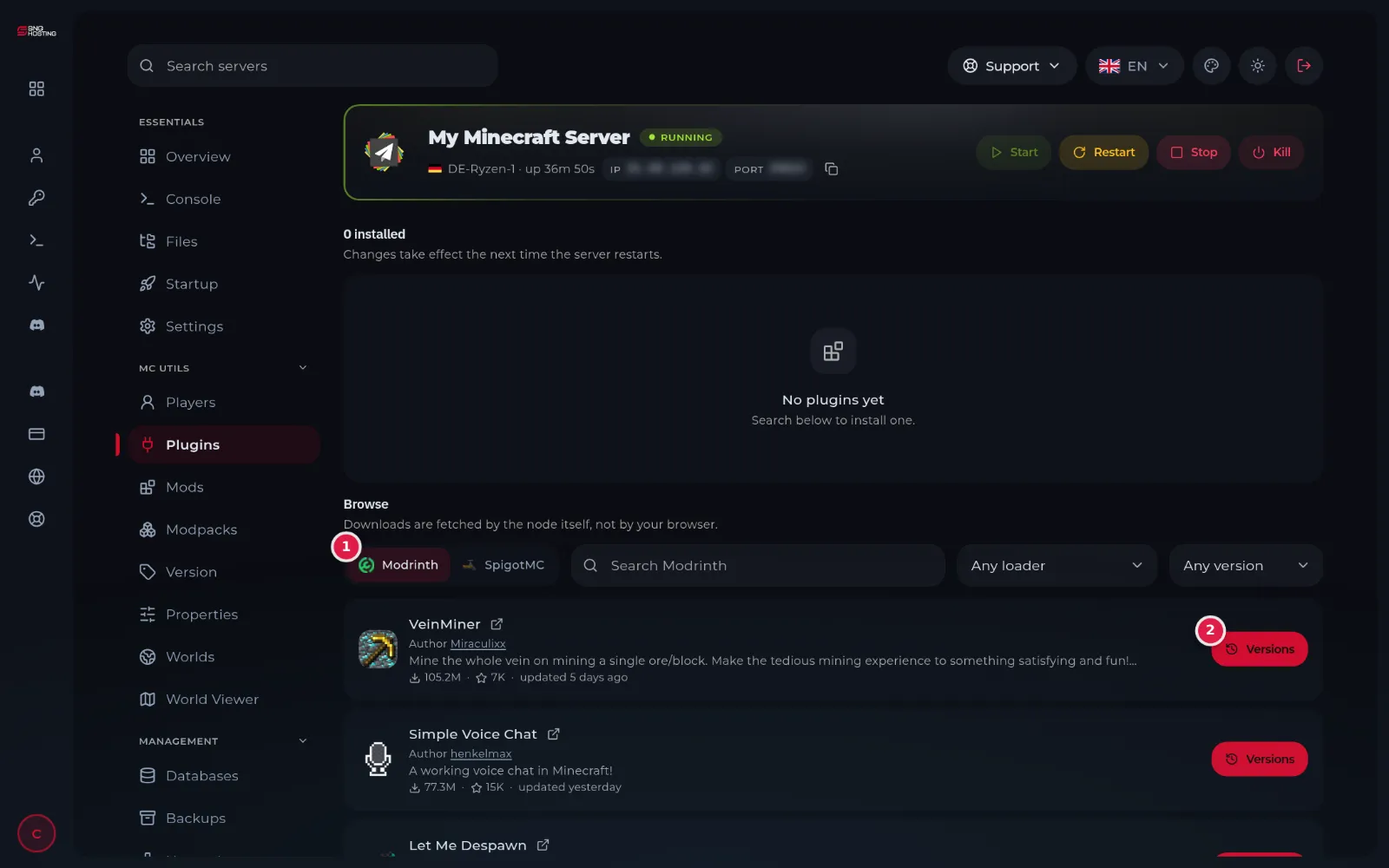
In the menu choose Plugins. Search for the plugin on Modrinth or SpigotMC (1), then press Versions (2) on it and choose the version that suits your server to install it.
 Note
The plugin works after the server restarts. Plugins need a Paper-type server; mods need Forge or Fabric.
- 2Step 2
Change the software or version
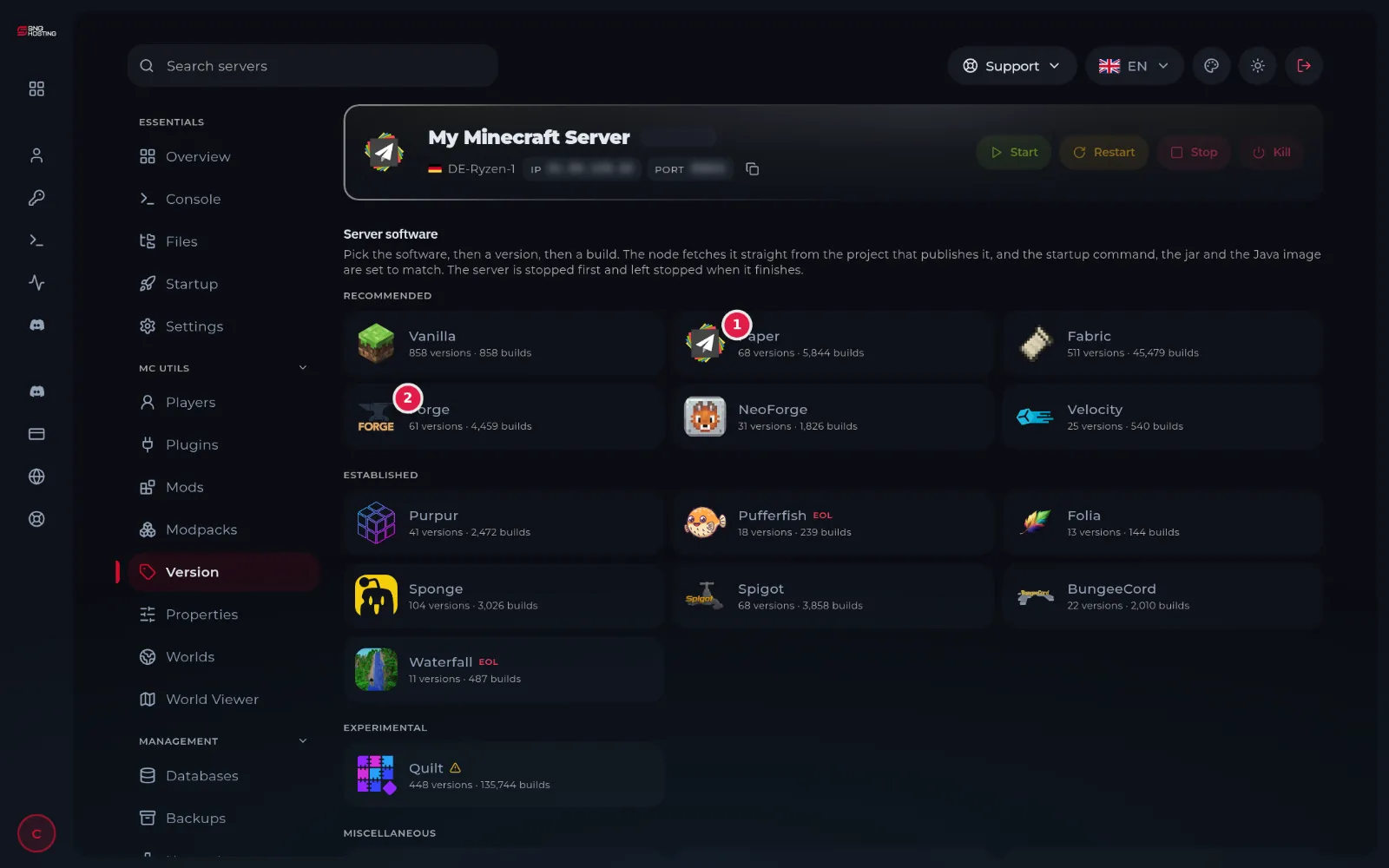
In the menu choose Version. Pick the software, such as Paper (1), Forge (2) or Fabric, then the version, then the build. The panel downloads the files and sets the start command and Java version for you.
 Note
The server is stopped during the change and stays stopped afterwards. Take a backup first, then press Start.
- 3Step 3
Adjust the server settings
The Properties page changes the server message (MOTD), difficulty, game mode and more without editing server.properties by hand. The Players page lists the players who have joined and what they carry.
Important
- The player's game version must match the server's, or they see Outdated client or Outdated server.
- By default the server accepts original accounts only; Allow cracked players on the Properties page changes that.
- Going back to an older version after opening the world on a newer one can damage the world.
Steps didn't work for you? Our support team is available around the clock.