
Setting up a FiveM server with txAdmin
From the first start to joining the game: the txAdmin link and PIN, the free licence key, then connecting to the server.
A FiveM game server starts together with txAdmin, FiveM's management panel. txAdmin asks for your licence key and installs the server in the form you choose.
- 1Step 1
Start the server and read the console
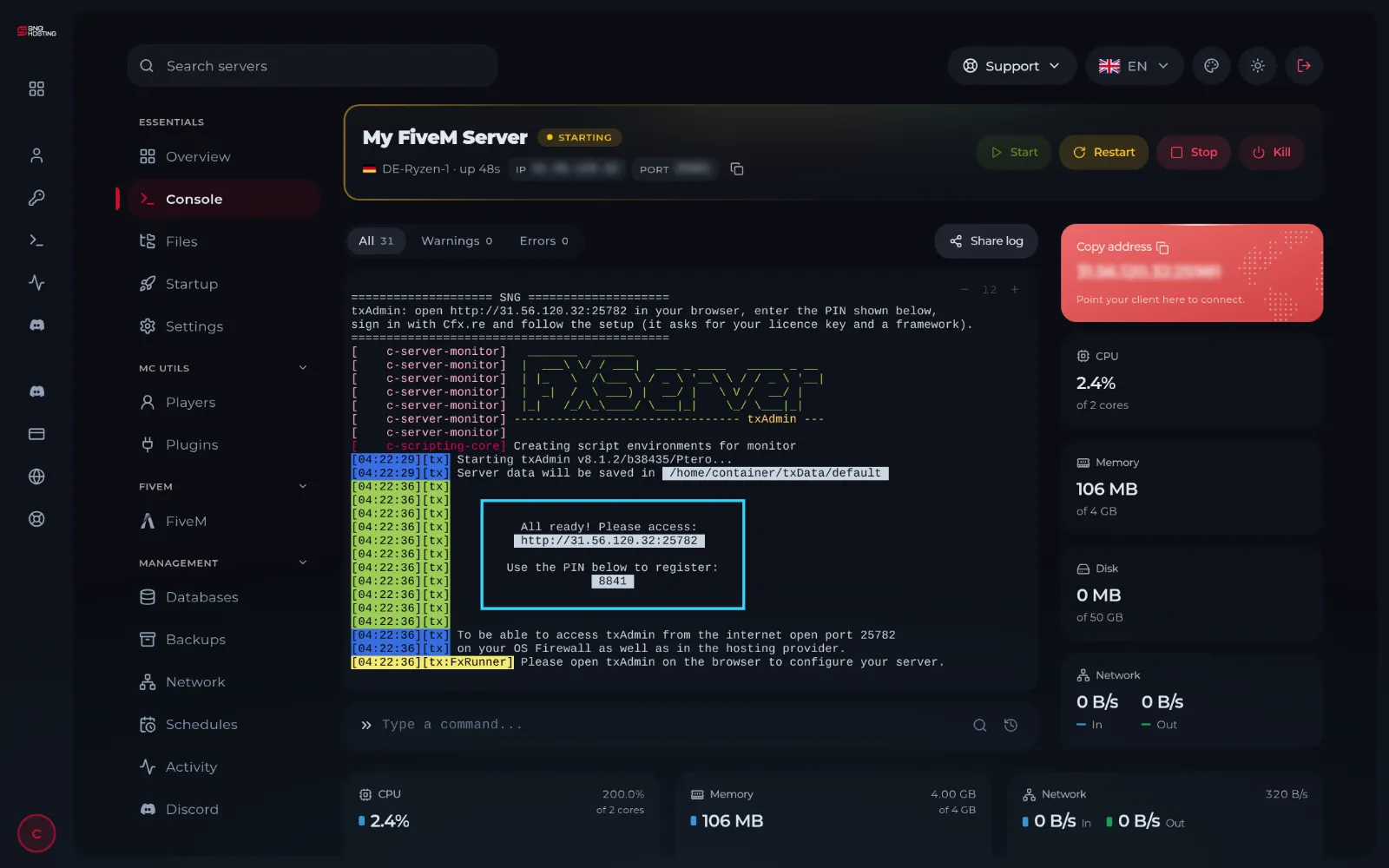
Open the server with Manage and press Start. After a few seconds the console shows a box with the txAdmin link and a four-digit PIN.
- 2Step 2
Open txAdmin and enter the PIN
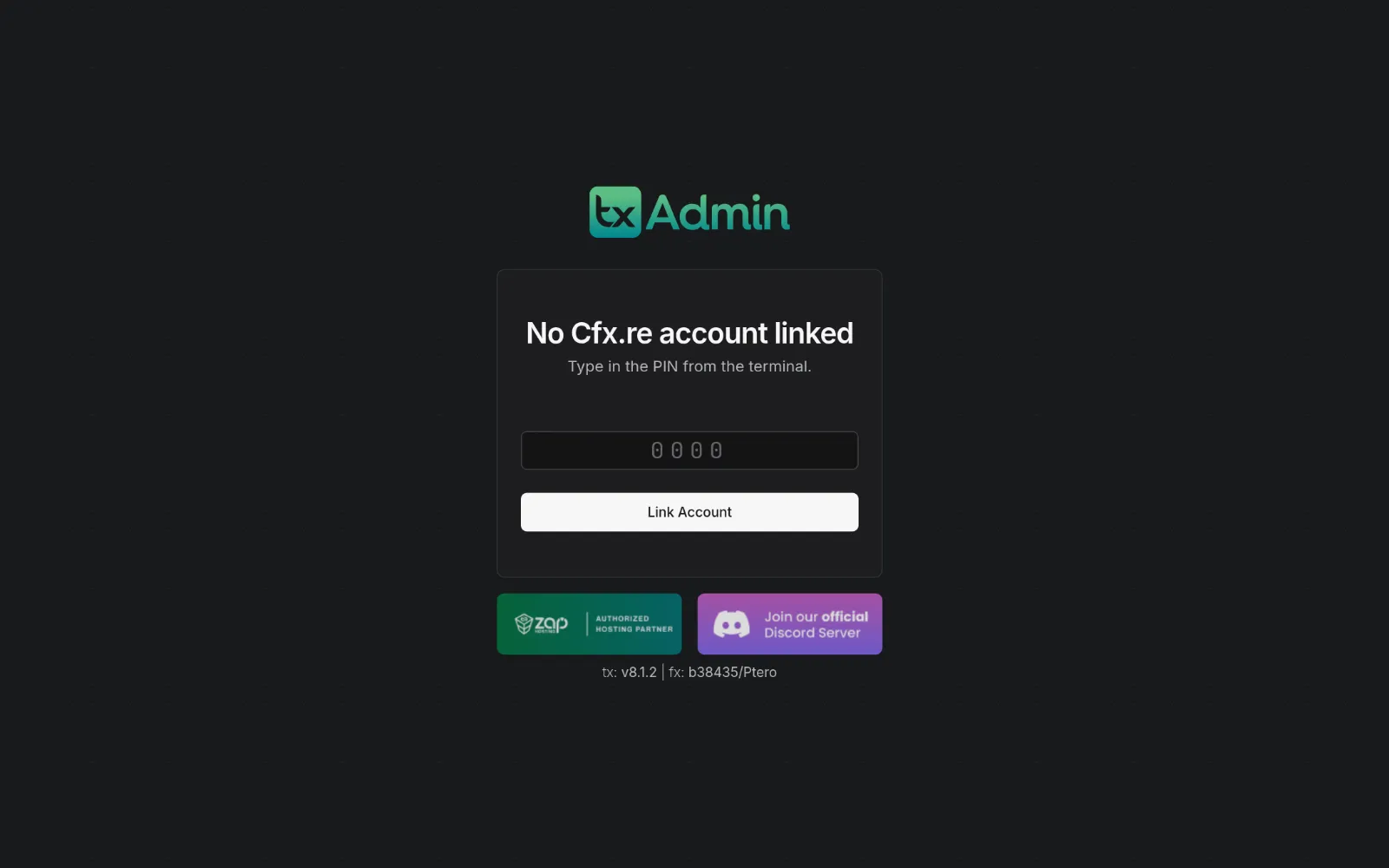
Copy the link from the console and open it in your browser, then type the PIN and press Link Account.
- 3Step 3
Link your Cfx.re account and choose a password
Sign in with your Cfx.re account (create a free one if you have none), then choose a password for signing in to txAdmin later.
- 4Step 4
Create the licence key
Open portal.cfx.re with the same account and create a new key under Server Keys. If it asks for an IP address, enter your server's IP without the port. Copy the key.
- 5Step 5
Finish the setup steps
In txAdmin follow the steps: the server name, then the kind of server (a ready recipe such as QBCore or ESX, or a basic server), then paste the licence key. When the install finishes, press save and run.
NoteRecipes such as QBCore and ESX need a database: create it first on the Databases page of the game panel and enter its details when txAdmin asks.
- 6Step 6
Join from the game
Copy the server address with Copy address in the game panel. In FiveM press F8 and type connect and the address, for example connect 203.0.113.20:25565.
Notes
- Do not change the server port in server.cfg: the port is set for your server and changing it blocks connections.
- More than 48 players needs a paid Cfx.re subscription on the same key; then raise sv_maxclients in server.cfg with txAdmin's CFG editor.
- OneSync is switched on in the server settings; it has no separate key.
- FiveM Enhanced and RedM have no txAdmin: put the key in the Startup page, then press Start.
Steps didn't work for you? Our support team is available around the clock.