
MySQL databases for a game server
Creating a database in the game panel and finding the connection details for the game's or mod's settings.
Some games and mods keep their data in a MySQL database, such as the QBCore and ESX frameworks on FiveM and some Minecraft plugins. How many you can create depends on your plan.
- 1Step 1
Open Databases
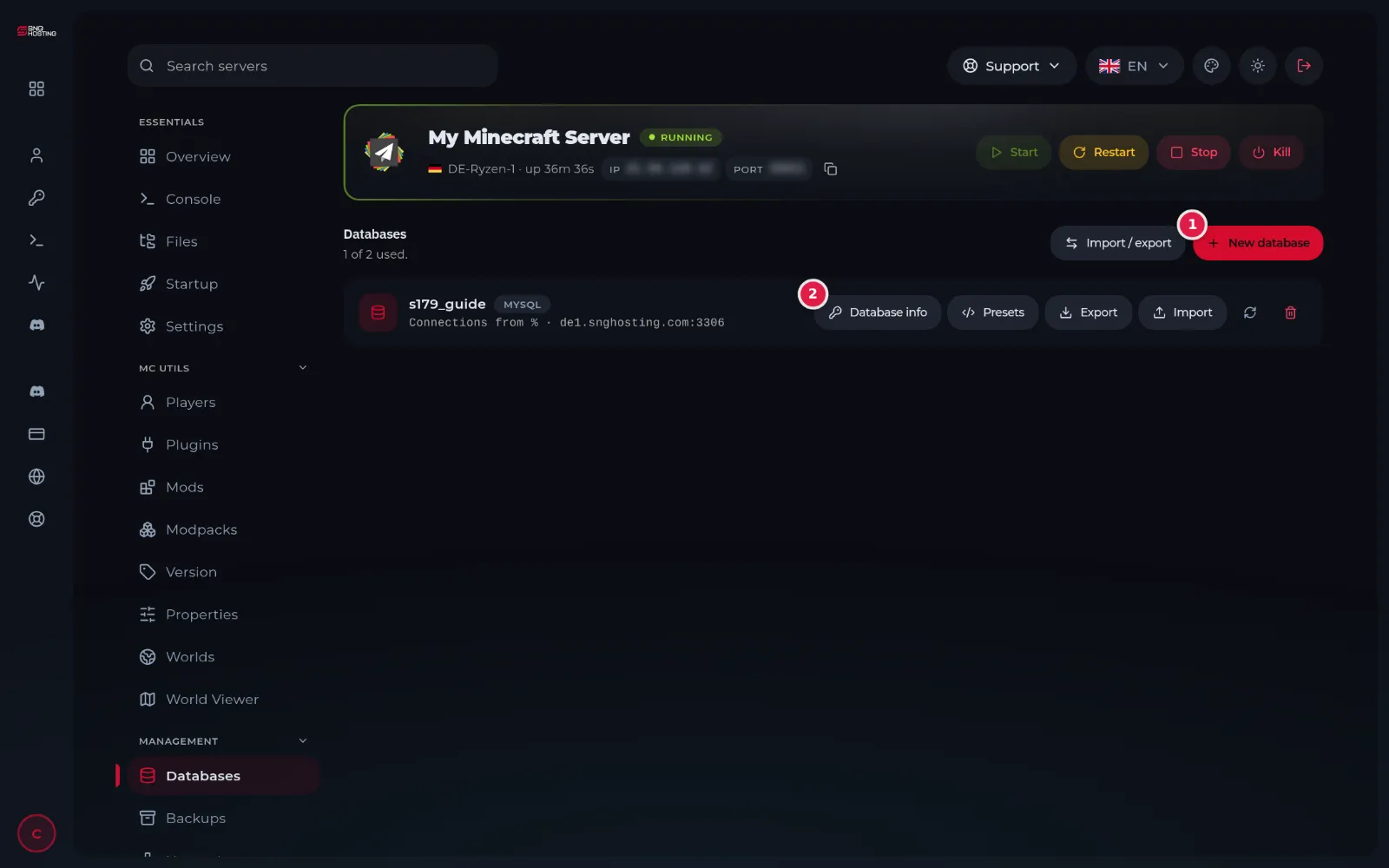
In the game panel menu choose Databases. The top of the page shows how many are used out of your plan's limit.
- 2Step 2
Create a database
Press New database (1), type a short name in English, leave Connections from as it is and confirm.
- 3Step 3
Take the connection details
Press Database info (2) on the database to see the connection details: host, port, database name, user name and password. Copy them into the game's or mod's config file.
NoteOnly your game server can reach the database; it is not open to the internet. Do not share its password.
Notes
- Databases are currently available for servers in the Germany location.
- Export and Import save a copy of the database and load an SQL file.
- Deleting a database deletes everything in it for good.
Steps didn't work for you? Our support team is available around the clock.