
Scheduled tasks on a game server
A daily restart, an automatic backup or a command sent at a set time, without you being online.
The Schedules page makes the server do things at times you choose: a restart, a backup or any game command.
- 1Step 1
Open Schedules
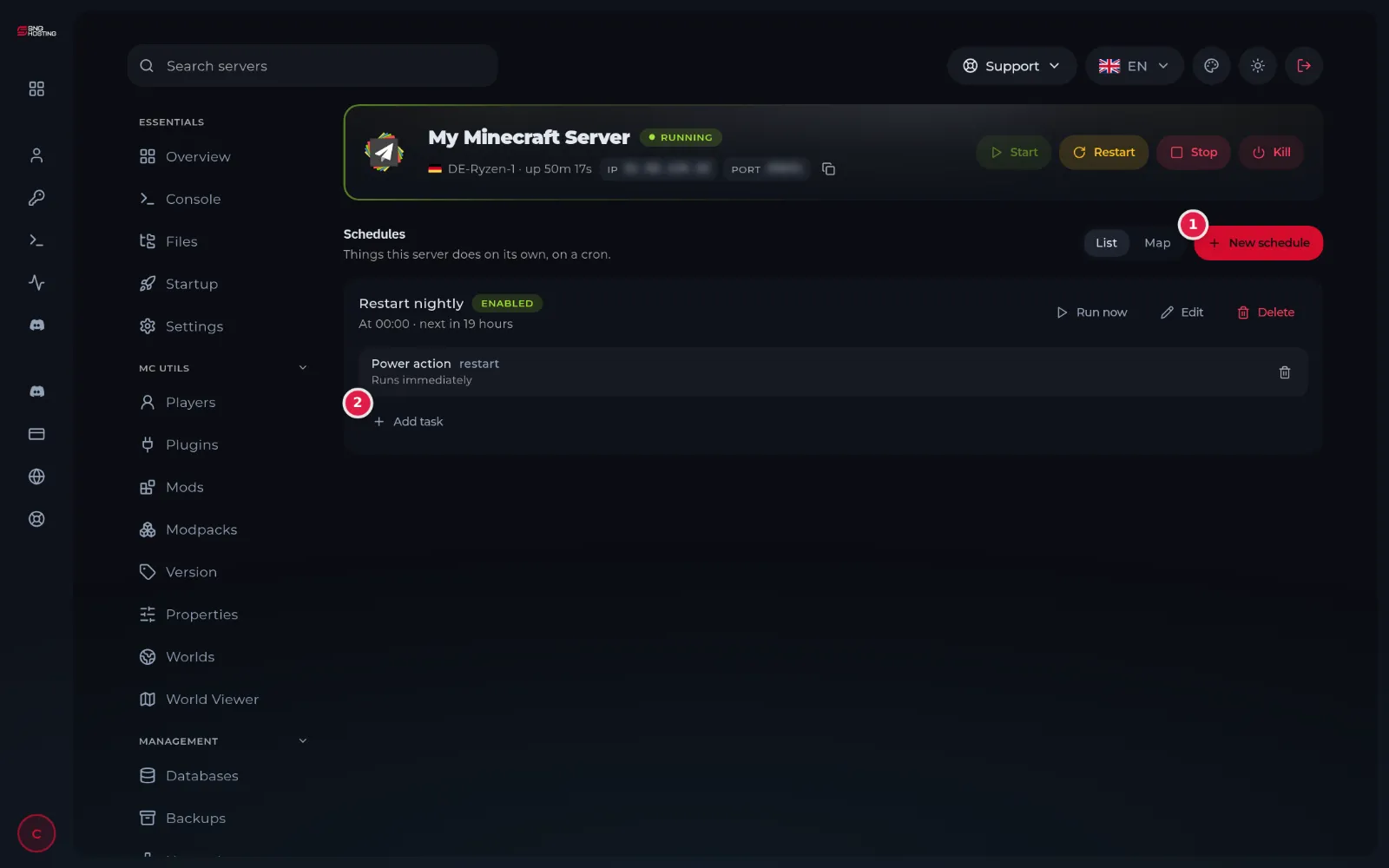
In the game panel menu choose Schedules, then press New schedule (1).
- 2Step 2
Pick a preset or set the time
The easy way: press one of the presets (Restart nightly, Restart every 6 hours, Daily backup, Weekly backup), then Create schedule. Or type a name and set the time yourself in the Minute, Hour and Day boxes. Example for a daily restart at 5 in the morning: Minute 0, Hour 5, and leave the rest on the asterisk.
NoteThe time is the server's time, not your country's. Check the difference before saving.
- 3Step 3
Add what it does
A preset adds its task for you. To add another, press Add task (2) and choose the kind: send a command, a power action (start, restart or stop) or create a backup. Run now tries the schedule at once.
Useful ideas
- Warn players before a restart: add a task that sends a message command, then the restart task with a one-minute delay.
- A daily backup before peak hours protects you from any mistake.
Steps didn't work for you? Our support team is available around the clock.