
A free connection name for your game server instead of the IP address
Pick a name such as myserver.sngplay.xyz that players type instead of the IP address. It is free, and you choose it while ordering or later in the control panel.
A connection name is an easy-to-remember address ending in sngplay.xyz that takes players to your server. It is free, each server has one name, and the IP address keeps working next to it.
- 1Step 1
Choose the name while ordering (optional)
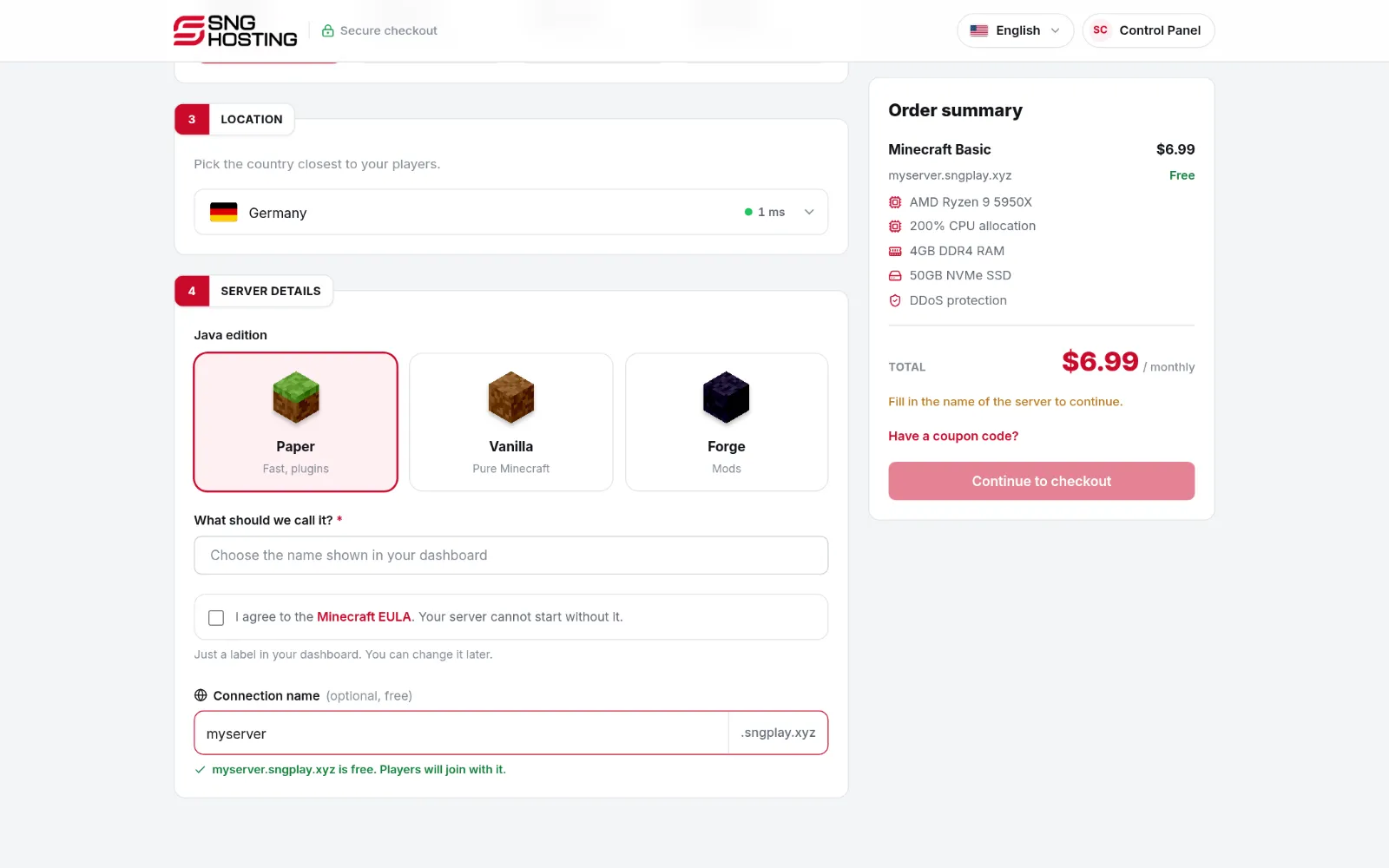
On the order page, type the name in the Connection name field. When it shows that the name is free, continue to payment. The name is set up together with the server.
 Note
The field is optional: leave it empty and add a name later whenever you like.
- 2Step 2
Or add it later in the control panel
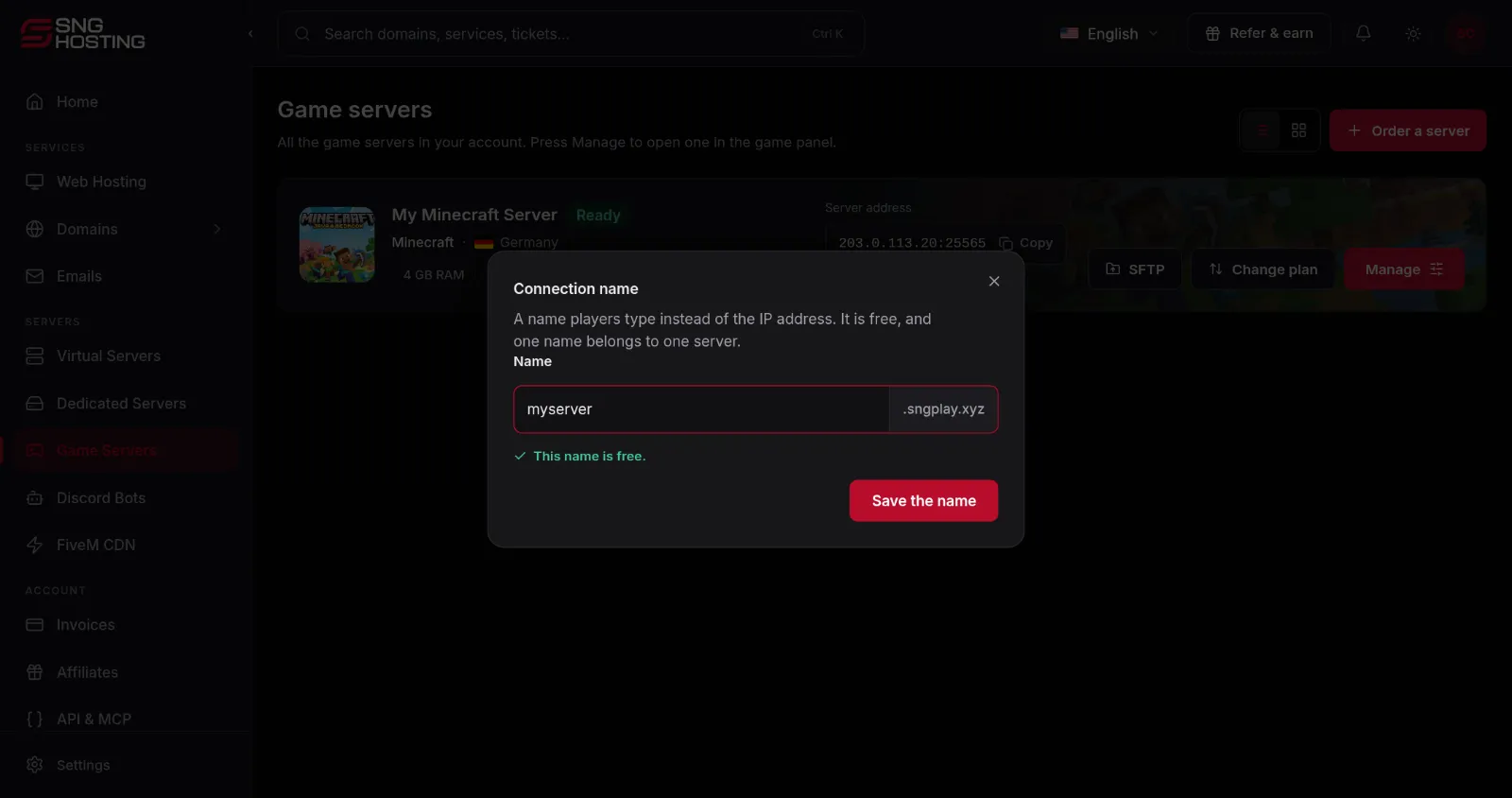
Open Game servers and press Add a free connection name under the server address. Type the name and, when you see This name is free, press Save the name.
 Note
A name has 3 to 32 English letters, numbers and hyphens, without a hyphen at the start or end.
- 3Step 3
Give the address to your players
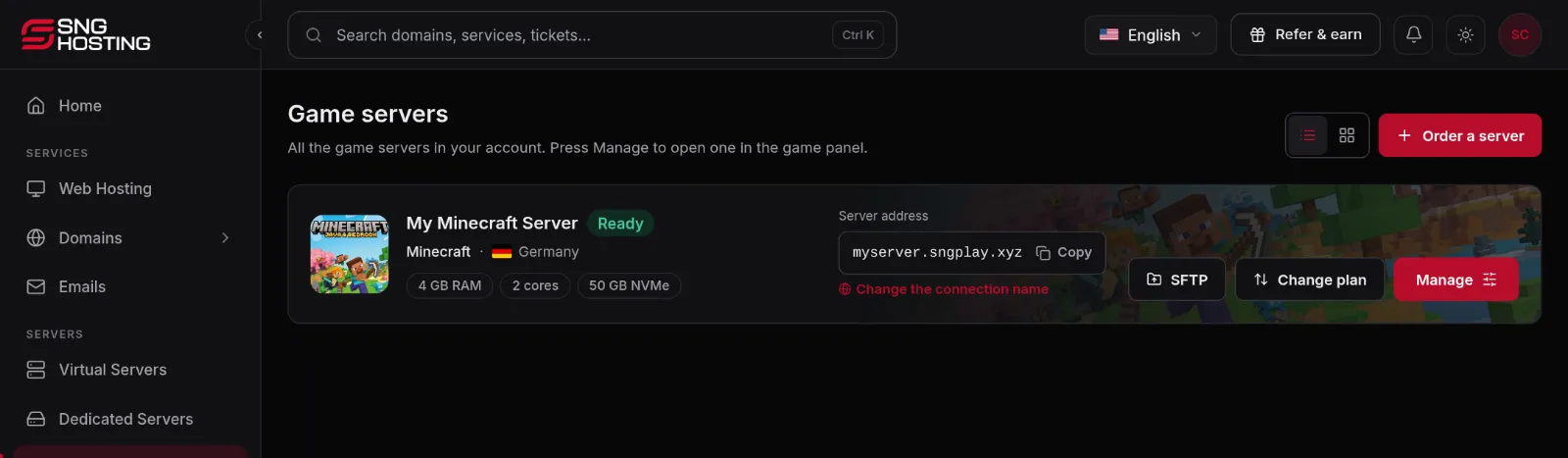
After saving, the name replaces the IP address in the Server address box. Press Copy and send it to your players as it is. The name starts working within a minute or two.
 Note
In Minecraft, players type the name alone. In some games a port number follows the name, such as myserver.sngplay.xyz:25811: copy all of it.
- 4Step 4
Change or remove the name
Press Change the connection name on the server. Type a new name and save it, or press Remove the name to go back to the IP address.
NoteAfter a change the old name stops working and becomes free for others, so tell your players the new one.
If the name does not work
- Wait two minutes after saving and try again, and restart the game if it was open.
- Check that the server is running: the name leads to the server, it does not start it.
- You see This name is already taken or This name is reserved? Choose another one. Some general names are reserved and cannot be used.
- If the address in the control panel ends with a port number, type the port together with the name.
- The IP address always works, so use it to check whether the problem is the name or the server.
Steps didn't work for you? Our support team is available around the clock.