
Control panel guides2 minutes
Service suspended for an overdue invoice
Why your service stopped, and how to bring it back by paying the overdue invoice.
A service is suspended when its invoice is overdue, and every control on a suspended server is locked.
- 1Step 1
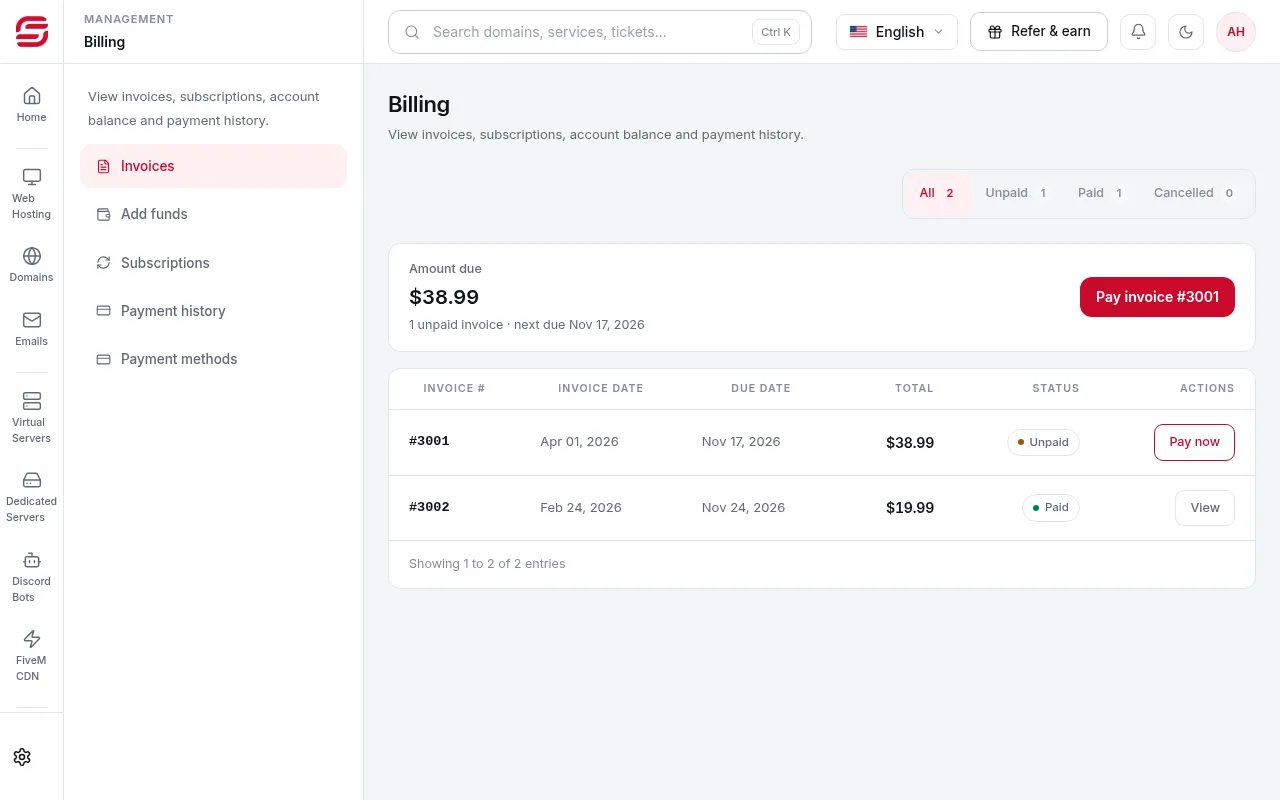
Pay the overdue invoice
In Billing → Invoices, open the overdue invoice and pay it.
- 2Step 2
Wait for reactivation
The service reactivates automatically after payment, usually within minutes.
- 3Step 3
If it does not come back
If the service is still suspended 15 minutes after paying, open a Billing ticket with the invoice number.
Important
- Under the Terms, a service may be terminated and its data deleted 14 days after suspension. Reactivation may require all overdue amounts.
- A suspension for a Terms or abuse breach is not lifted by payment. Open a support ticket.
Need help?
Contact supportSteps didn't work for you? Our support team is available around the clock.