
Control panel guides3 minutes
Adding a domain or subdomain to your hosting
Add an extra domain or a subdomain (such as blog.example.com) to your hosting account from the SNG control panel.
You can run more than one website or subdomain on the same hosting.
- 1Step 1
Open Domains
In Web Hosting → your website, choose Domains in the side menu, then press Add domain.
- 2Step 2
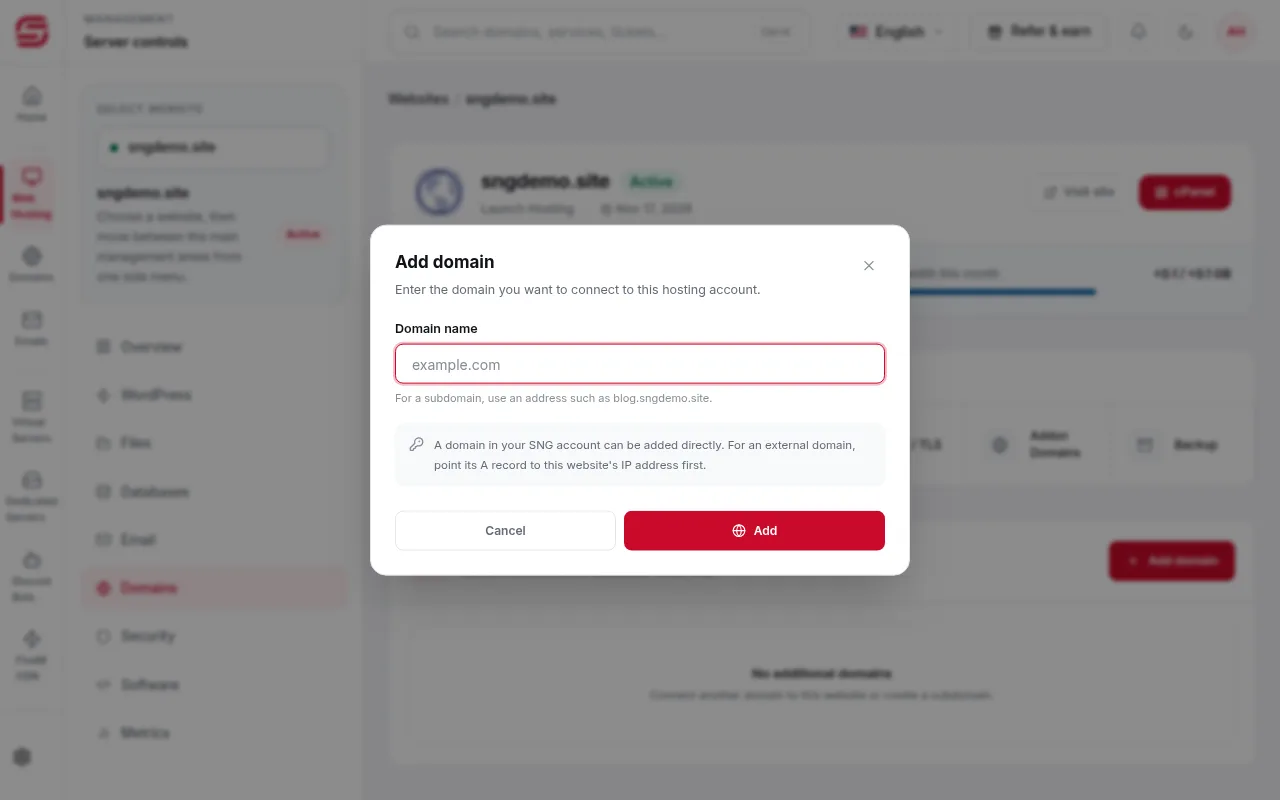
Enter the domain and press Add
Type the new domain, or a subdomain such as blog.sngdemo.site, then press Add.
- 3Step 3
Point an external domain first
Domains in your SNG account are added directly. For a domain registered elsewhere, point its A record to the website's IP address before adding it.
- 4Step 4
Upload the domain's files
Each extra domain has its own folder in File Manager. Upload its files there, or install WordPress on it.
Note
- The number of extra domains depends on your hosting plan. If you reach the limit, upgrade the plan.
Need help?
Contact supportSteps didn't work for you? Our support team is available around the clock.