
Control panel guides2 minutes
Changing your website's PHP version
Pick the right PHP version for your site with one click in the SNG control panel.
Some plugins and themes need a specific PHP version. You change it straight from the SNG control panel.
- 1Step 1
Open Software
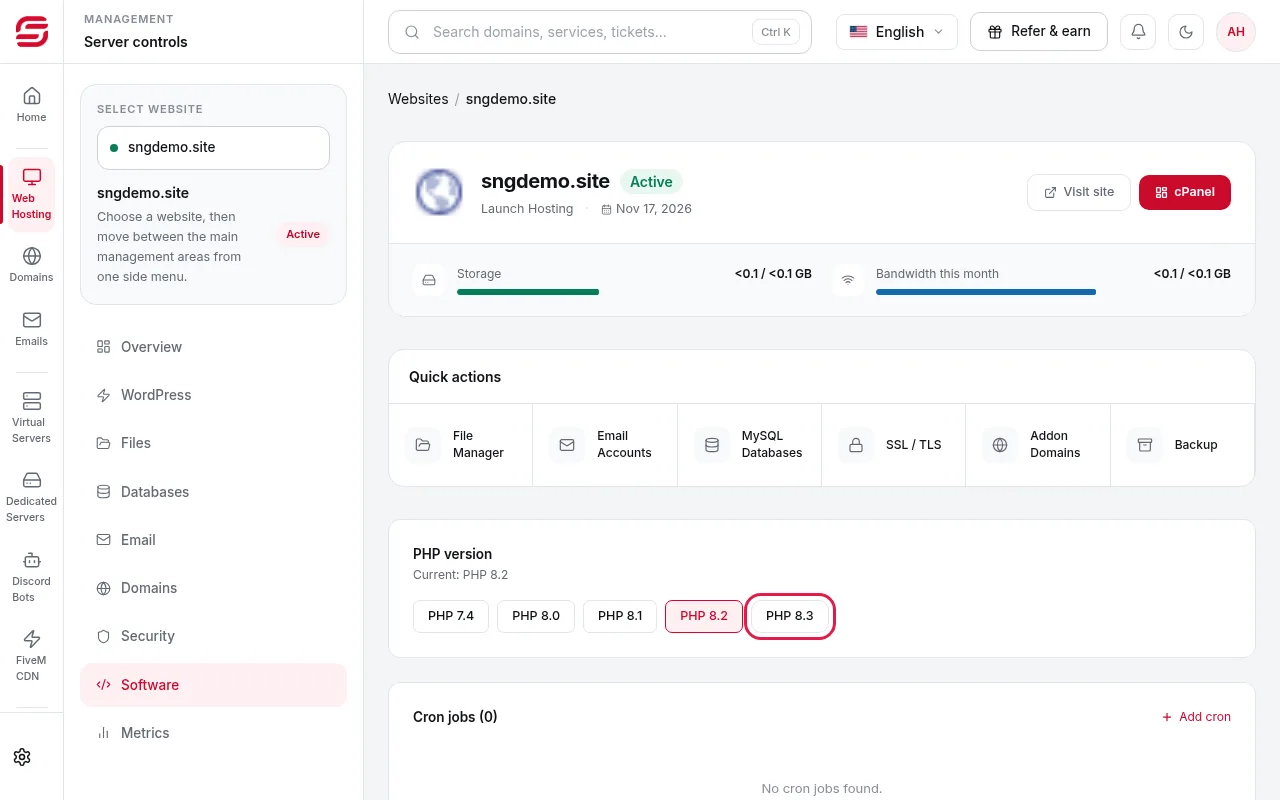
In Web Hosting → your website, choose Software in the side menu.
- 2Step 2
Choose the version
PHP version shows the current version and, below it, every available version. Press the one you want; it applies within seconds.
- 3Step 3
Check your website
Open your site and make sure it works. If you see an error, switch back to the previous version the same way.
Which version?
- Use the newest version your site supports: it is faster and more secure.
- Current WordPress runs on PHP 8.1 and later. Update plugins before upgrading.
Need help?
Contact supportSteps didn't work for you? Our support team is available around the clock.