
Control panel guides2 minutes
Editing your account details: name, phone and address
Change your name, phone number, company and billing address shown on your invoices.
The details under Account information appear on your invoices.
- 1Step 1
Open Account information
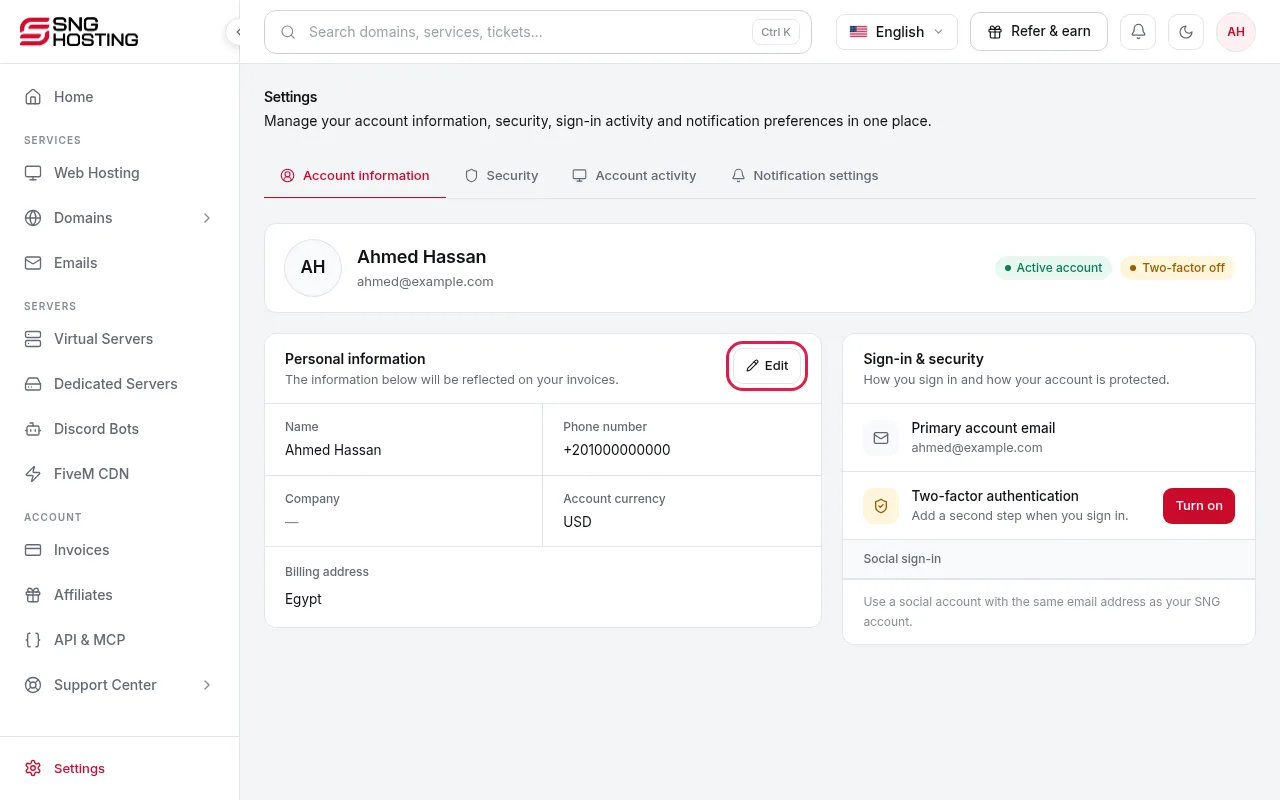
Go to Settings → Account information to see your personal details and billing address.
- 2Step 2
Press Edit
Under Personal information press Edit, change the name, company, phone number, address or country (two letters such as EG or SA), then press Save changes.
Email and currency
- The primary account email cannot be changed on this page. Open a support ticket to change it.
- The account currency is shown on the same page. Contact billing if you need a different one.
Need help?
Contact supportSteps didn't work for you? Our support team is available around the clock.