
Project Zomboid server hosting
A persistent Project Zomboid world for your group, with the mods you choose.
Price from$6.99/mo
14-day money-back guarantee
Project Zomboid server plans
Six plans, starting at the smallest one this game runs well on. Upgrade when you need more.
Best for Project Zomboid
Basic
4 GB RAM
To get started and play with friends.
- 2 CPU threads
- 50 GB NVMe
- 3 backups
- 2 MySQL databases
- DDoS protection
$6.99/mo
Plus
6 GB RAM
For a small community with a few mods.
- 3 CPU threads
- 75 GB NVMe
- 3 backups
- 2 MySQL databases
- DDoS protection
$9.99/mo
Pro
8 GB RAM
For an active community and bigger worlds.
- 4 CPU threads
- 100 GB NVMe
- 4 backups
- 3 MySQL databases
- DDoS protection
$12.99/mo
Elite
12 GB RAM
For a large community and heavy mods.
- 5 CPU threads
- 150 GB NVMe
- 5 backups
- 4 MySQL databases
- DDoS protection
$18.99/mo
Pick the RAM size
Every size runs on AMD Ryzen 9 5950X with NVMe storage and a 10 Gb uplink.
Titan
20 GB RAM
- 225 GB NVMe
- 7 CPU threads
- 7 backups
- 6 MySQL databases
$30.99/mo
Your Project Zomboid server, your way
Project Zomboid is a deep zombie survival sim. On a dedicated server the world keeps running, and you control the sandbox settings, the Workshop mods and who is allowed in.
- Steam Workshop
- 1
Sandbox settings
Set zombie count, loot rarity, respawn and many more options.
- 2
Workshop mods
List your Workshop mods and maps in the server settings and they load on start.
- 3
Whitelist and admins
Keep the server private with a whitelist and give trusted players admin rights.
Why host Project Zomboid with SNG
The same hardware, network and panel on every plan.
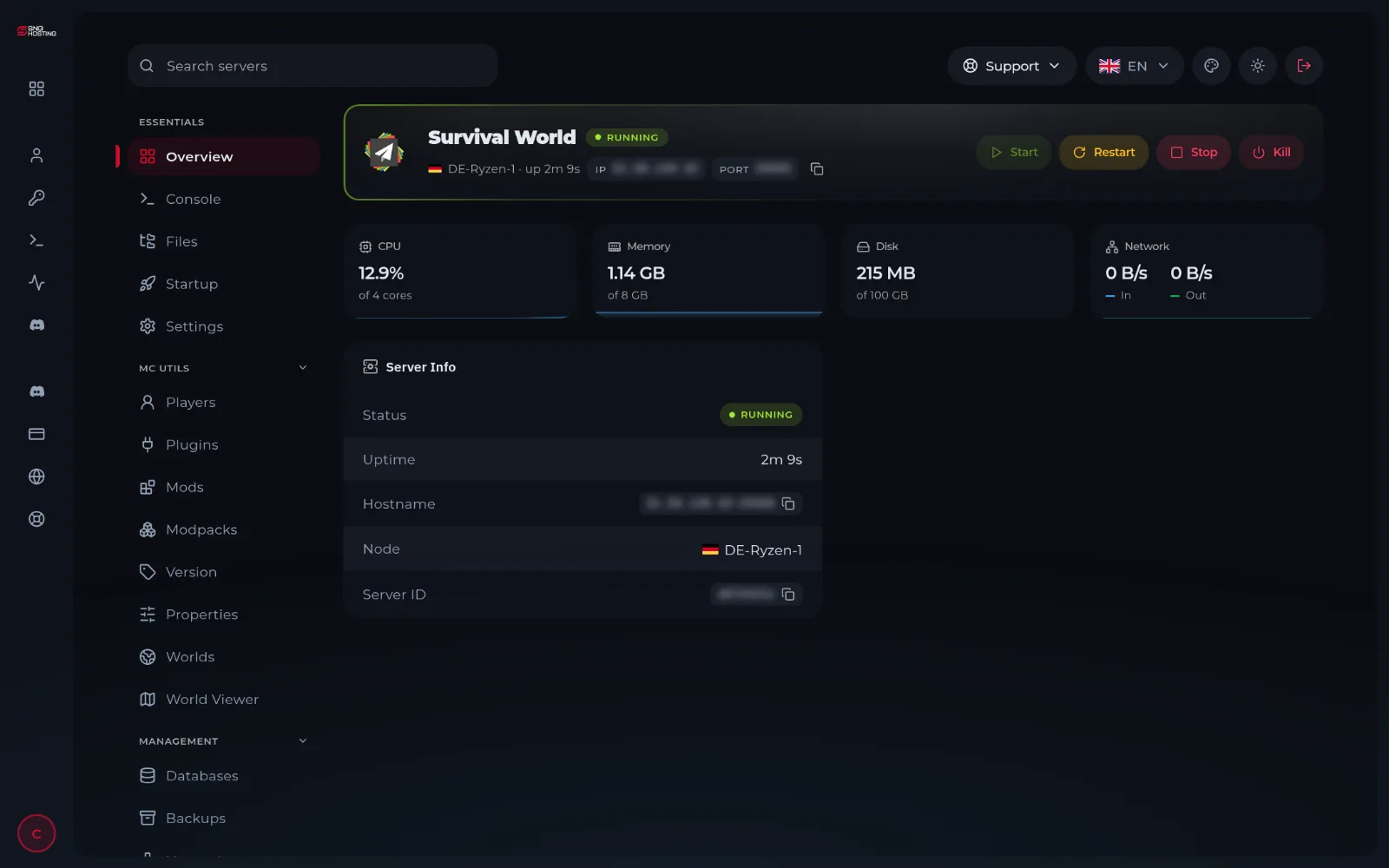
Ready-made game panel
Start, stop, console, files, backups and schedules in one panel, in your browser.
Network
Unlimited bandwidth
DDoS protection
Your server sits behind our DDoS protection, at no extra cost.
Full file access
Upload mods, plugins, maps and worlds with the file manager or SFTP.
Switch games
Want to play something else? Ask us and we move your plan to another game.
Grow when you need
Move to a plan with more RAM without starting over.
Your Project Zomboid server in three steps
- 1
Pick your game and plan
Choose the RAM your game needs. Every game page suggests where to start.
- 2
Pay and get your panel
We create your server within minutes. You open it from your account in one click, with no extra password.
- 3
Start and play
Open the panel, press start on your Project Zomboid server and share the address with your players.
One panel for every game
Your server runs on our own Pterodactyl panel, the open-source game panel used by hosts around the world. You manage everything from your browser.
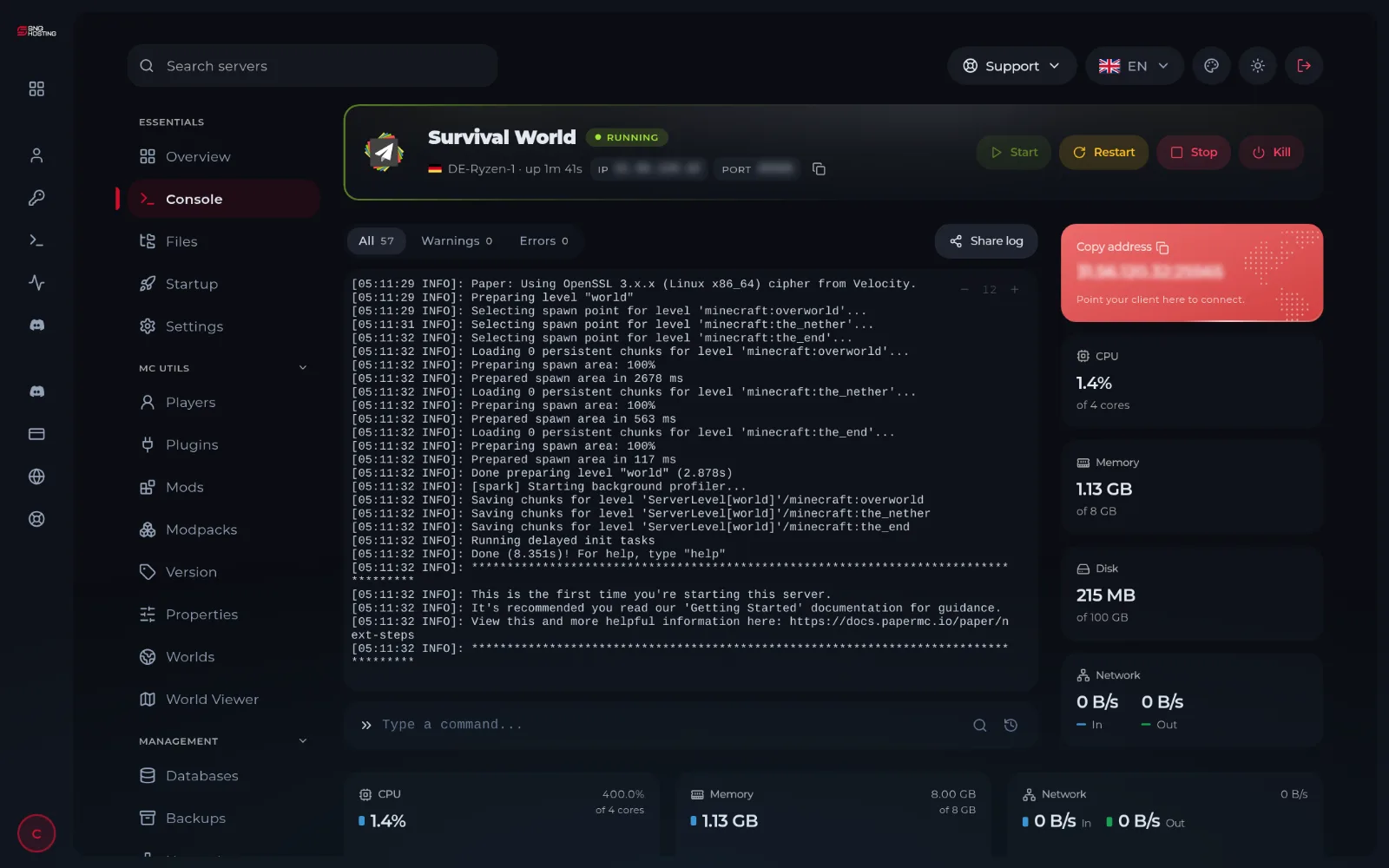
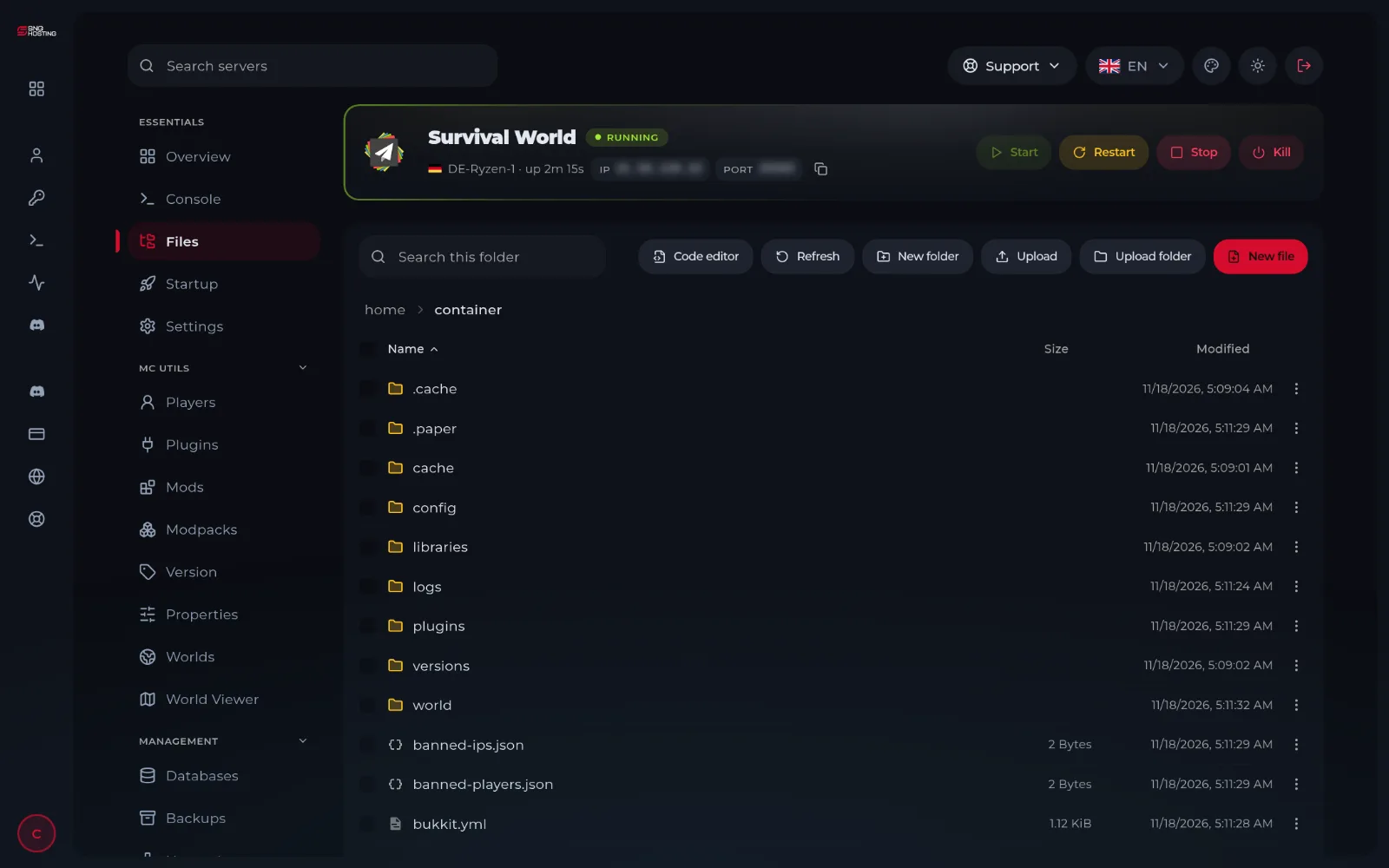
Real pictures of our game panel, taken on a Minecraft server.
Live console
Watch the log and send commands.
File manager and SFTP
Edit configs, upload mods and worlds.
Backups
Save a copy before an update and restore it later.
Schedules
Plan restarts, wipes and commands.
Sub-users
Give your admins access without sharing your password.
Databases
Create a MySQL database for games that need one.
Close to your players
Pick the location nearest your community. The number beside each one is the response time from your own connection, measured right now.
More locations are on the way.
Project Zomboid server hosting: common questions
Answers to the questions we hear most about Project Zomboid servers.
Project Zomboid needs at least 4 GB, and we suggest starting with 4 GB. More players, bigger maps and mods need more, and you can upgrade later.
Yes. You have full access to the server files through the panel's file manager and SFTP. Common choices for Project Zomboid: Steam Workshop.
Yes. Upload your files through the file manager or SFTP, then start the server.
Yes. Ask our team and we move your server to another game, as long as your plan is big enough for it.
In Germany and in Jeddah, Saudi Arabia. You choose the location when you order.
Yes, within 14 days, under our refund policy.

Ready to start your Project Zomboid server?
Pick a plan and your server is created on our game panel.
- Six plans for every game
- 14-day money-back guarantee
- Upgrade any time