
Linux Server4 minutes
Change SSH Port
How to change the default port 22 to improve security
Changing the default SSH port (22) reduces random Brute Force attacks on your server.
Heads up
Important: Ensure you allow the new port in the Firewall before closing the current session, otherwise you may lose access to the server.
- 1Step 1
Connect to Server
Connect to your server via SSH using the current port (default 22).

- 2Step 2
Edit Config File
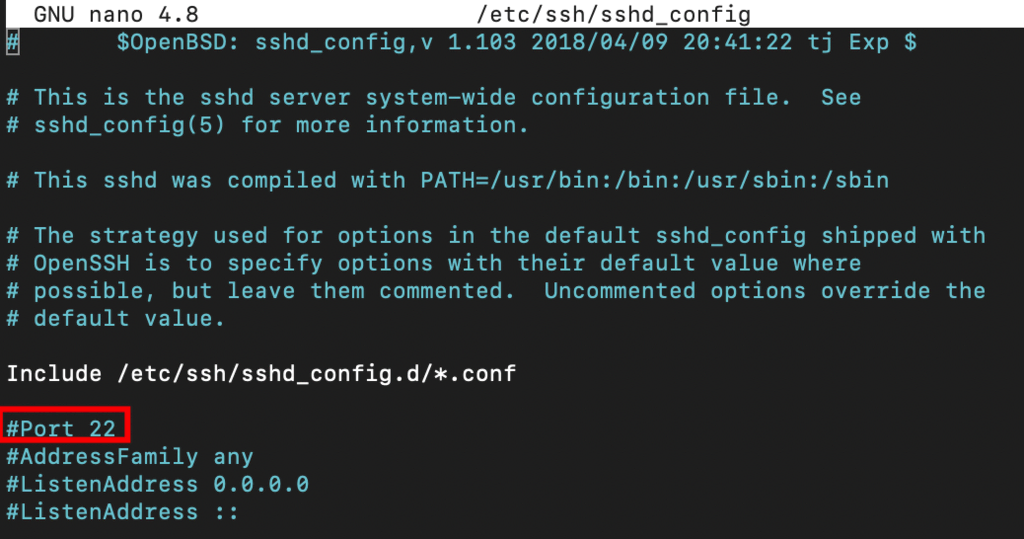
Open SSH config file: `nano /etc/ssh/sshd_config`. Find the line `#Port 22`, remove # and change the number to your new port (e.g., 2222).
- 3Step 3
Save and Restart
Press Ctrl+X, then Y, then Enter to save. Restart SSH service: `systemctl restart sshd`. Make sure to open the new port in your firewall before exiting!
Need help?
Contact supportSteps didn't work for you? Our support team is available around the clock.