
Linux Server3 minutes
Connect via SFTP
How to transfer files to Linux server using WinSCP
SFTP (SSH File Transfer Protocol) is the most secure way to transfer files between your computer and the server. In this guide, we will use WinSCP.
- 1Schritt 1
Download and Install WinSCP
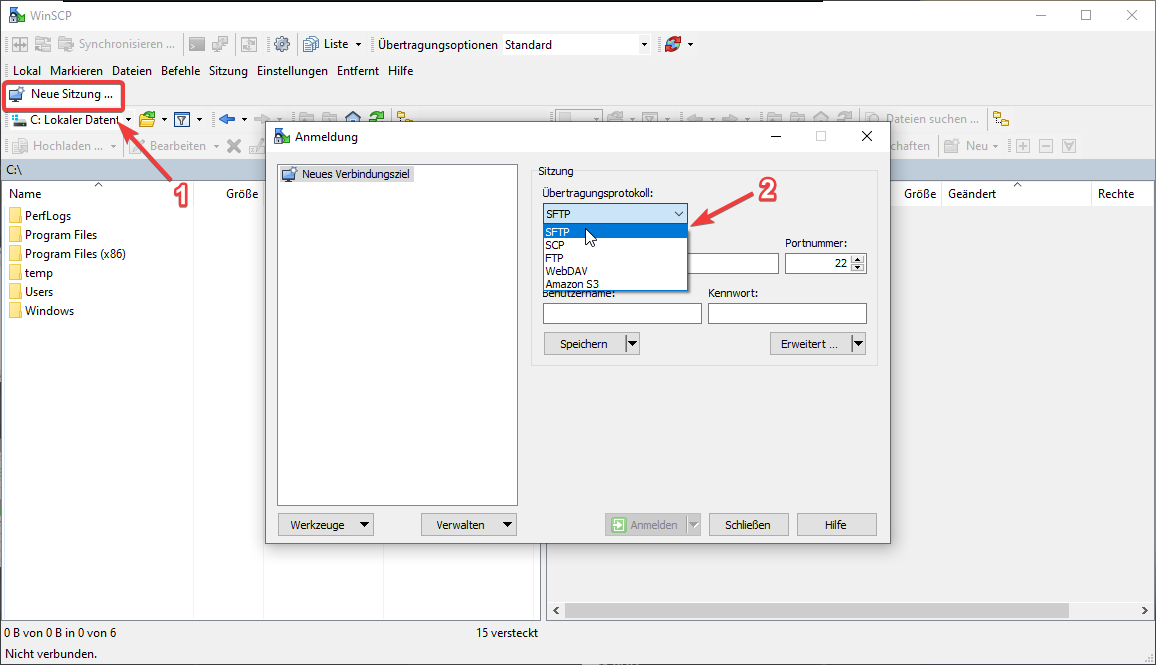
Download WinSCP from the official website and install it. When you open the program, the login window will appear.
- 2Schritt 2
Enter Connection Details
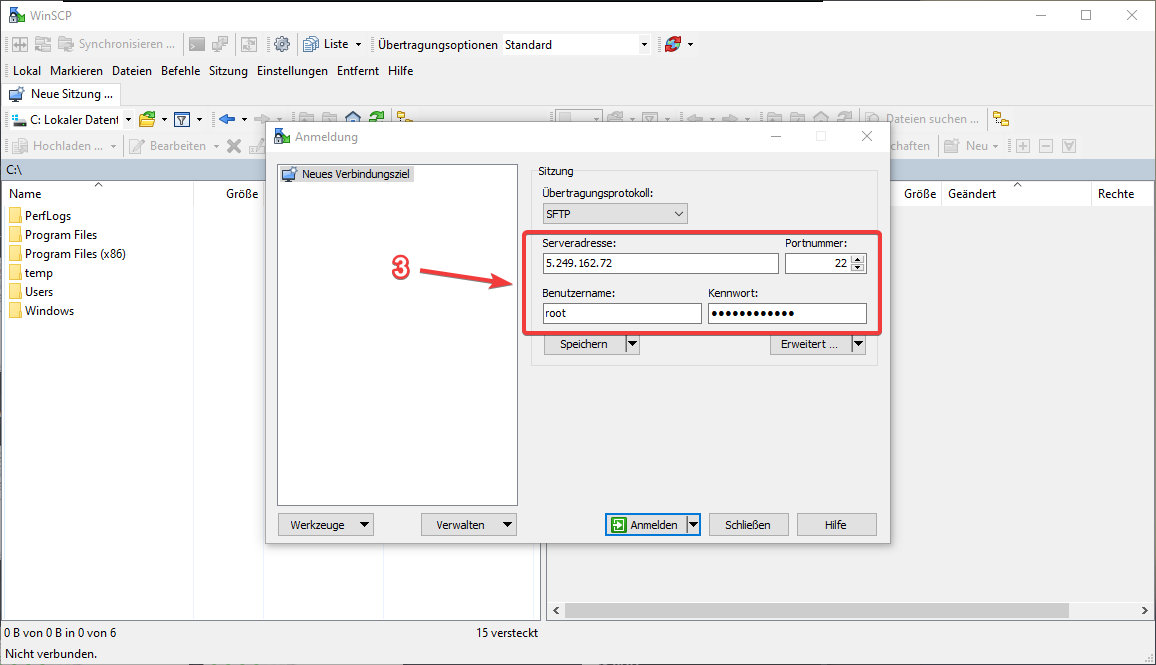
Select 'SFTP' as the file protocol. Enter the Server IP in 'Host name', username (usually root), and password. Default port is 22.
- 3Schritt 3
Connect and Transfer
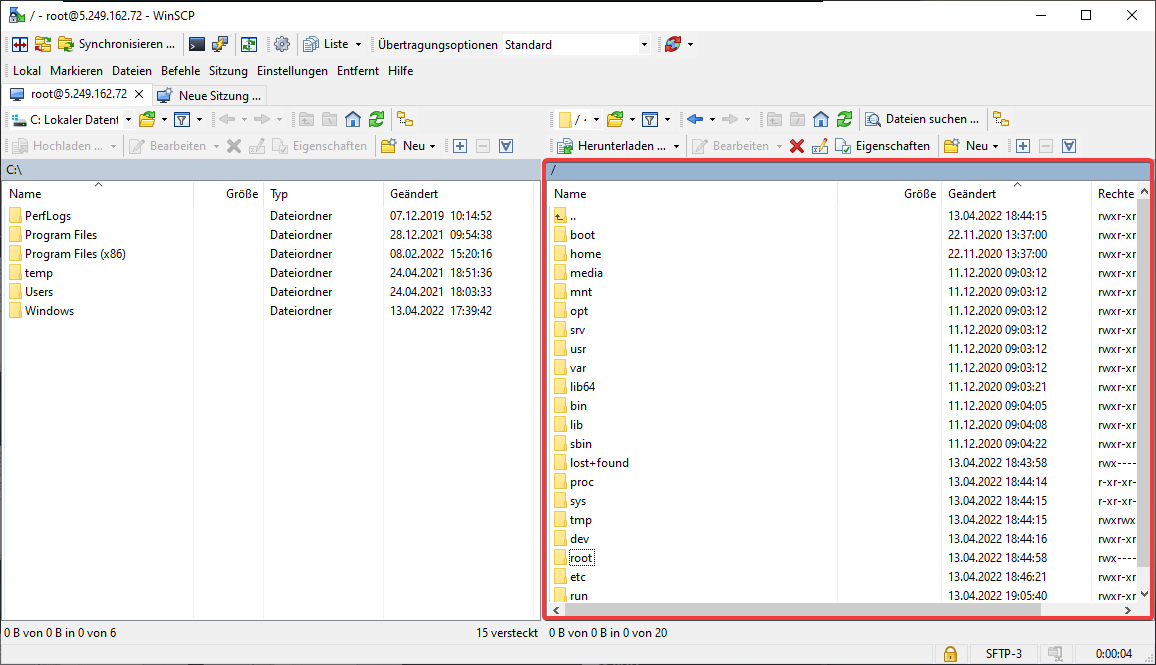
Click 'Login'. Upon successful connection, your local files will be on the left and server files on the right. Drag and drop files to transfer.
Nützliche Tipps
- Ensure you use the correct port if you changed the SSH port.
- You can save session settings for quick access later.
- Use drag and drop to transfer entire directories.
Brauchst du Hilfe?
Support kontaktierenDie Schritte haben nicht geholfen? Unser Support-Team ist rund um die Uhr da.